Final shoot plan + images

Assignment 5, Notes, Reflection on assignments, Thoughts & Ideas

Summary:

In this post I

– Discussed my shoot plan, the research and practitioners I have decided to gather inspiration from

– How I intend to shoot my images and the concept behind the project as a whole

– Mentioned the lighting settings I was going to use for the photoshoot and why

– Before inserting a contact sheet of the images I ended up with, along with a brief list of annotations for the images not making the final cut

– Chose my final images, presented them as individual shots, as well as a group in typology form

– With analysis for each photograph without explaining my intentions for the images

– Reflected on the shoot as a whole, exploring my intentions for the final set in further detail to explain what went right or wrong.

Shoot plan

Reflecting on the minimalist work of Ziqian Liu and past instant photography research, I chose to create a project surrounding body image via the lens of an Instax camera.

Liu’s work is so intimate and soft visually that ‘we as the audience begin to appreciate and connect with the limbs or skin’ (Powell, 2021). Body image and accepting the skin that we are in is not as simple as just loving yourself or applying self-care to your daily routine as a fix-all. The body is complex, full of intricate organs, veins and skin cells that make us what we are. Much like the camera and its lens, the light used to fill the camera once the shutter opens is complicated and detailed, so to label it ‘simple’ would be a lie.

I intend to capture close-ups of the human body, the skin and specific features to show the imperfections, the journey it has been on and how difficult it can be to document that within a set of images. Unlike Liu, I will not be using flowers or such delicate props to compliment the subjects I am taking images of; instead, I will use a bed and sheets to reference the intimacy and privacy she explores within her work.

As explored in my test shoot, the Instax Mini 8’s light settings will be set to Hi-Key as it is the ‘brightest of all lighting choices, resulting in a lighter and softer image’ (Adorama, 2021). A brighter light setting will allow me to shoot on any given day, no matter what the weather is like outside. Shooting without knowing what the composition looks like will be a challenge, which I wanted to do for this assignment to push the boundaries of ‘simple’.

After I have gathered a collection of final images, I will use my SONY A57 to convert them into a set of digital images to mix my media, combining the limited reality of instant cameras and the flexibility of digital photography.

‘Contact sheet’

This is not my typical contact sheet as the images were physical, meaning I could not import them into Adobe bridge and annotate them as I usually would. Instead, I placed all the prints I took on a white card and took a digital picture using my Sony A57 to show all of the results from my shoot before labelling them using photoshop.
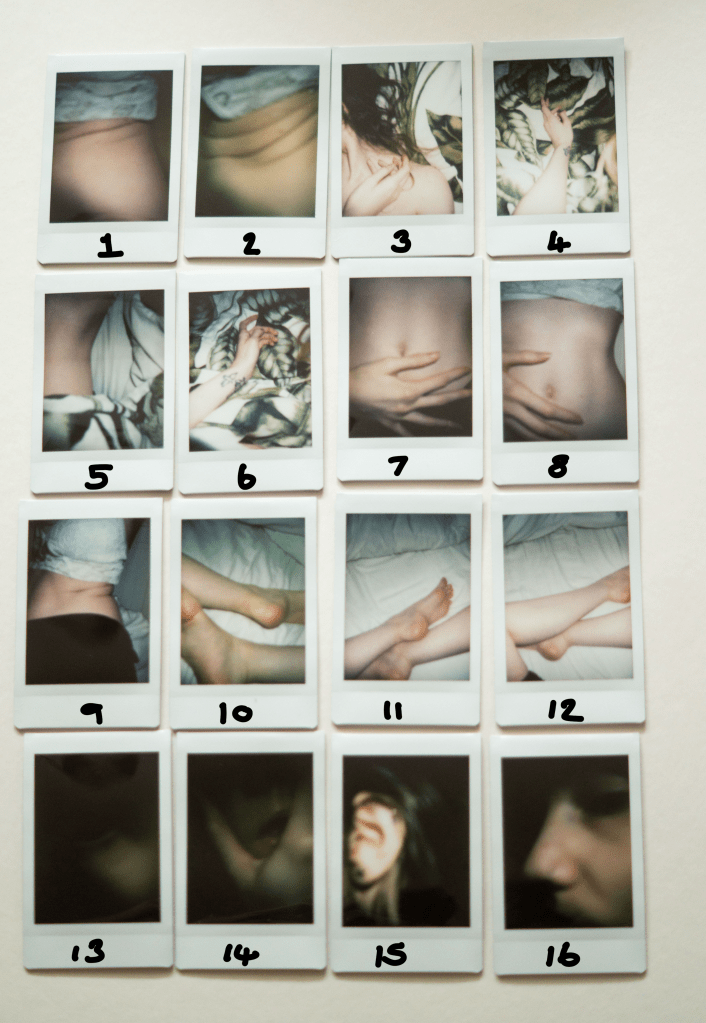
Fig. 1. Contact Sheet (2021)

Contact sheet annotations

(See Fig. 1) for reference.

Images 1 and 2 are too tightly cropped, blurred and not what I was expecting, therefore, they will not feature in my final selection.

Image 6 is ok, but the positioning of the arm is slightly odd and was not what I intended to shoot. There is also a tiny interference at the bottom of the frame.

Image 8 is not cropped in the way I wanted, as the crop top is in the frame. It is not awful, but I would rather it was not there.

Images 11 and 12 are ok, but the black leggings in image 12 were not intentional and are distracting. I like image 11 but prefer image 10 in terms of tone much more.

Image 16 did not turn out as expected as I did not want the eye to be within the frame.


Final selection
Analysis

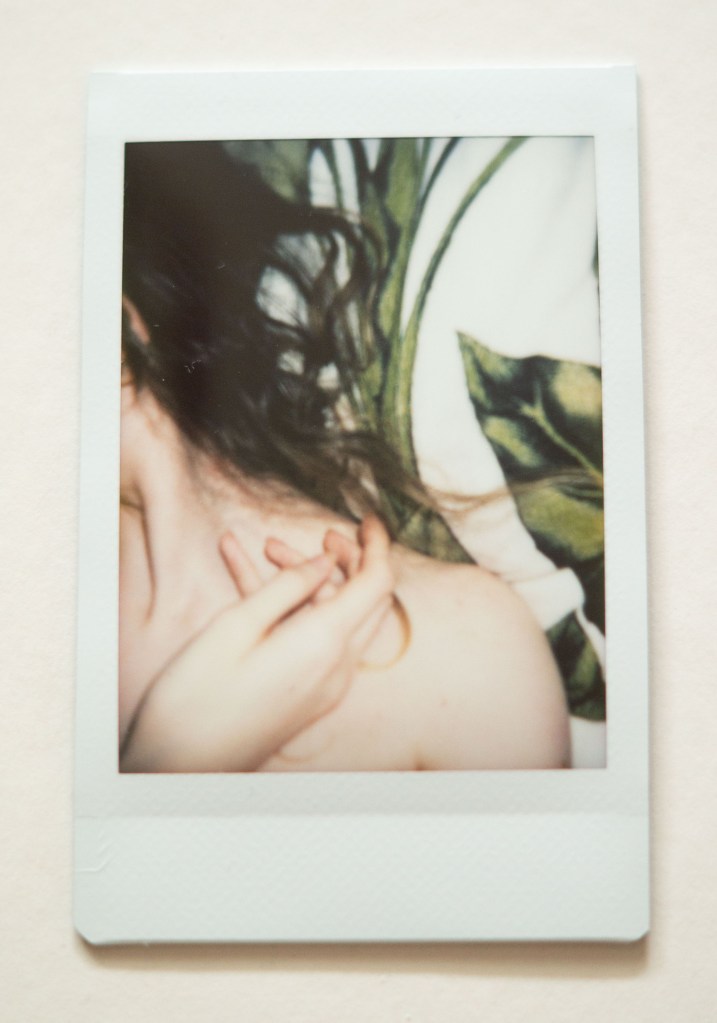
Photography is simple 1 (see Fig. 2) is minimalist in terms of tones and colour, the pop of green brings nature into the composition without controlling the emotion of the image or distracting from the main subject. The hair spread across the sheets underneath provides shape and texture to the shot as the curls twist in multiple directions away from the persons face. Are they turning their head away mid-shot, are they posed? We are unaware of any emotion shown outside the frame as the face is not visible, taking that element of context away from the audience. The focal blur adds privacy to the photograph, making it soft and less detailed than it may look if taken with a digital camera. The shot was lit by the cameras inbuilt flash brightening the skin and keeping the contrast reasonably balanced preventing any harsh highlights or shadows. Contextually were unaware of the exact location due to the framing of the shot, are there two people in the frame or just one? Removing the vital elements that could provide more knowledge for the audience makes the photograph more interesting and secretive.

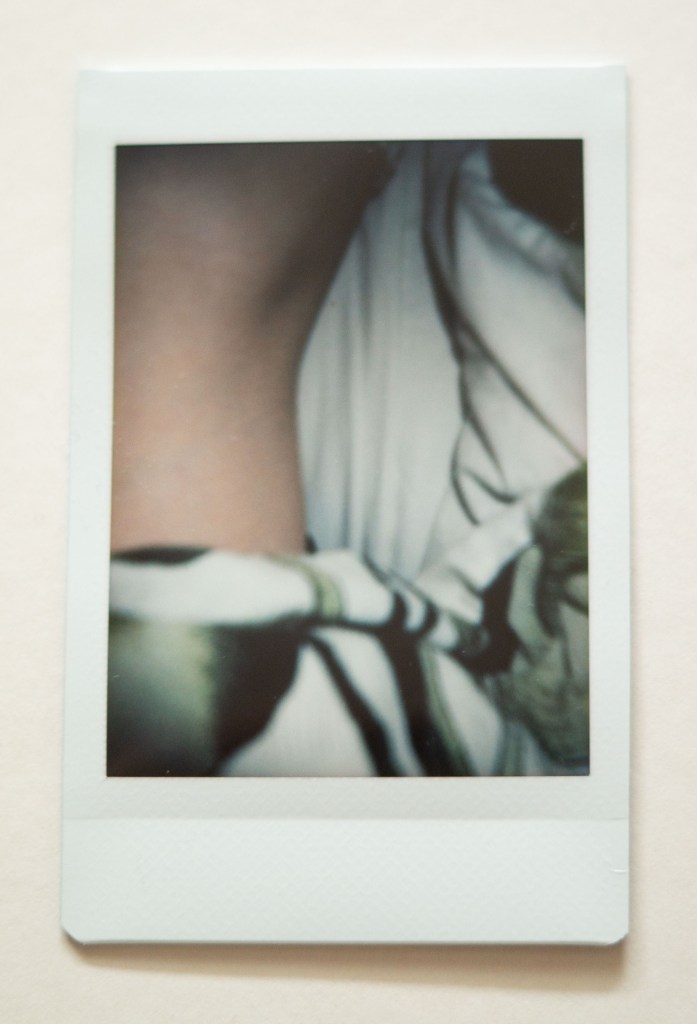
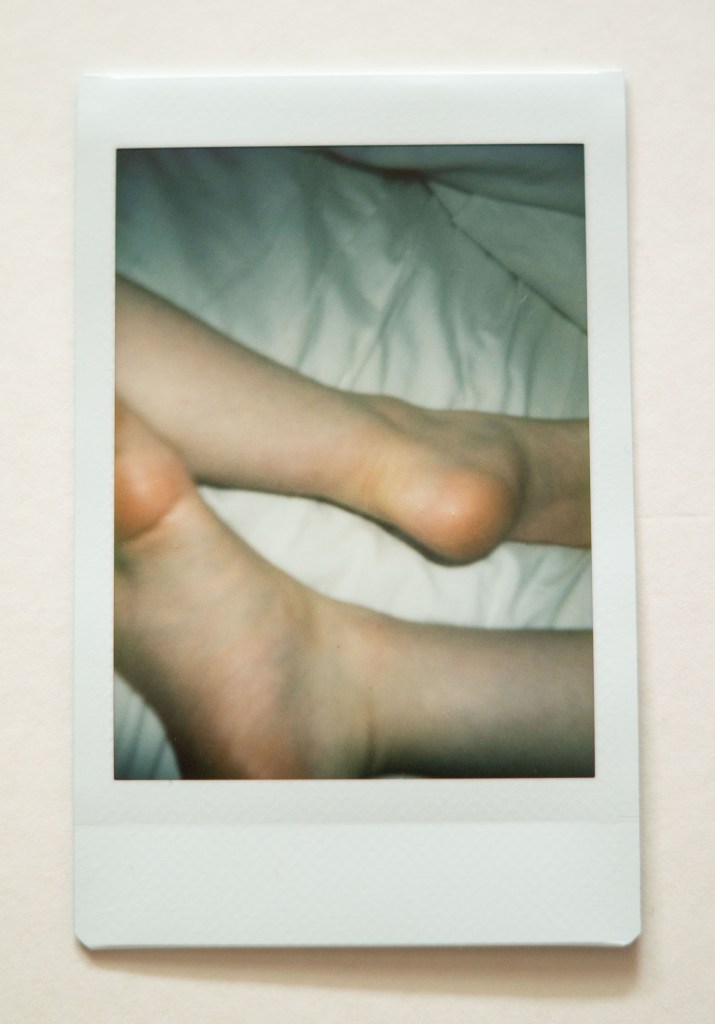
Photography is simple 2 (see Fig. 3) is slightly more muted than the previous shot, as shadows have diffused the intensity of colour, lowering the exposure. The body part within the photograph framed by the material used to cover the subject emphasises the curved form and the intriguing gap in the middle of the composition. Are two people back to back? Is this a leg or an arm? Cropping the subject pushes the brain to explore the piece in further detail to figure out what is going on. The image is much softer in terms of contrast, as the lighting is not as bright and has not reflected the whiter elements in the shot. Conceptually this image explores the desire to cover ourselves up and hide away from the eyes of others rather than embrace what we have.

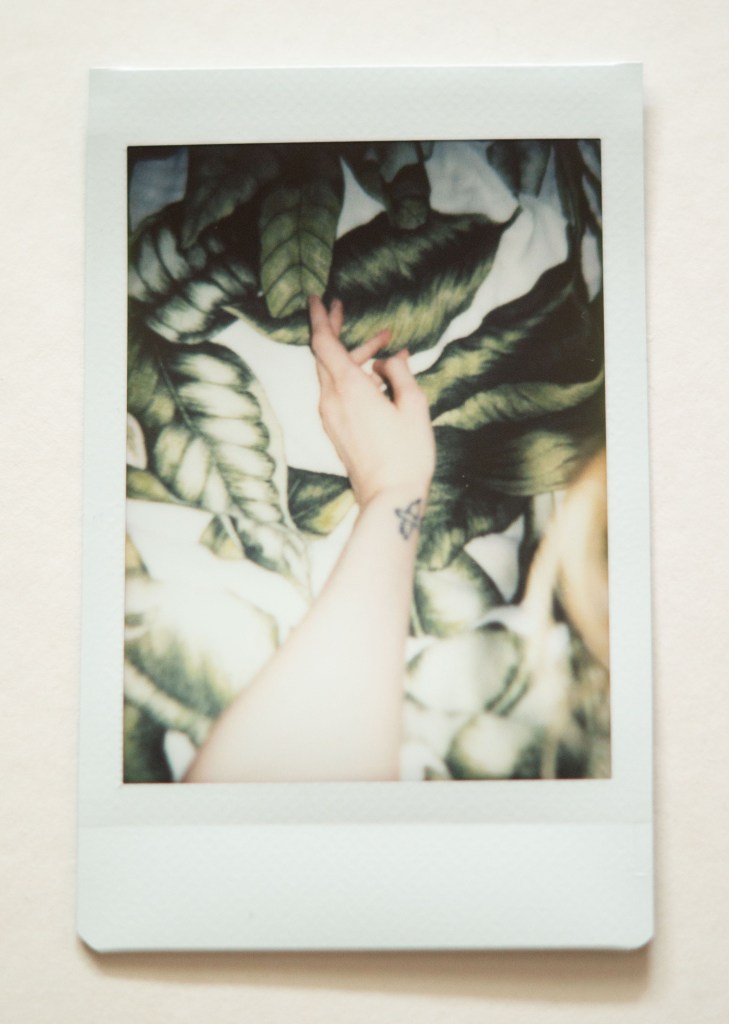
Photography is simple 3 (see Fig. 4) is brighter and slightly overexposed due to the flash reflecting off the skin closest to the lens. The arm cutting through the middle of the frame provides a leading line for the viewer, starting from the bright flash at the bottom towards the evenly lit and relaxed hand in the top third of the image. A monochrome colour palette of white and green brings a fresh and innocent feel to the composition. The angle of the arm adds depth as if the hand is reaching into the leaves below. Placing the subject in the centre of the frame, in full view rather than shooting it up close, juxtaposes the previous images as there is slightly more context as to what the photo is. This image feels delicate and indicative of someone reaching out towards someone or something.

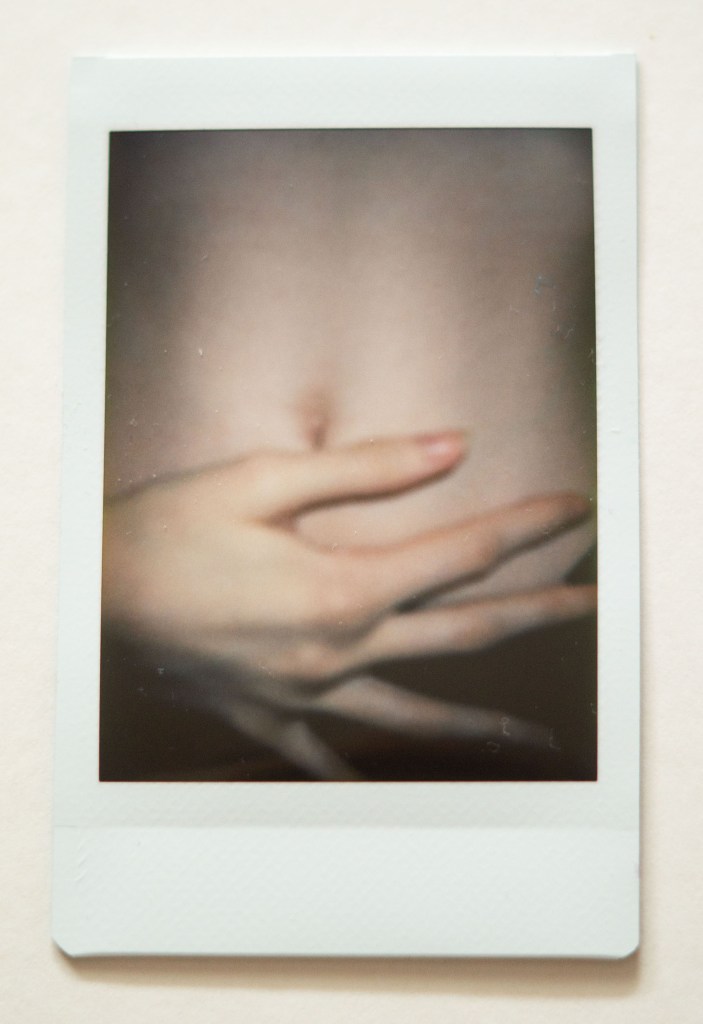
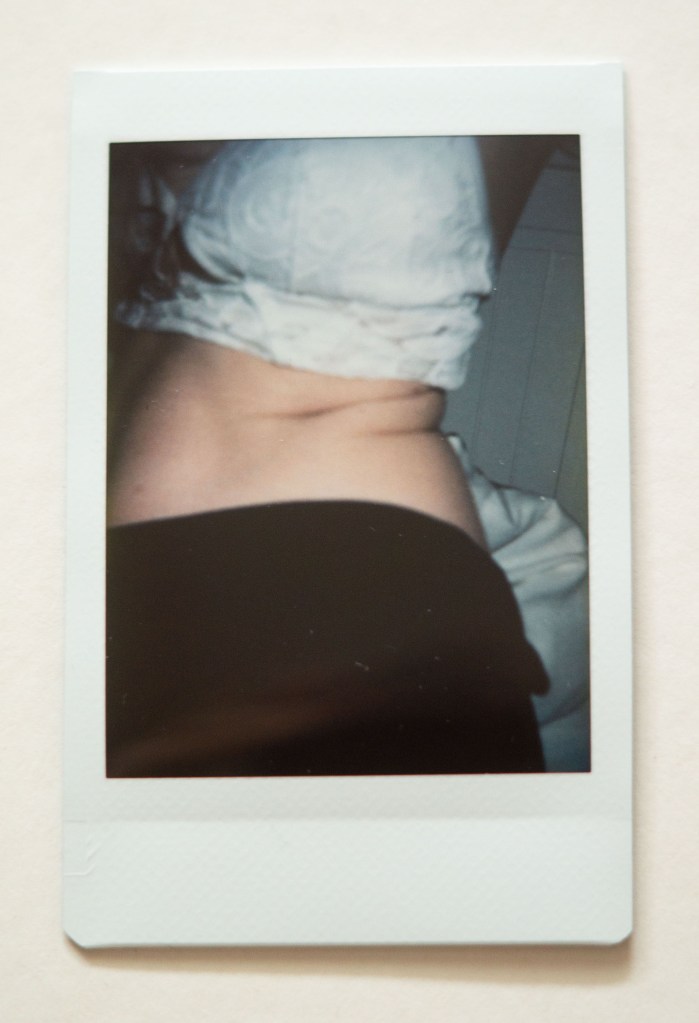
Photography is simple 4 -6 (see Fig. 5-7) are cooler in temperature and more monochrome in terms of colour, with a simple colour palette of black and white. The subjects are well focussed and provide slightly more context to the viewer than the previous three images. They explore the textures within the skin, the soft elements, wrinkled areas and natural rolls of the body. Shadows and highlights are balanced, accentuating the body shape and enhancing the fragility of the skin through diffused light casts. It looks as if the images were shot in a dark room or on an overcast day due to the blue-ish grey tones surrounding the subject, however, the viewer cannot be sure without further information. These images feel the most personal and real as they explore the natural parts of the human body, the parts that we can feel ashamed of and learn to resent.

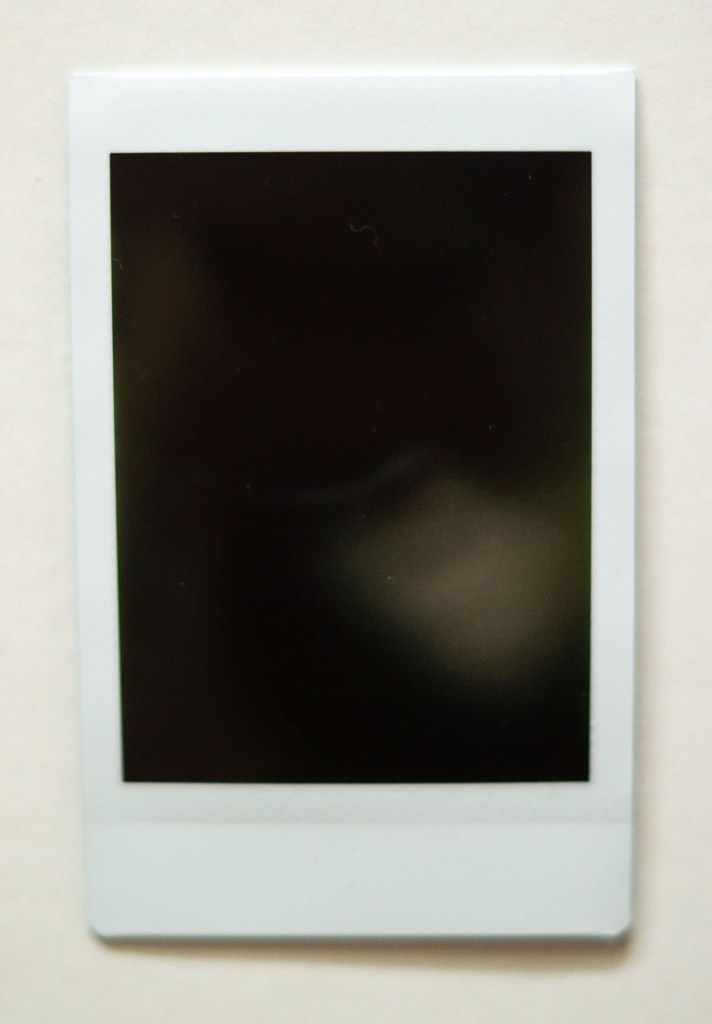
At first glance, Photography is simple 7 (see Fig. 8) looks like a failed underexposed image, however, once you take a closer look you can see the whites of an eye and the reflection of the light bouncing off of the cheekbone. The shadows are dark and contrasted causing the highlights to be more diffused and subtle to the eye, making the subject in the frame softer and hidden. Negative space surrounding the eye draws the viewer to look closer at the small area of light provided to them and explore what is going on. Context is removed completely for this shot as we are unaware of the location, who this person is and whether the shot was intentional. Instead of the eye being covered it is the only thing shown and is the opposite of privacy, perhaps implying the idea of feeling exposed and seen by others?

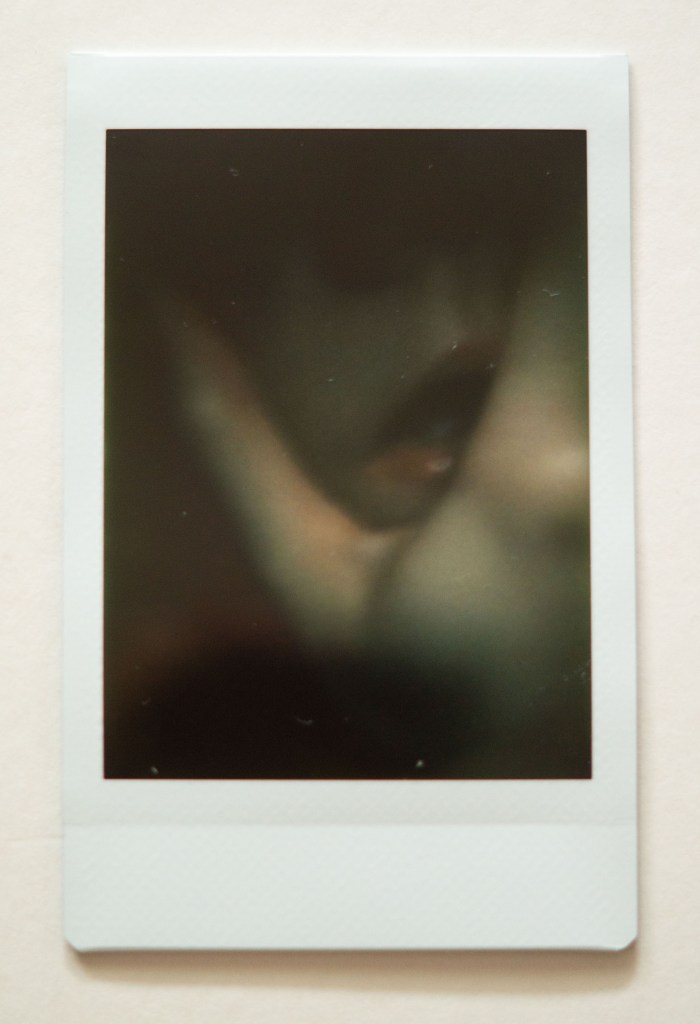
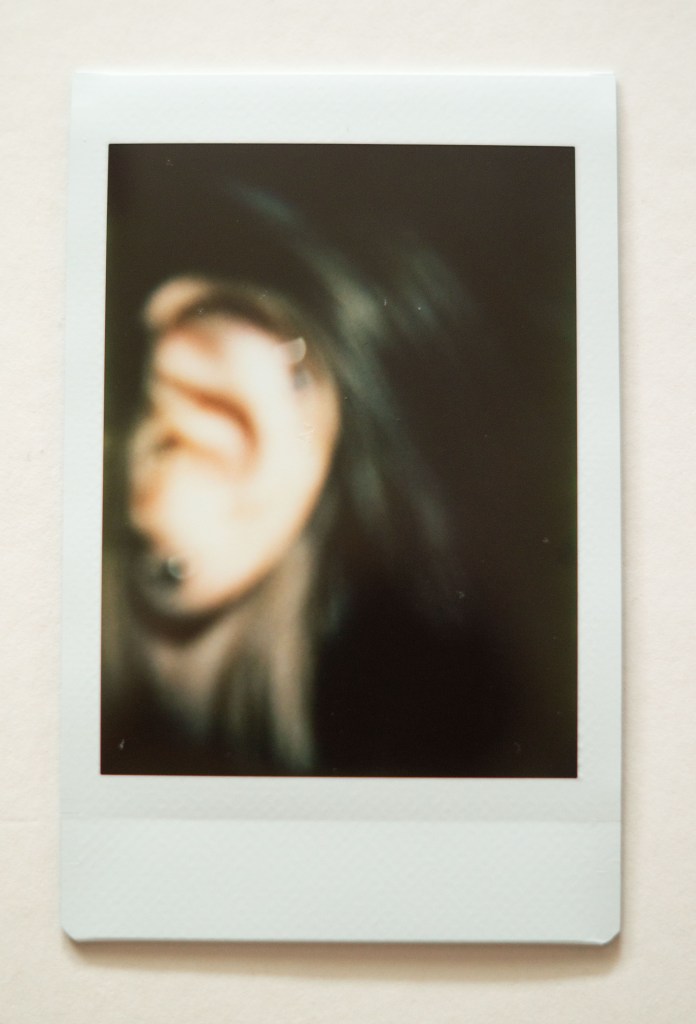
Photography is simple 8-9 (see Fig. 9-10) have heavy contrasted shadows with small yet strong sources of light to create a focal point for the images. The light casting on the hand in 8 frames the mouth within the shot, drawing attention to the shiny texture on the lip. Contextually the viewer is unaware of why the hand is there, whether it is the model’s hand or someone else’s, however, the close cropping and framing isolates this facial feature and highlights the delicate nature of the skin. There is little colour within these images besides the red of the lips, as a result, this makes the photographs feel mysterious and eerie compared to the brightly lit, freshly coloured shots. Out of focus shots add intimacy and prevent the eyes from understanding what is happening at first glance, pushing the audience to get up close and personal to appreciate the subject. Are these images hinting towards the way we see ourselves, the way we or others speak about us, or perhaps what we hear in the media about what is considered beautiful or not? Maybe they are reflecting the way we only show the parts of ourselves that we want others to see.

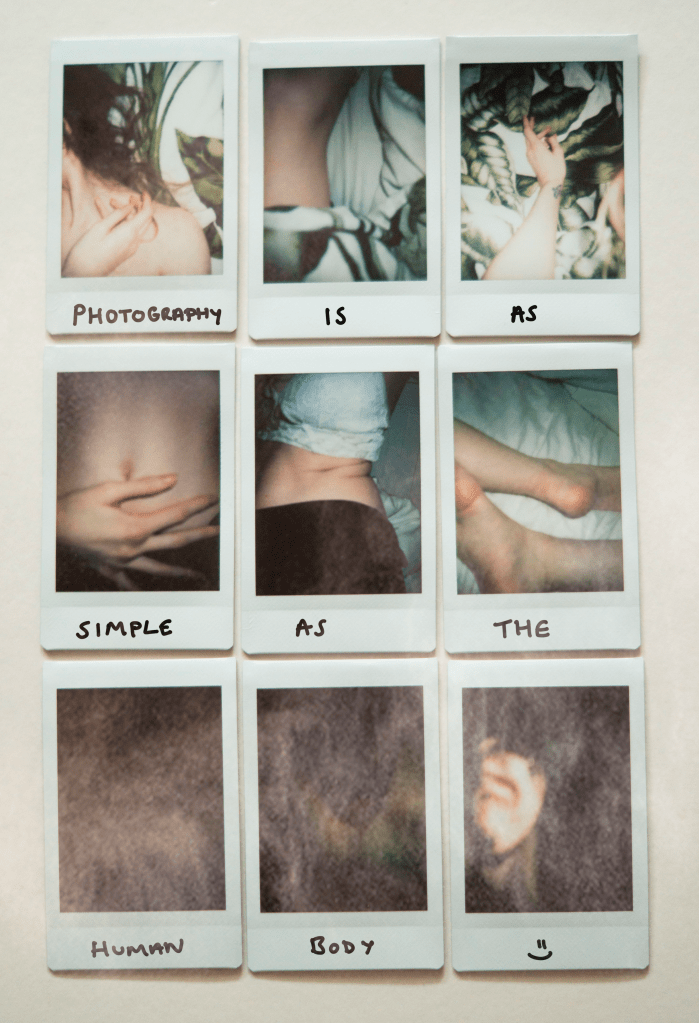
Photography is as simple as the human body (see Fig. 11) shows the range of images documented throughout the entire project. It portrays how diverse photography is, from the lighting used, to the framing, subjects chosen and colours featured throughout, that can shape an image as a whole. People may view photography as being ‘simple’ especially as we can take a decent image without much thought with our smartphones, however, composition, concepts, shapes, shadows and textures are just a slither of what makes photography complex and an adventure.

As the assignment requires 10 images, rather than presenting a strong set of nine final images as a typology, this shot finalises the set by capturing a single image that documents an entire collection in one. The writing on the picture combines digital photography and drawing to tell the story of these images as a whole. Applying a ‘smoke’ overlay over the top of the image to include post-production and photo manipulation, represents the evolution of photographic development. It also removes the element of simplicity that was a clear display of images. It can be so easy to edit digital work compared to the more traditional film photography that can take hours or days. Some images are better left untouched to allow us to enjoy what is.

Reflection

This shoot was more successful than I thought it would be. The privilege of seeing the images we are taking before we press the shutter button as well as being able to reshoot and delete any images that did not work makes you thankful for the evolution of photography and the cameras we have today.

Shooting these photographs knowing that I had a limited amount of film and the ability to see what the final result may look like once it developed, making this both exciting and challenging at the same time. As discussed in my initial thoughts for this assignment, I wanted to use ‘trickier techniques to oppose the word simple’ (Powell, 2021), so using an Instax Mini 8 camera allowed me to achieve this.

There were a few images that I did not intend to take or did not expect them to turn out the way they did, but ended up being my favourite shots. Photography is simple 7 (see Fig. 8) was one of these images, as I expected the eye to be brightly lit and the flash to bounce off of my skin, however, it did the complete opposite and captured a ‘peeping’ eye. Some may consider that image to be bad and unusable, but bearing in mind I wanted to explore minimalism, intimacy and how we view the human body, it felt like the perfect intentional shot to represent this idea. Photography is simple 2 (see Fig. 3) is another image I did not intend on capturing in the way I did. The sheets framed my body in such a way that it looked as if someone was led next to me despite the fact no one was. As someone who has struggled with body image, sharing the ‘exposed’ parts of myself is a terrifying concept. Capturing an image that could potentially reflect the ability to share yourself with others, was incredibly powerful to me as a photographer viewing my images from a cold point of view.

I feel as if I have managed to successfully show how accepting our bodies and documenting them with limited resources is not as simple as we may think it is. Nothing is simple.

References:

Adorama. (2021) How to Use the Fujifilm Instax 8 [online] Available at: https://www.adorama.com/alc/how-to-use-the-fujifilm-instax-8-everything-you-need-to-know/ [Accessed 21 June 2021].

Powell, L. (2021) RESEARCH FOR ‘PHOTOGRAPHY IS SIMPLE’ + MINDMAP [online] Available at: https://laurenpowelloca.photo.blog/2021/06/14/research-for-photography-is-simple-mindmap/ [Accessed on 21 June 2021].

Powell, L. (2021) INITIAL THOUGHTS ON ‘PHOTOGRAPHY IS SIMPLE’ [online] Available at: https://laurenpowelloca.photo.blog/2021/06/14/initial-thoughts-on-photography-is-simple/ [Accessed on 21 June].

List of images:

Figure. 1. Powell, L. (2021) Contact sheet [image] In possession of: Lauren Powell: Eastleigh.

Figure. 2. Powell, L. (2021) Photography is simple 1 [image] In possession of: Lauren Powell: Eastleigh.

Figure. 3. Powell, L. (2021) Photography is simple 2 [image] In possession of: Lauren Powell: Eastleigh.

Figure. 4. Powell, L. (2021) Photography is simple 3 [image] In possession of: Lauren Powell: Eastleigh.

Figure. 5. Powell, L. (2021) Photography is simple 4 [image] In possession of: Lauren Powell: Eastleigh.

Figure. 6. Powell, L. (2021) Photography is simple 5 [image] In possession of: Lauren Powell: Eastleigh.

Figure. 7. Powell, L. (2021) Photography is simple 6 [image] In possession of: Lauren Powell: Eastleigh.

Figure. 8. Powell, L. (2021) Photography is simple 7 [image] In possession of: Lauren Powell: Eastleigh.

Figure. 9. Powell, L. (2021) Photography is simple 8 [image] In possession of: Lauren Powell: Eastleigh.

Figure. 10. Powell, L. (2021) Photography is simple 9 [image] In possession of: Lauren Powell: Eastleigh.

Figure. 11. Powell, L. (2021) Photography is as simple as the human body [image] In possession of: Lauren Powell: Eastleigh.
Final image analysis and contact sheets

Assignment 4, Reflection on assignments

Summary

In this post I

– Discussed the post-processing that took place to edit my final images, how it was achieved and why

– Included screenshots of the editing process before discussing which images were stronger and the weaknesses of others

– Inserted the annotated contact sheet including the final image edits and the pictures I was considering for presentation

– Included all of the final images as individuals in vertical order, allowing the images to be viewed as a group.

– Explored my reasoning for presentation, where my inspiration for the final pieces came from and the strengths and weaknesses in a short analysis

– Before reflecting on the process as a whole.

Post-processing

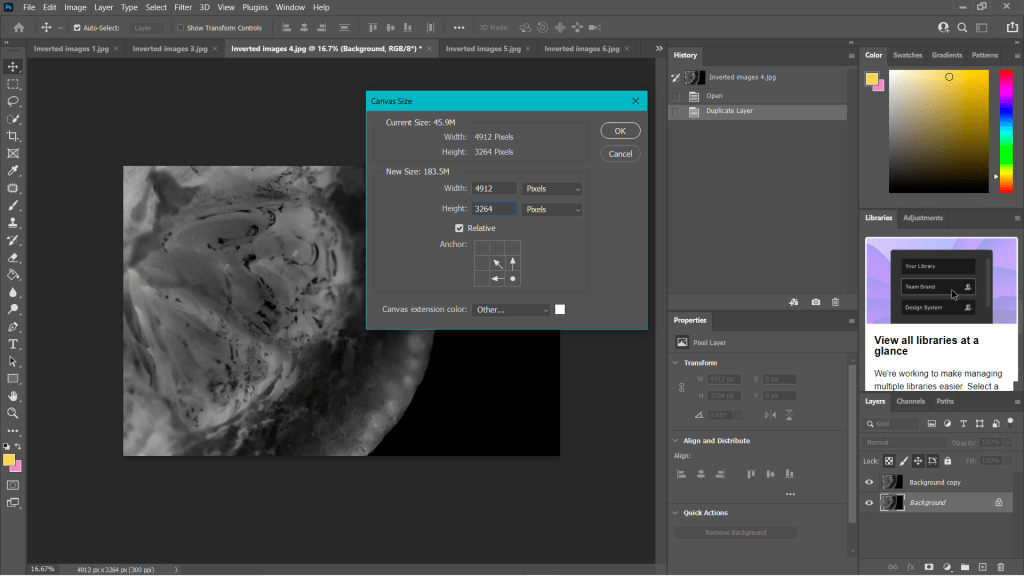
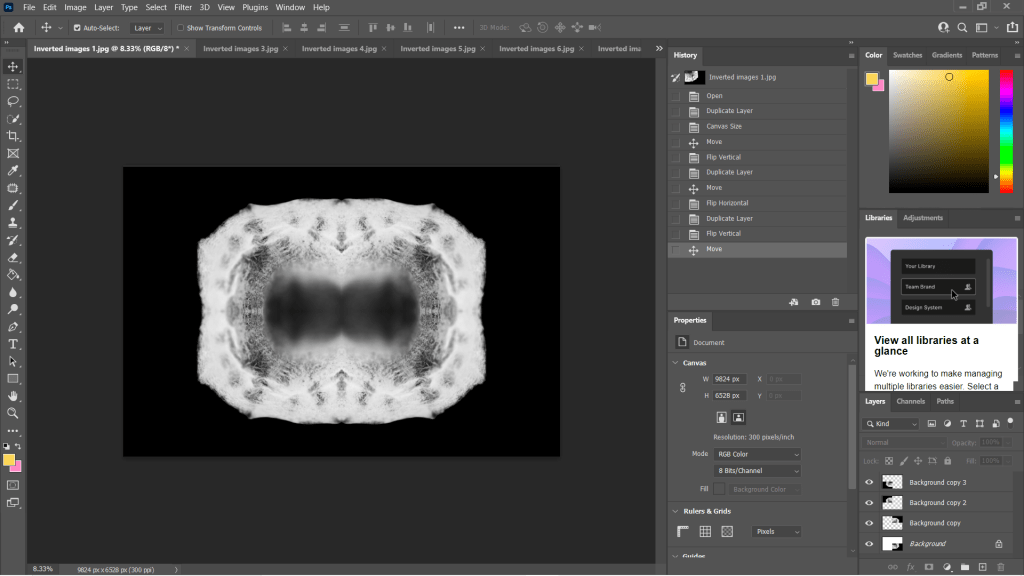
To create my final images I took my black and white inverted shots, enlarged the canvas by 4 (See Fig. 1), before creating three duplicates of the photographs and changing the orientations of each to mirror one another (See Fig. 2). As a result, this created multiple 360-degree pieces out of what was one image. The inspiration for these compositions came from Andy Ellison, an MRI technician who scanned fruits and vegetables as a way to test his MRI machine settings (Insider, 2013). Ellison’s work influenced me to produce a photograph that looked ‘beautiful, ghostly … like they could be part of the human body’ (Powell, 2021).

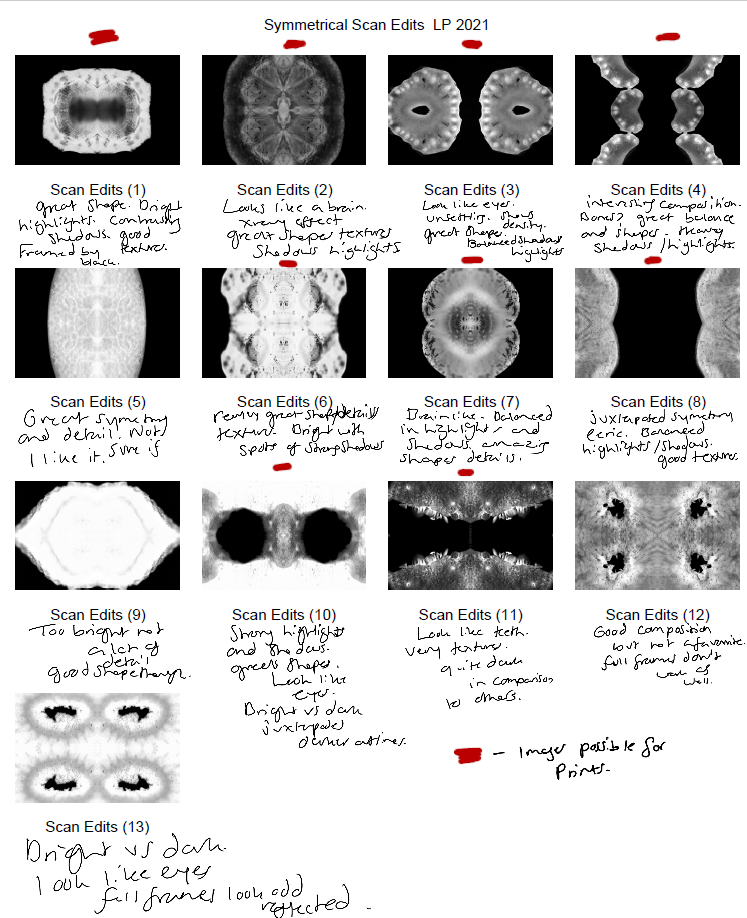
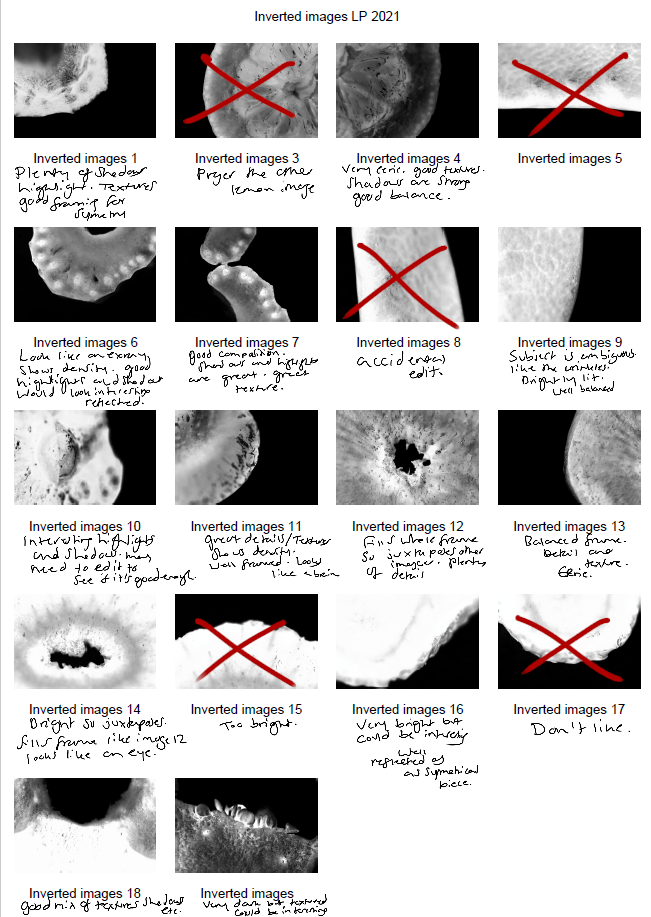
Some of the individual images weren’t strong enough when duplicated and turned into a mirrored image, as can be seen in my annotated contact sheet for these edits (See Fig. 3). Scan edit 5, was interesting in terms of texture and symmetry but wasn’t as exciting as the others due to the lack of shape, contrast and detail. On the other hand, scan edit 9 was overexposed, lacked texture and detail but had an interesting eye shape. Edits 12 and 13 were good composition-wise as the frame was full, juxtaposing the other images and documenting highlights more so than shadows. However, those particular images wouldn’t have been fitting when presented with the rest of the group because of this big difference; it would be quite jarring to look at.

The pieces with the red above them are the images I felt are the best of the collection, not only because of their comparisons contrast and details wise, but they each look like an individual body part. The similarities pull them together as a set, but the shapes and subjects allow them to be unique enough to tell their own story.

Fig. 3. Contact Sheet (2021)


Final images

This assignment requires 6-10 high-quality photographic prints if you’re planning to submit for assessment, therefore, the editing for this particular set of images is important. The way your images are presented could heavily influence the way a viewer looks at the pieces and what they get from them. If you pick an art piece that isn’t as strong as the rest, the entire group could be less impactful and draw fewer people in.

I chose the presentation, and the order of my photographs was by referring back to my practitioner research and shoot plans. I wanted to explore the ‘aesthetic’ of film negatives, lumen prints and how ghostly they look after development. Instead of producing an image that reflected a typical black and white photographic print, the edits were inverted to represent an enlarged version of a negative film or black and white lumen print. The final edits reflected my study of MRI scans from Andy Ellison that document the thin and dense areas of the subject via heavy contrasts. Scans can ‘show the thicker areas that are blocking out most of the light or rays via a white or light grey image … ‘ (Powell, 2021) but aren’t limited to this, as denser areas can be darker while the thin areas remain whiter in some MRI’s or x-rays.

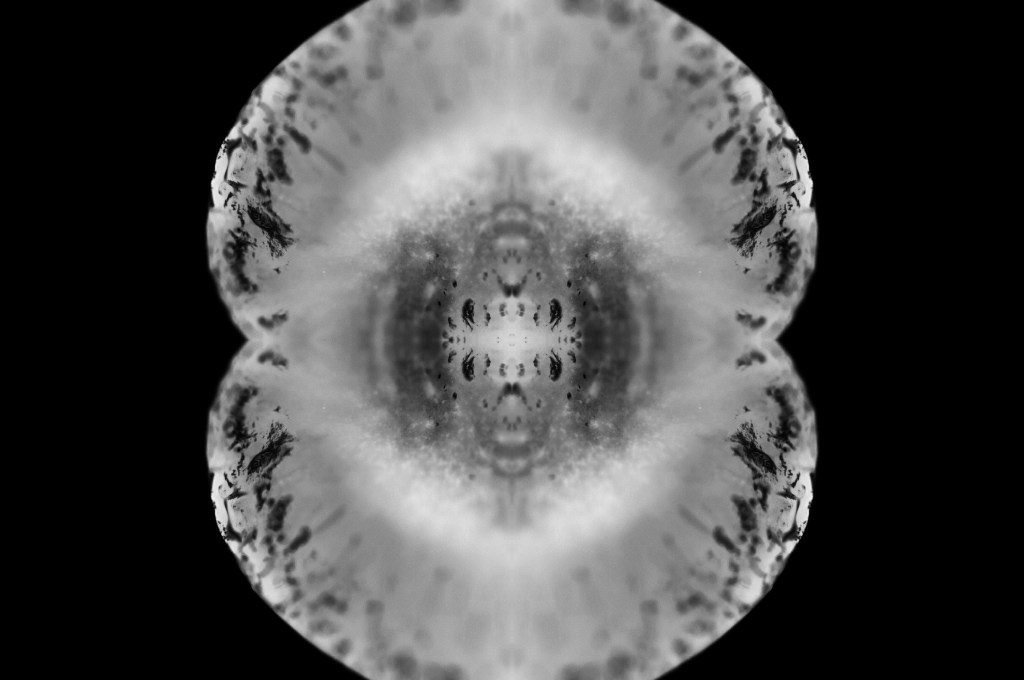
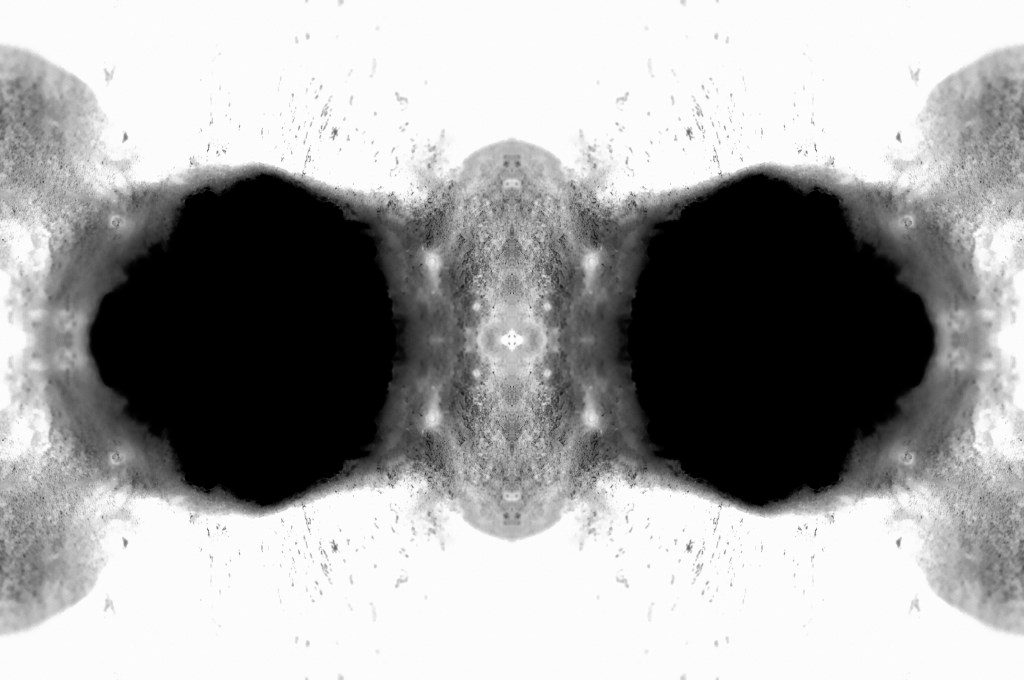
While looking at the final images, I noticed how much they looked like body parts or at least a mutated version of a body part. Printing the chosen images off allowed me to arrange the photographs in multiple orders to see what worked best and why. Eventually, I decided on the order shown above and sat with it for a few days before confirming that this was the arrangement I felt was suitable for this set. From the top downwards, we have images that look like the brain, eyes, a set of teeth, spine, torso, hips and legs.

The final set is balanced with shadows and highlights, full of detail, a range of textures and shapes. The shallow depth of field enhances the eerie effect seen throughout each image, especially in Scan 1 (see Fig. 4). There is a soft grey area just below all the crackled black areas around the edge of the fruit, that frames the middle of the image, enhancing the details within that area and the surrounding edges. Smudgy dark marks can be seen on the outer edges of Scan 4 (see Fig. 7) that look like an inkblot painting, bleeding into the paper and symmetrical all around. Scan 3 (see Fig. 6) is the strongest piece in my opinion, due to the range of tones throughout, bright highlights, dark shadows and mid-grey’s. The shapes look sharp in some places and blunt in others, the block of black in the middle of the frame intensifies the scary form of the fruit. Grooves and dents within the subject, give the image a fleshy texture, as a result providing some context as to what the object may be or how it may feel.

Reflection

This assignment has been interesting to explore as I pushed myself out of my comfort zone, experimented with controlled light and the results that could be achieved. I have managed to combine the use of lightbox and macro photography techniques from McKinlay’s tutorial, Ellison’s MRI scans and presenting them as individual prints like Gomez’ lumen prints; while keeping it unique and making it my work by taking influence from a past light project of mine from 2015.

The final images are strong, complement one another and present an interesting idea that doesn’t have a lot of context to it, unless you knew what the subject was and how the pieces were put together. This set allows the mind to analyse what is happening, inspect all of the details and paths within the photographs and the meaning behind them. It is a complex group of pieces that challenge the stereotypical use of controlled light and studio photography.


References

Insider (2013). Andy Ellison X-Ray Scans of Food. [online] Available at: https://www.businessinsider.com/andy-ellison-x-ray-scans-of-food-2013-3?r=US&IR=T (Accessed 28 May 2021).

Powell, L (2021). Further research and shoot plan. [online] Available at: https://laurenpowelloca.photo.blog/2021/06/07/further-research-and-shoot-plan/ (Accessed 7 June 2021).

List of images

Figure. 1. Powell, L. (2021) Canvas [Photoshop, screenshot] In possession of: Lauren Powell: Eastleigh.
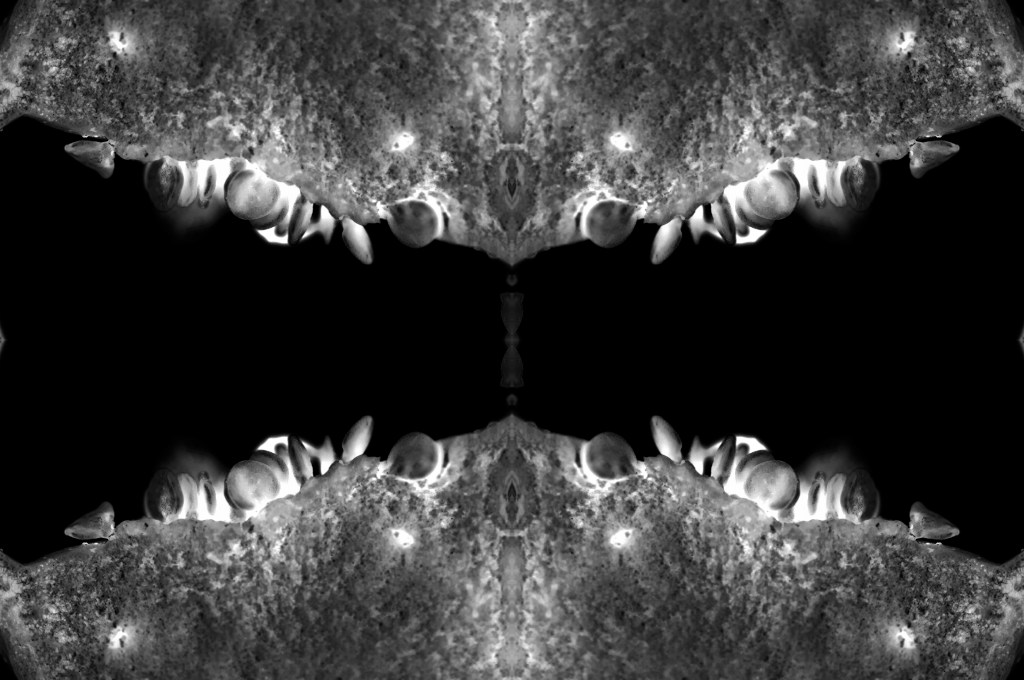
Figure. 2. Powell, L. (2021) Duplications [Photoshop, screenshot] In possession of: Lauren Powell: Eastleigh.
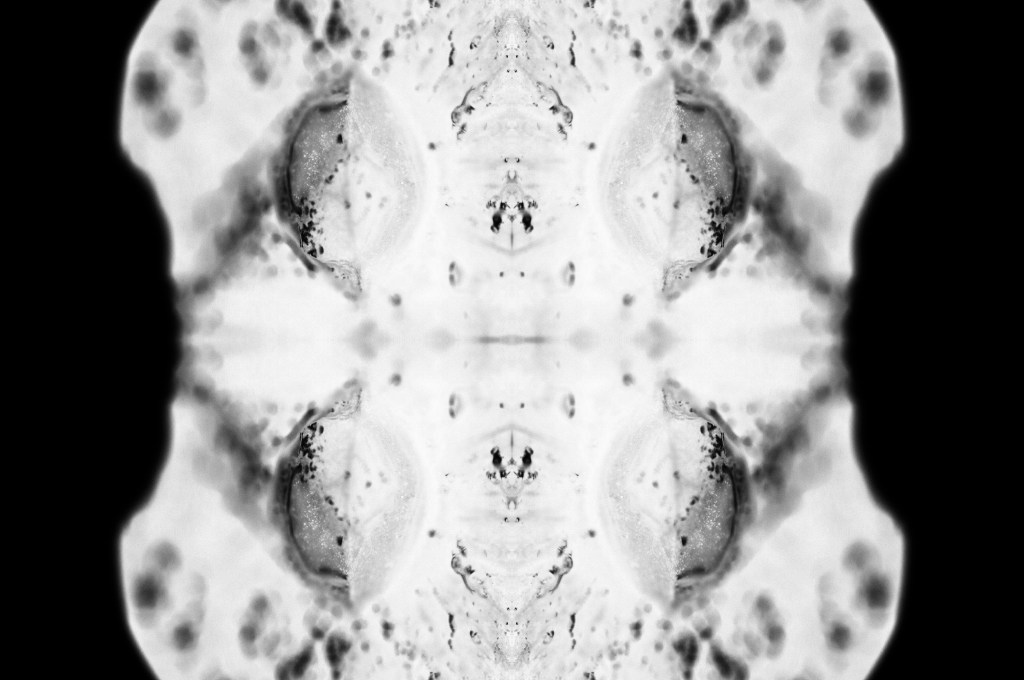
Figure. 3. Powell, L. (2021) Contact Sheet [Adobe Bridge, screenshot] In possession of: Lauren Powell, Eastleigh.

Figure. 4. Powell, L. (2021) Scan 1 [image] In possession of: Lauren Powell, Eastleigh.

Figure. 5. Powell, L. (2021) Scan 2 [image] In possession of: Lauren Powell, Eastleigh.

Figure. 6. Powell, L. (2021) Scan 3 [image] In possession of: Lauren Powell, Eastleigh.

Figure. 7. Powell, L. (2021) Scan 4 [image] In possession of: Lauren Powell, Eastleigh.

Figure. 8. Powell, L. (2021) Scan 5 [image] In possession of: Lauren Powell, Eastleigh.

Figure. 9. Powell, L. (2021) Scan 6 [image] In possession of: Lauren Powell, Eastleigh.

Figure. 10. Powell, L. (2021) Scan 7 [image] In possession of: Lauren Powell, Eastleigh.


Contact sheets for photoshoot and edited images

Assignment 4, Notes, Reflection on assignments

Summary

In this post I

– Described my shoot setup, the camera settings I used and any issues faced.

– Provided annotated contact sheets for the images taken for this photoshoot

– Before briefly explaining the annotations and why I chose those images to edit

– Included the contact sheets for the images I selected to convert into black and white

– As well as screenshots to show how it was done, referring back to my previous research

– Finishing the post off with a brief reflection on the images I shot and what I intend to do going forward

Shoot setup

For this shoot I initially intended to set my camera up on a tripod to keep the camera steady as the macro lens is quite heavy, however, this meant that the camera wasn’t as close to the cross-sections as I wanted them to be. As a result, I boosted the ISO to 1600 to allow for a faster shutter speed and a brighter exposure level. The weight of the lens made the process slightly more challenging as I had to manual focus too, but it was thankfully successful. To make the focal points more prominent when photographing any details the aperture was F/2.8 to allow for a shallow depth of field if taken at an angle to blur any background features. Overexposing the images slightly enhanced the brightness of the white background, like Doug McKinlay, suggested in his lightbox tutorial Light Box Art: Stay Focused (2017), preventing the image from looking dull and textured from the paper underneath.

Rather than using a large lightbox, I purchased an A4 light pad which is much smaller and thinner, but bright enough to do the job. A variety of fruits and vegetables were bought in advance and sliced to provide me with a range of colours, shapes, textures to play around with when composing the image.

Contact sheets for photoshoot

The first set of contact sheets are for the shoot itself, including brief annotations to explain what I like about each particular shot, why I have crossed a majority out and what may become of them in post-production. After annotating and selecting my favourites from the entire photoshoot, I then took these images into photoshop and edited them to see what they would look like in black and white.

The images are as follows:


Contact sheet for edits

To get the results shown in my contact sheets, I lightly corrected some of the shadows and highlights in the images that needed retouching before converting them to black and white. To change the colour is used the B&W tool and selected ‘blue filter’ (See Fig. 1) to enhance the contrast. To mimic an inverted image and MRI, I then used the gradient tool in reversed black and white (See Fig. 2).

I wanted to choose a range of images to use in my final image edits, so I made sure to select shots that were heavily black in some areas and bright white in others, highly detailed or minimally textured for the remaining few. This gave me a wide selection to experiment with and create strong symmetrical compositions from. Showing variety was important to me for this photoshoot, appreciating multiple fruits and vegetable structures and juxtaposing between the imagery and reference the different kinds of scans as discussed in my previous research, ‘some scans may vary and present the denser areas in black or grey…’ (Powell, 2021).

Reflection

This photoshoot helped me appreciate the structures of the food we grow and eat, the minuscule details within them and how beautiful they are. I was able to be flexible with my plans for this shoot, not letting the weight of my camera ruin the imagery and changing the settings to work with what I had. Reviewing the images shown on my contact sheets allowed me to reduce the number of photographs needed in the initial post-production process and once again after they’d been edited to black and white.

Understanding the process in detail before doing the shoot, rather than briefly researching a concept and making things up as I go, helped this project to flow a lot smoother and resulted in some powerful images.

The final images will be in a separate post from this one, but I am thrilled with the selection chosen.

References

McKinlay, D (2017). (2017) Light Box Art: Stay Focused with Doug McKinlay [YouTube, screenshot] Available at: https://www.youtube.com/watch?v=kWiL5N-b4YM (Accessed 28 May 2021).

Powell, L (2021). Further research and shoot plan [online] At: https://laurenpowelloca.photo.blog/2021/06/07/further-research-and-shoot-plan/ (Accessed 28 May 2021).

List of images

Figure. 1. Powell, L. (2021) Contact sheet 1 [pdf, screenshot] In possession of: Lauren Powell: Eastleigh.
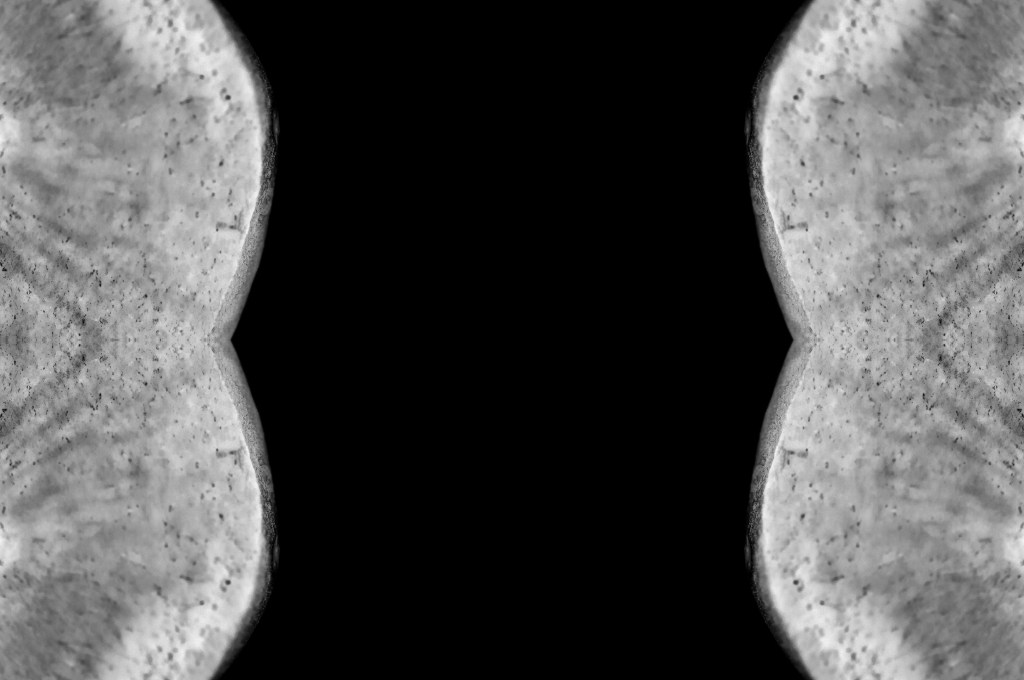
Figure. 2. Powell, L. (2021) Contact sheet 2 [pdf, screenshot] In possession of: Lauren Powell: Eastleigh.
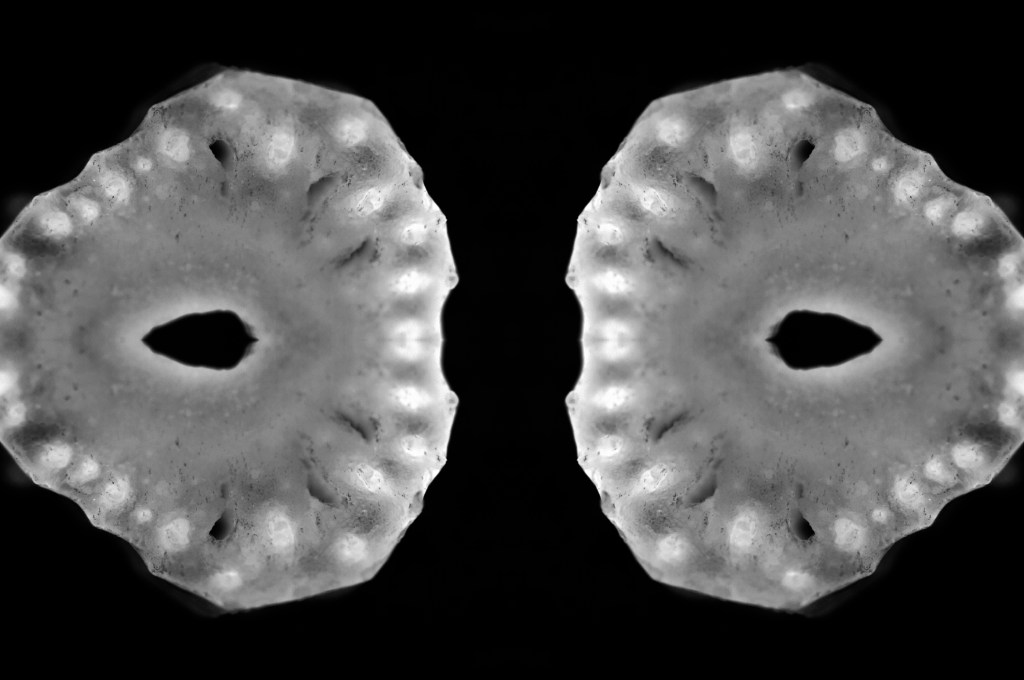
Figure. 3. Powell, L. (2021) Contact sheet 3 [pdf, screenshot] In possession of: Lauren Powell: Eastleigh.
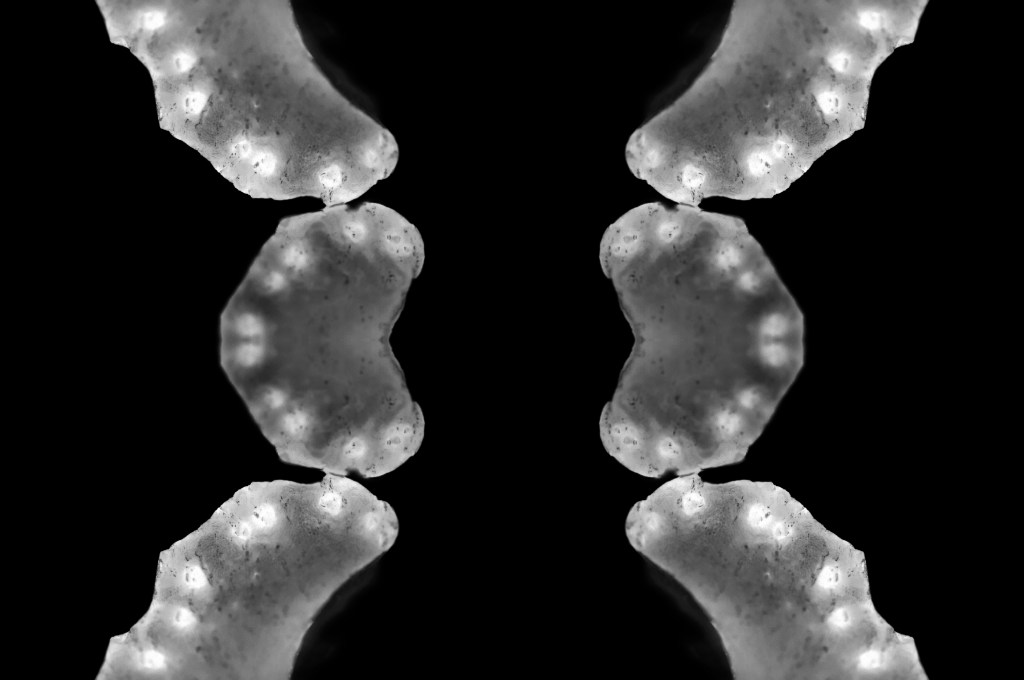
Figure. 4. Powell, L. (2021) Contact sheet 4 [pdf, screenshot] In possession of: Lauren Powell: Eastleigh.
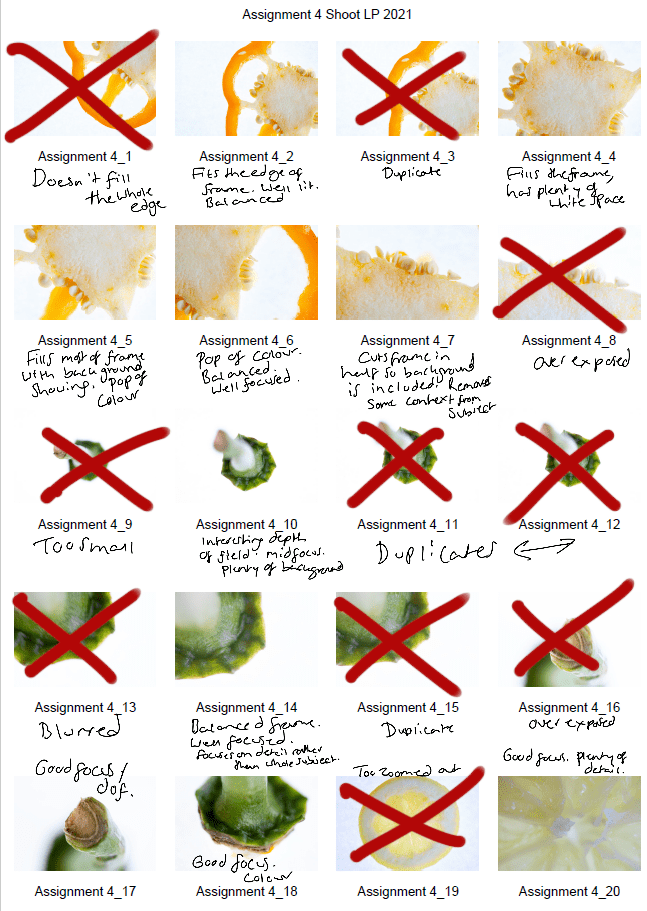
Figure. 5. Powell, L. (2021) Contact sheet 5 [pdf, screenshot] In possession of: Lauren Powell: Eastleigh.
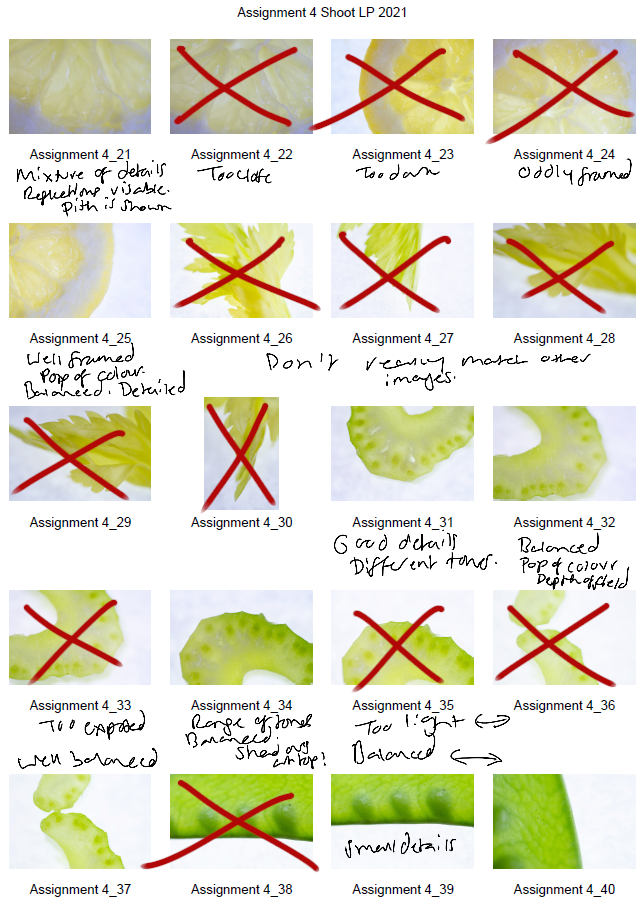
Figure. 6. Powell, L. (2021) Contact sheet 6 [pdf, screenshot] In possession of: Lauren Powell: Eastleigh.
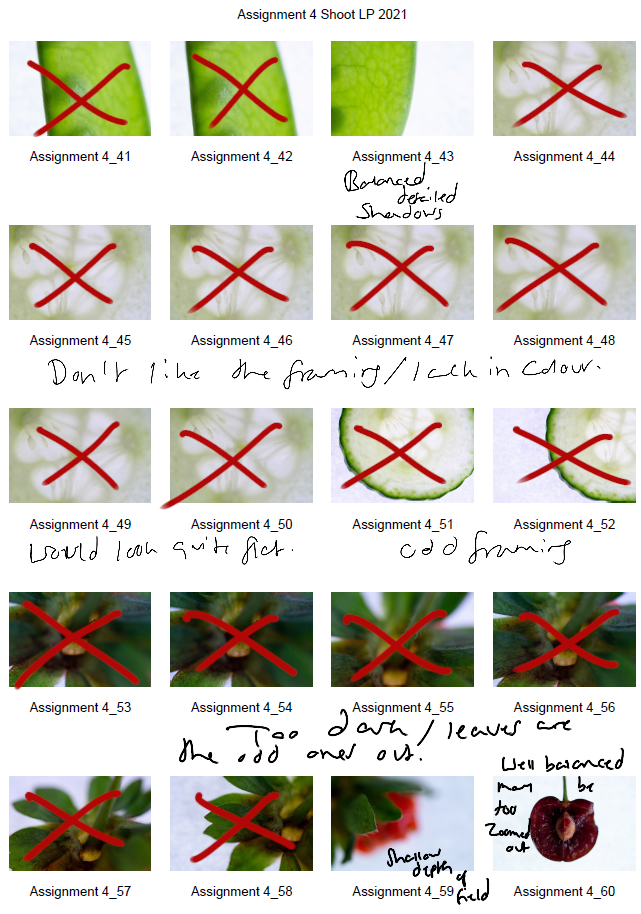
Figure. 7. Powell, L. (2021) Black and White [Photoshop, screenshot] In possession of: Lauren Powell: Eastleigh

Figure. 8. Powell, L. (2021) Gradient Map [Photoshop, screenshot] In possession of: Lauren Powell: Eastleigh

Exercise 4.4 – Personal Voice

Online Research, Part 4, Practitioner Research, Reflection on coursework, Thoughts & Ideas

In this post I have:

– Provided the brief for this exercise,
– As well as writing a short research point about Ernst Haas and his photograph Geranium, USA 1961.
– Inserted a screenshot from google, having searched “Green leaves” as my subject,
– Before explaining my shoot plan in brief, along with camera settings.
– My contact sheets for this exercise are attached to show a variety of shots,
– But only one final image was chosen and analysed in further detail.
– A short reflection at the end explains how this exercise has confirmed to me that each image is different and unique, regardless of subject.

Brief

Make a Google Images search for ‘landscape’, ‘portrait’, or any ordinary subject such as ‘apple’
or ‘sunset’. Add a screengrab of a representative page to your learning log and note down
the similarities you find between the images.
Now take a number of your own photographs of the same subject, paying special attention
to the ‘Creativity’ criteria at the end of Part One. You might like to make the subject appear
‘incidental’, for instance by using focus or framing. Or you might begin with the observation
of Ernst Haas, or the ‘camera vision’ of Bill Brandt. Or if you’re feeling bold you might forget
about your camera completely and think about the tricky question of originality in a
different way – http://penelopeumbrico.net/index.php/project/suns/
Add a final image to your learning log, together with a selection of preparatory shots. In
your notes describe how your photograph or representation differs from your Google
Images source images of the same subject
‘ (Bloomfield, 2018:96).

Research:

Ernst Haas (1921 – 1986)

Ernst Haas was a well known European photographer, born in Vienna, Austria; mostly celebrated for his involvement in colour photography and his work documenting the Austrian prisoners of war returning home. Haas moved to the United States in his 30’s where he began exploring Kodachrome Colour Film, in turn, making him one of the first to have a colour photo feature in LIFE magazine (Ernst Haas Estate, 2018). A few years later, his work was exhibited in New York’s MoMA and again was one of the first colour photography exhibitions.

The Ernst Haas Estate website has a wide range of Haas’ photographic works from across the years, exploring both his B&W pieces, portraiture, coloured compositions using multiple techniques and subjects such as flora, rubbish, people and architectural elements. 

Haas’ New Color Collection: Creation (1959-85) is more neutral in its colour palette, enhancing the earthy colours within the earth’s desert locations and the animals that inhabit them, whereas his Classic Color Collection: Creation (1960-81) is vibrant, full of flora, snow and water. Geranium, USA 1961 (see fig.1) is one of my favourites from the Classic Color Creation collection, as the use of what seems to be a macro lens, captures the minute vein details within the flower petals, the ‘hairs’ of the stamen as it’s surrounded by a warm yellow glow in amongst a sea of pinks.

Shallow depth of field allows the subject that isn’t in the frame to be out of focus and soft, in this case, enhancing the delicate nature of the flower petals and how silky they feel to the touch. Haas captures his subjects in a more detailed and intimate way, rather than shooting them from a distance to get the whole object in the frame. This helps us understand the beauty of nature much more and gives us the ability to explore what some of us may not have taken the time to examine.

Fig. 1. Geranium, USA (1961)

Shoot plan:

Fig. 2. Green Leaves (2021)

For this exercise, I googled “Green Leaves” (see Fig. 2) to see the variety of images that would come up and how I could explore this subject in my photography. Thankfully there was enough of a range that I could take inspiration and look around my garden to see what I could find in correlation to this search.

My SONY A57 was on manual mode, as was the Sony DT 50mm F1.8 SAM lens, this was so I could have more control over the focus and shutter speed for the exposure. The ISO was at 100, while the aperture was set to f/1.8 to achieve a shallow depth of field when capturing the leaves in a group or in front of other objects. The exercise was quick and easy as it took place in my garden, but despite the ease it beneficial as well as successful.


Contact Sheet:

Fig. 3. Contact sheet (2021)

Final image for analysis:

Fig. 4. 4.4 8 (2021)

By observing and looking further into the subject at hand (see fig. 2), I was able to capture the fine, wrinkled veins of the leaves through the shallow depth of field in the foreground. They look similar to the wrinkles we find on the palm of our hands, which go in all sorts of directions, are different depths and shapes. The natural light bounces off of the leaves from the left, giving texture to the image and helping the viewer understand that this is a smooth and shiny leaf, as opposed to a rough, matte leaf. The focal point being in the midframe pushes the eyes to be drawn into the image, rather than the subject being in the foreground and giving the audience a direct path to reach. It’s more like rummaging through the leaves yourself via a photograph, which is a fun concept to me. Shooting this in landscape was a reference to the majority of the images found via google, however, the differences between this composition and the ones in the screenshot make it my own. 

None of the images in the screengrab includes the focal point being midframe or behind a group of other leaves, creating a ‘blockage’ in the foreground. The use of shallow depth of field is used, but the subjects are directly in the foreground, creating a blurred background instead. Most of the green leaf shots seen above are darker and more tropical, whereas the exposure for mine is light, airy and a more typical form of leaf you would find in the garden. Lighting in the google searches is usually either coming from behind the leaves or lit from above minus a few exceptions in the middle row. The final image I have chosen feels like an adventure that you feel involved in, to understand the details, whereas the photographs above provide a clear frame of leaves, in focus, detailed and pretty direct.

Reflection:

While images may be the same in terms of subject matter, orientation or colour, it depends on how it is captured that makes the difference. For example, Ernst Haas’ choice to shoot images of flora up close and personal, allows the viewer to understand the parts that make up a flower, rather than the subject as a whole. 

Taking the time to observe, explore and look at what you are capturing, brings a whole new depth into the photograph as you connect with it more, you’ve planned it and taken the time to understand the composition more. Every image is unique, no matter whether it’s framed the same way or not, they are taken at different times, by different people, with a variety of equipment, weather changes, life circumstances and so much more. Sometimes you may not even intend to shoot a particular subject, but it makes its way into the frame anyway which is wonderful.

Each photograph is always different and personal to each individual, no matter how many times it’s documented.


References:

Bloomfield, R., 2018. Photography 1: Expressing your Vision. 4th ed. [pdf] Barnsley: OCA, p. 96. Available at: https://www.oca-student.com/course/photography-1-expressing-your-vision [Accessed 10 May 2021].

Ernst Haas Estate. (2018) Biography | Ernst Haas [online] Available at: http://ernst-haas.com/biography/ (Accessed 10 May 2021).

List of images:

Figure. 1. Haas, E. (1961) Geranium, USA 1961 [image] Available at: http://ernst-haas.com/classic-color-creation/ (Accessed 10 May 2021).

Figure. 2. Powell, L. (2021) Green leaves [Google, screenshot] In possession of: Lauren Powell: Eastleigh.
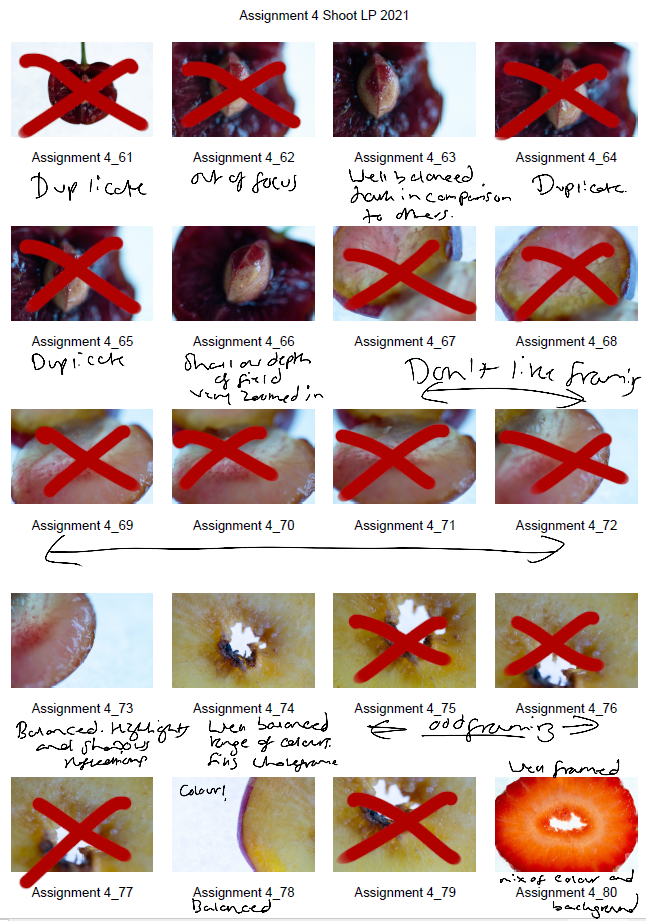
Figure. 3. Powell, L. (2021) Contact sheet [pdf, screenshot] In possession of: Lauren Powell: Eastleigh.
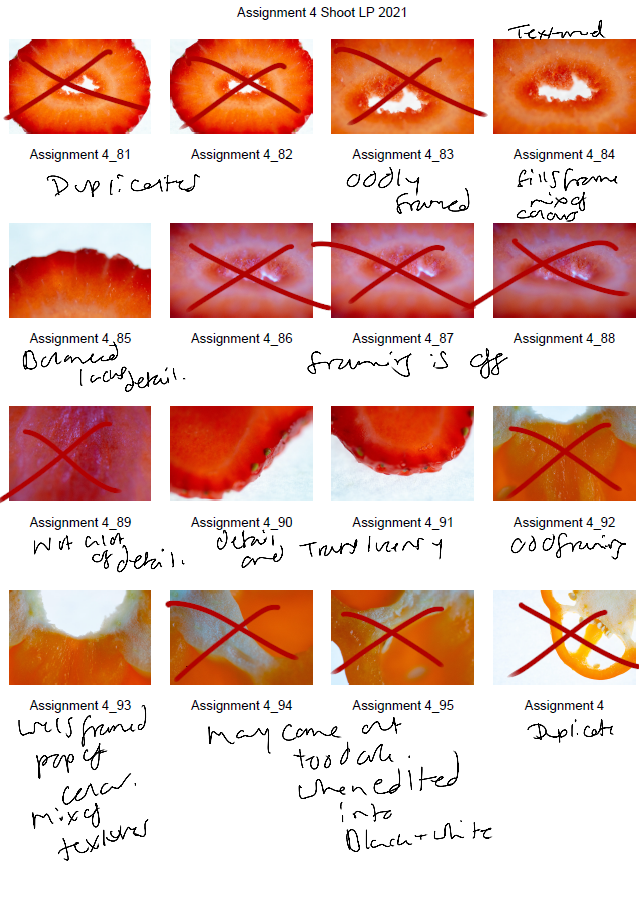
Figure. 4. Powell, L. (2021) 4.4 8 [image] In possession of: Lauren Powell: Eastleigh.
Exercise 4.3 – Ex Nihilo

Notes, Part 4, Reflection on coursework

In this post I;

– Provided short descriptions for Quality, Contrast, Colour and Direction.

– Described my shoot set up, with camera details,

– And provided the contact sheets for this exercise.

– Chose six final images to analyse briefly,

– Before reflecting on this exercise, what it taught me and what I could’ve explored more.

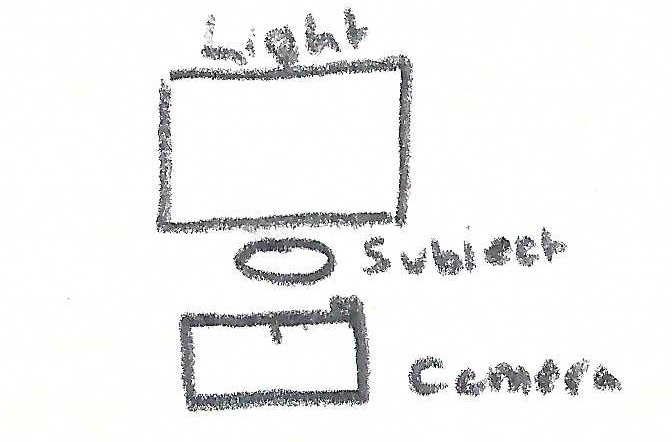
Use a combination of quality, contrast, direction and colour to light an object in order to reveal its form. For this exercise, we recommend that you choose a natural or organic object such as an egg or stone rather than a man-made object. Man-made or cultural artefacts can be fascinating to light but they’re already authored to some degree, which requires interpretation by the photographer; this exercise is just about controlling the light to reveal form. Add the sequence to your learning log. Draw a simple lighting diagram for each of your shots showing the position of the camera, the subject and the direction of the key light and fill. Don’t labour the diagrams; quick sketches with notes will be just as useful as perfect graphics‘ (Bloomfield, 2018:91).

Unlike the previous exercises where the light was found, observed and uncontrollable, this exercise explores studio lighting and the photographer’s ability to control the lighting that falls on the subject in the frame.

There is a brief description in the coursebook explaining what quality, contrast, direction and colour is, along with the possible effects on the image and subjects themselves. 

The quality of light is determined by how it looks when it falls, for example, soft shadows are caused by a diffused light, whereas harsher, more defined shadows are due to hard light like direct sunlight at midday. 

Contrast is controllable by a fill light, which can either be another light source or a reflector of some kind like a whiteboard. The ratio between highlights and shadows is measured to determine the contrast ‘if you measure the shadows at f5.6 and the highlights at f8 you have a ratio of 1:2, which means that the fill light is half the intensity of the main light’ (Bloomfield, 2018).

The direction of light can alter an image dependent on the distance and the angle. If the light is placed directly in front, the subject will be significantly flatter than being lit from below or the side. As a result, harsher shadows enhancing the shapes and textures within the frame would occur.

Colour can be significant within photography to give context to the composition or encourage a specific mood and emotion to come through. Lighting filters can cover the lights to colour the background, or ‘by light bounced from a coloured reflector’ (Bloomfield, 2018).

Shoot set up:

My Sony A57 was on manual mode, with an aperture of f/1.8 and an ISO of 200. The only changes made were the shutter speed and focal length where necessary. The subject sat in the corner of a bedroom to compensate for how small my LED light is, ultimately a wise choice as the shadows became very soft when pulled away from the corner. A sheet of A4 paper was on a small cardboard box to act as a curved background for the shell to sit and reflect the light. I used a small LED lightbox on a tripod as a stabiliser when stood up and a handle when lifting the light from the floor. During the second part of the shoot, I used the light from my iPhone 6 to see the effects a tiny, duller light would have on the shell.

Contact Sheets:


Images for analysis:

1- The LED box placed close to the side of the shell resulted in a softer diffused shadow, which follows the curve of the paper. Due to the intensity of the light, there are bright highlighted patches by the point of the shell, enhancing the shiny reflecting surface while the shadows fill in the grooves and curves. A very subtle yellow colour can be seen underneath the shadow, a reflection of the light entering and bouncing off of the inside of the shell, providing a bit of warmth to the aqua greens.

2- I lifted the LED light above and behind the shell to see what results I would get if it were down-lit, rather than the typical front or side position. The contrast between the highlights and shadows are much more even than the previous shot, without being flat. Lighting the shell from behind defined the textures and shapes within without being too bright or too dark. The image isn’t a flat silhouette due to the height of the light, forming a slightly stronger shadow that provides depth from the front of the shell, indicating the direction of light.

3- A bolder approach was used for this picture by lighting the shell entirely from behind. I covered the LED light with the white sheet of paper and shot the image directly from the front to capture a silhouette of the shell. The shell is not a full silhouette because we can see the grooves and textures of the surface; due to the light falling on top and through the thin walls of its body. The highlights and shadows are still heavily contrasted as the whites are extremely bright, while the blacks are dark, capturing a harsher outline of the subject.

4- The light source for the following images is from an iPhone 6, which is less intense and much smaller than the LED box. Compared to image 1, this light is a lot duller, while the shadows are harsher due to the size and proximity to the subject. The swirls within the shell are heavily defined in this shot due to the darker nature of these images.

5- Lighting from a front angle has allowed the highlights to reflect off its shiny surface and show off the pearlescent colours of the body. Meanwhile, the shadows are enhancing the natural swirls within the point of the shell and defining the sharpness of the point via a hard shadow to the left of the paper. Despite the light being slightly further away from the shell, the tones and overall balance of the image if fairly similar to the 4th image.

6- For the final image, I lit the image from the front but shot from an angle above the shell, capturing the shadow that fell behind it. The front of the shell is evenly lit, reflecting off of the body as the light hits it, while the back half of the shell is dark and less defined due to the lack of light. Despite the white sheet of paper, the light wasn’t strong enough to act as a fill light. Shooting from above allows us to see the intense, dark and extended shadow, rather than a tiny shadow at the bottom if we were to place the camera directly in front of the shell.

Reflection:

Studio lighting can dramatically change the result of composition. Having complete control over the distance of the light to the subject, the angle, the temperature or the colour of the light can decide how contrasted or defined the image is. Lighting a person or object from the front and having the camera at the same position would result in a flatter image with few shadows to help with definition. Lighting from the side or at an angle and shooting from the front allows for more textural details to be shown and brings more depth to the shot. Backlighting on a small scale was quite challenging as the light didn’t fill the paper, but I could’ve taken more time to frame the image a little closer in. 

I didn’t explore contrast and metering much in this exercise, however, it’s helped me understand how balancing highlights and shadows, or doing the complete opposite by pushing one or the other to the extreme can help change the mood or finish of the piece.

References:

Bloomfield, R., 2018. Photography 1: Expressing your Vision. 4th ed. [pdf] Barnsley: OCA, pp. 90, 91. Available at: https://www.oca-student.com/course/photography-1-expressing-your-vision [Accessed 7 May 2021].

List of images:

Figure. 1. Powell, L. (2021) Contact sheet 1 [pdf, screenshot] In possession of: Lauren Powell: Eastleigh.
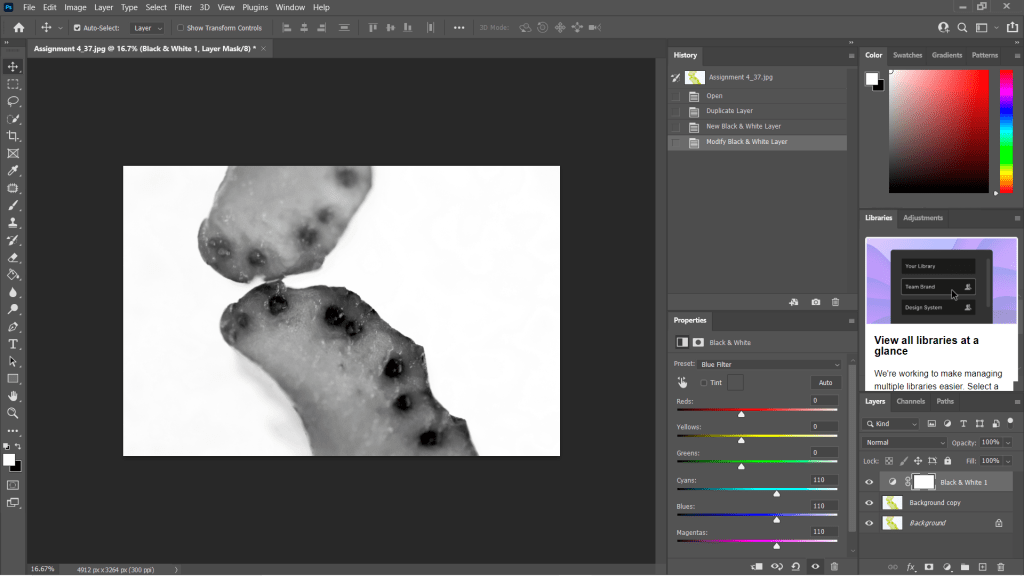
Figure. 2. Powell, L. (2021) Contact sheet 2 [pdf, screenshot] In possession of: Lauren Powell: Eastleigh.
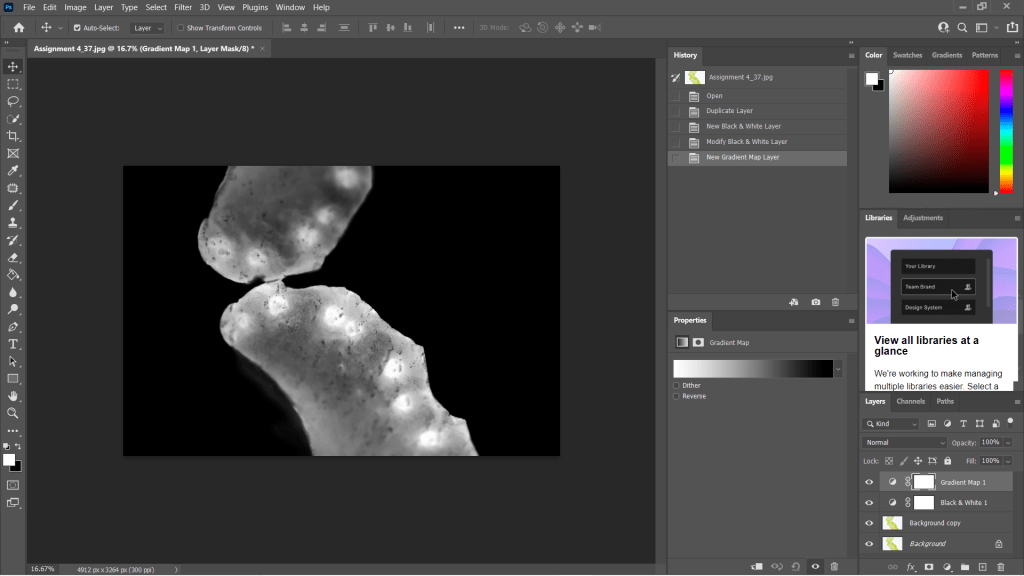
Figure. 3. Powell, L. (2021) Contact sheet 3 [pdf, screenshot] In possession of: Lauren Powell: Eastleigh.
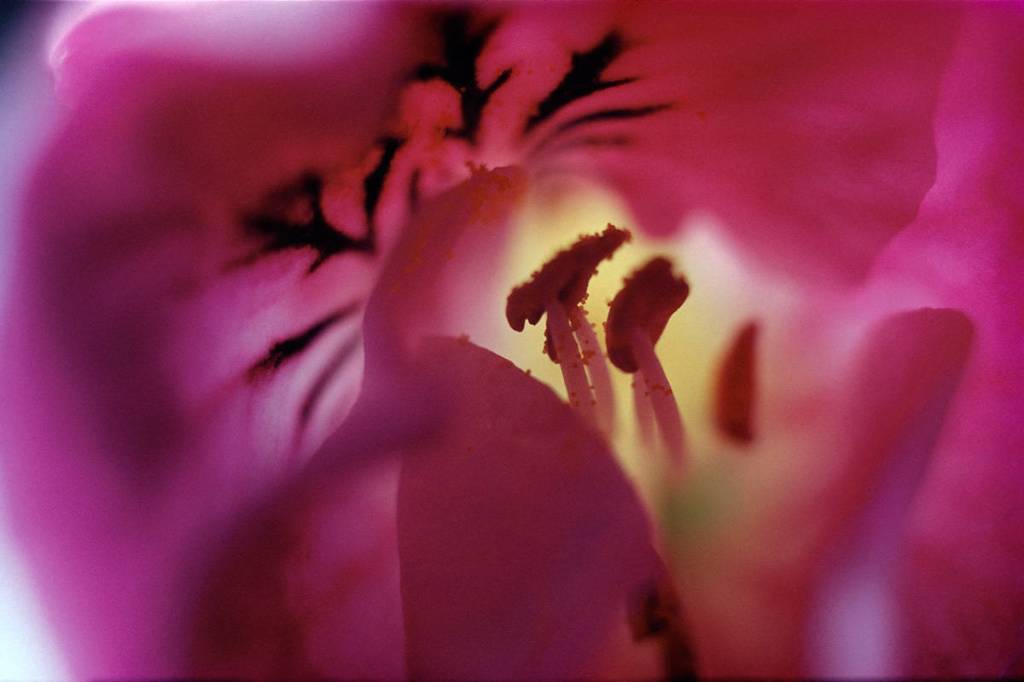
Figure. 4. Powell, L. (2021) 1 [image] In possession of: Lauren Powell: Eastleigh.
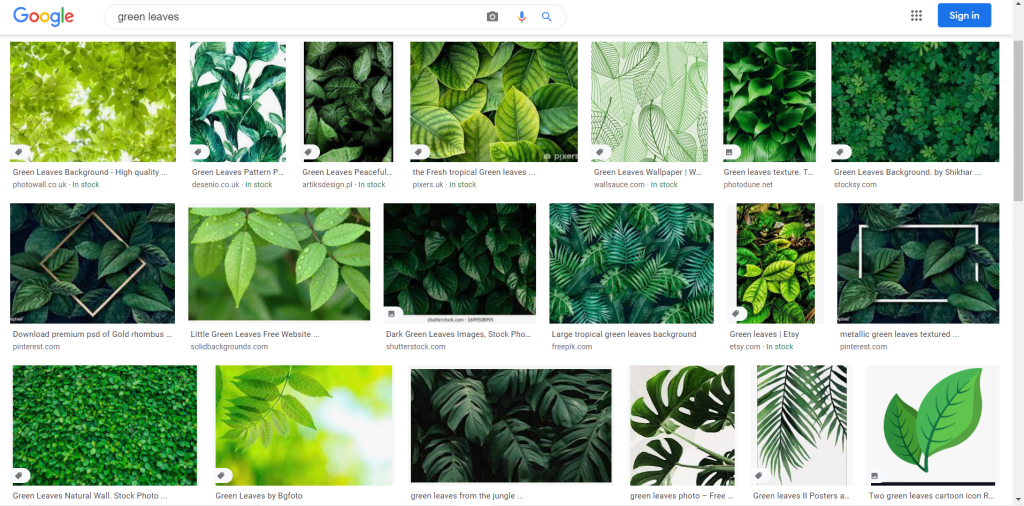
Figure. 5. Powell, L. (2021) Diagram 1 [scanned document] In possession of: Lauren Powell: Eastleigh.
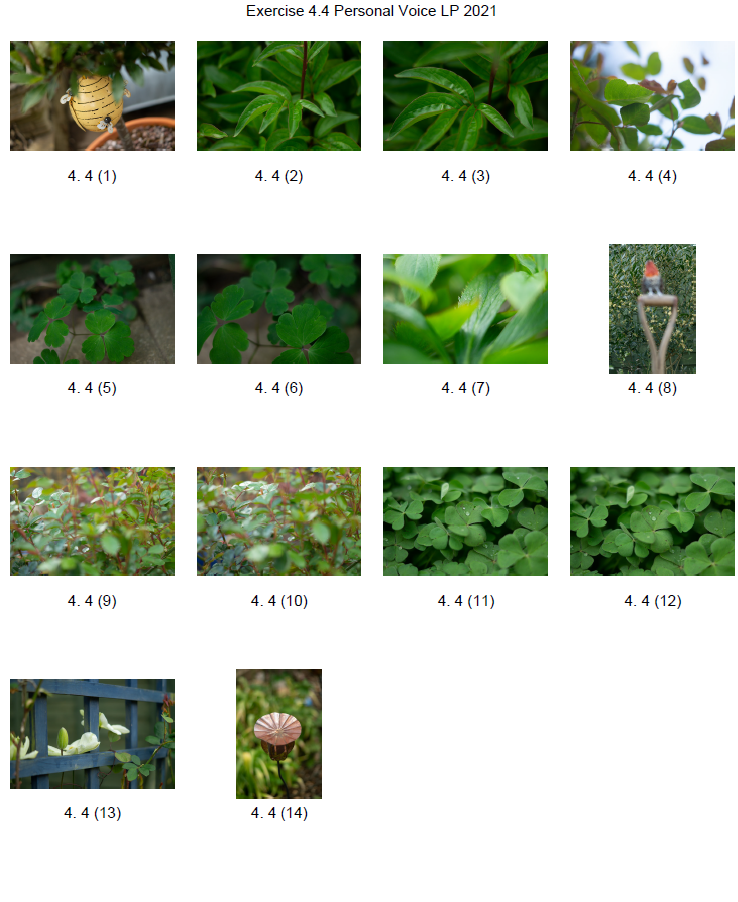
Figure. 6. Powell, L. (2021) 2 [image] In possession of: Lauren Powell: Eastleigh.
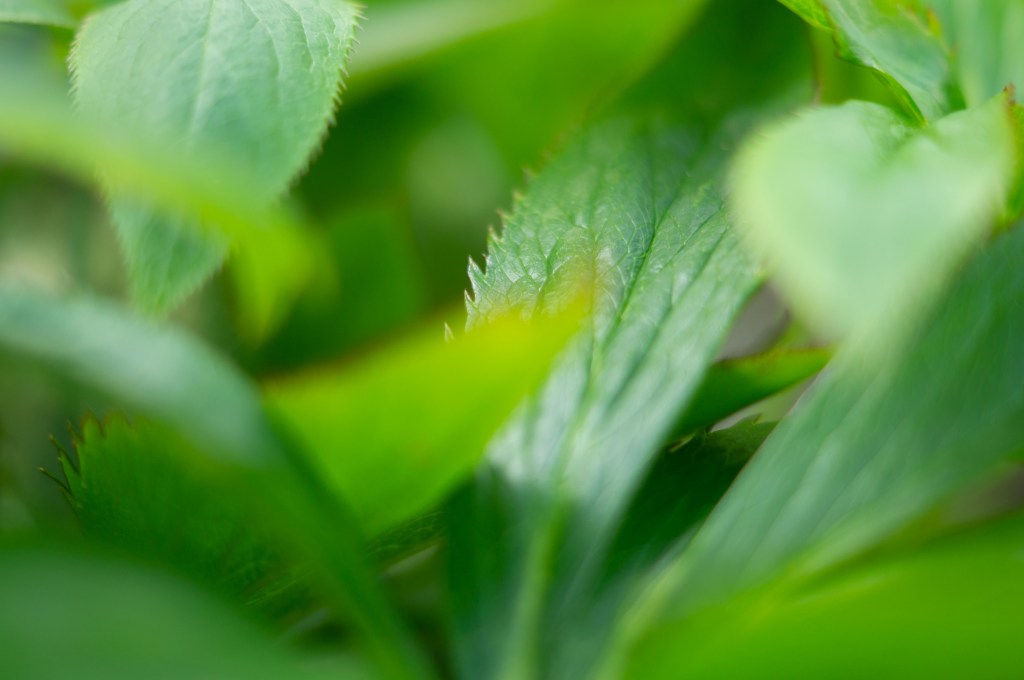
Figure. 7. Powell, L. (2021) Diagram 2 [scanned document] In possession of: Lauren Powell: Eastleigh.
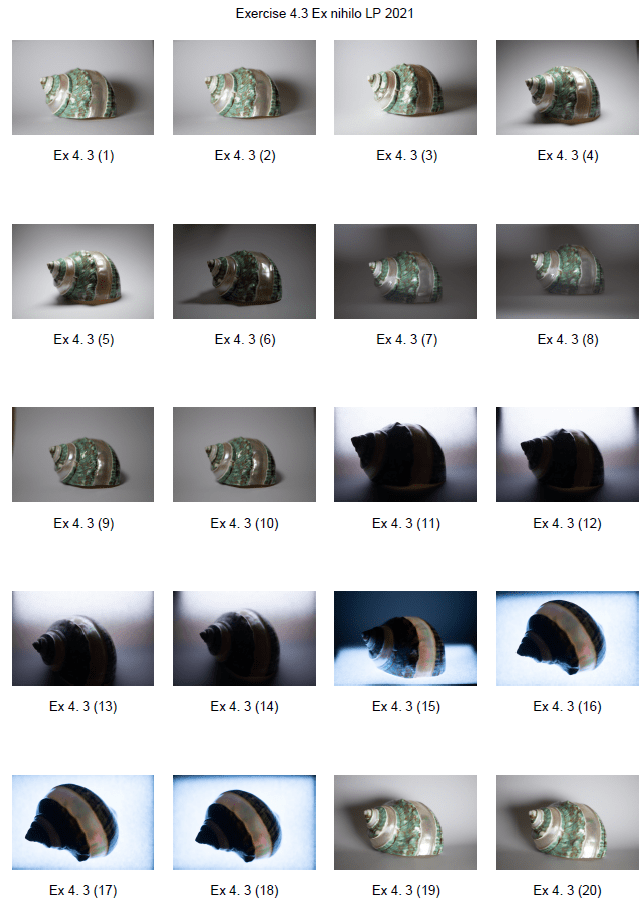
Figure. 8. Powell, L. (2021) 3 [image] In possession of: Lauren Powell: Eastleigh.
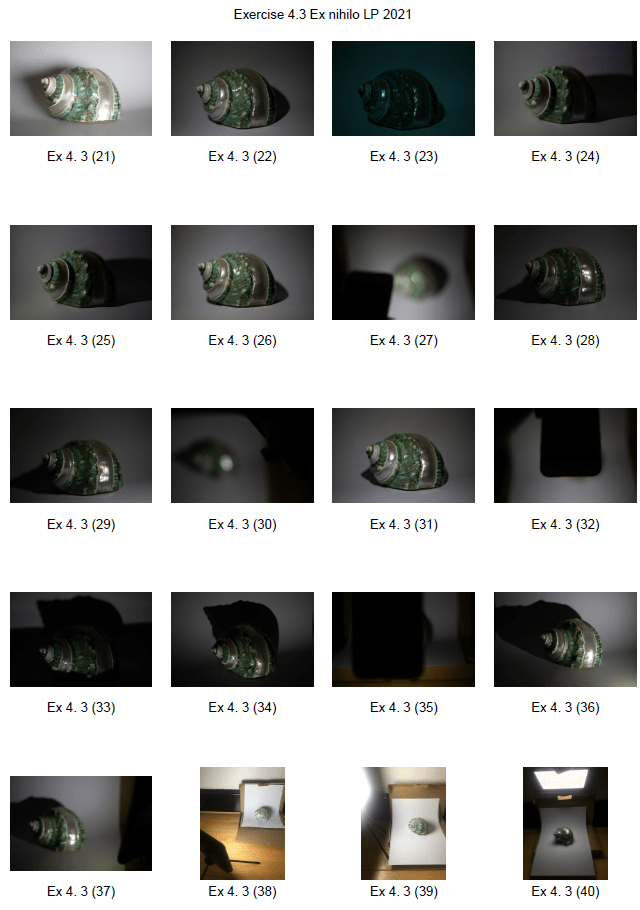
Figure. 9. Powell, L. (2021) Diagram 3 [scanned document] In possession of: Lauren Powell: Eastleigh.
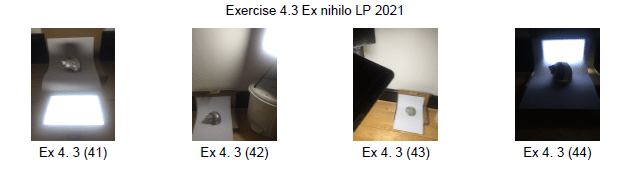
Figure. 10. Powell, L. (2021) 4 [image] In possession of: Lauren Powell: Eastleigh.
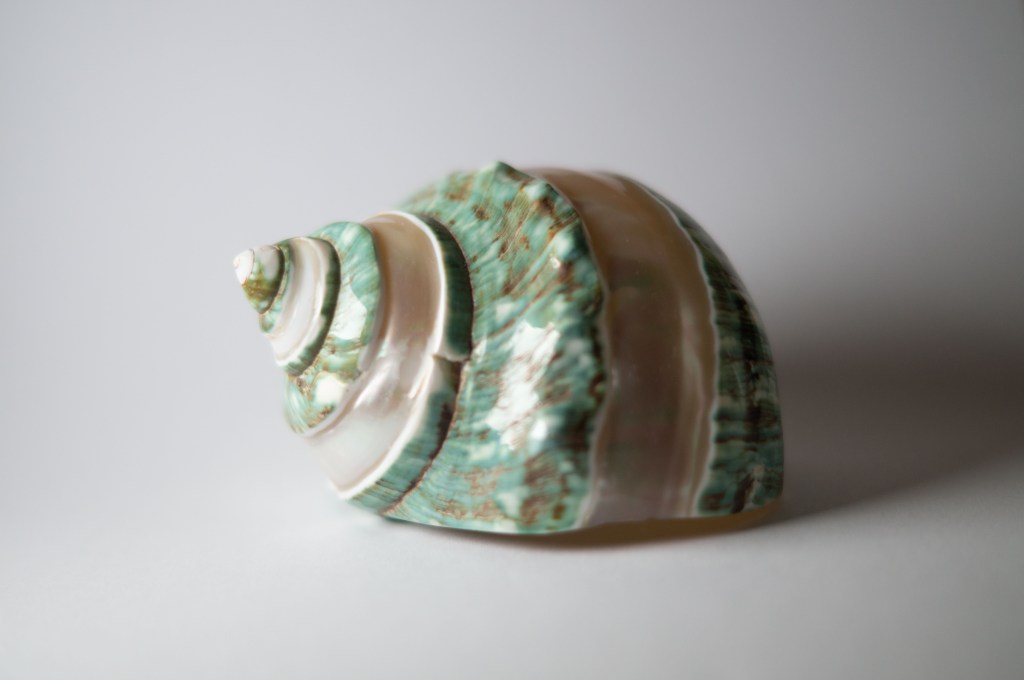
Figure. 11. Powell, L. (2021) Diagram 4 [scanned document] In possession of: Lauren Powell: Eastleigh.
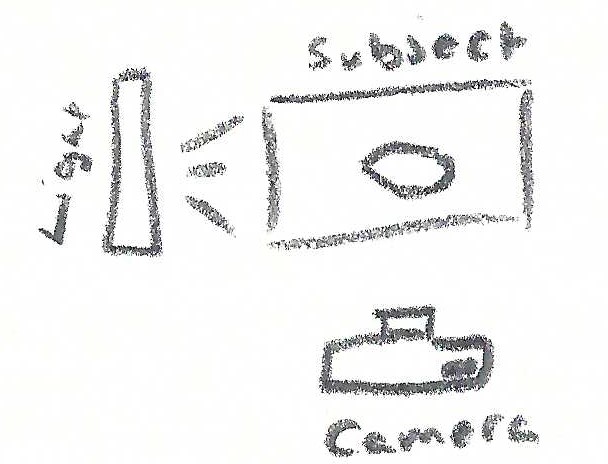
Figure. 12. Powell, L. (2021) 5 [image] In possession of: Lauren Powell: Eastleigh.
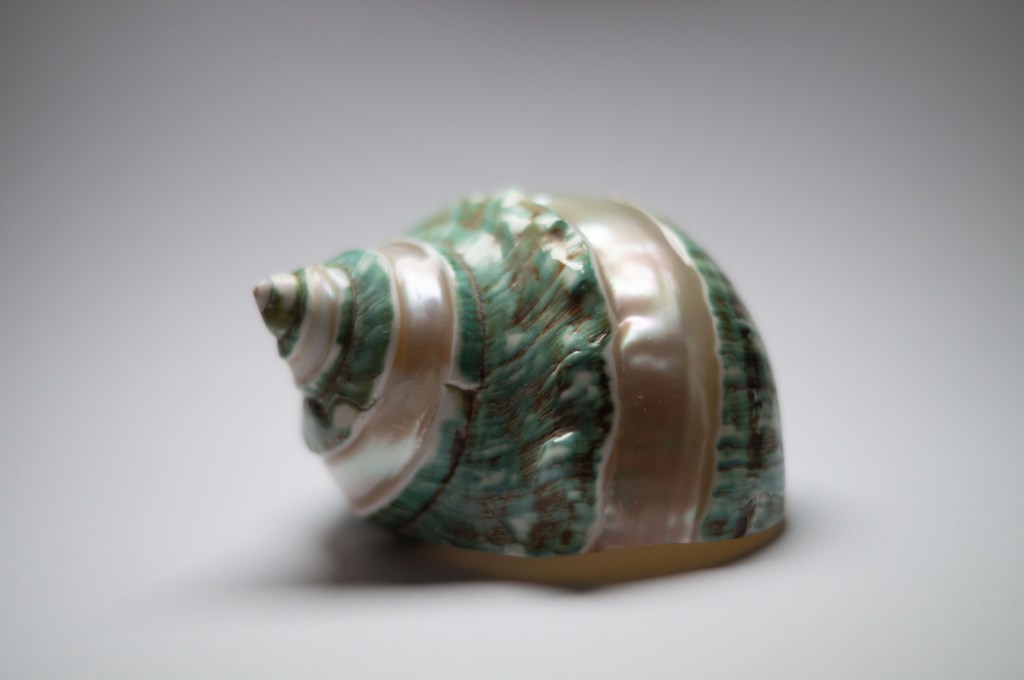
Figure. 13. Powell, L. (2021) Diagram 5 [scanned document] In possession of: Lauren Powell: Eastleigh.
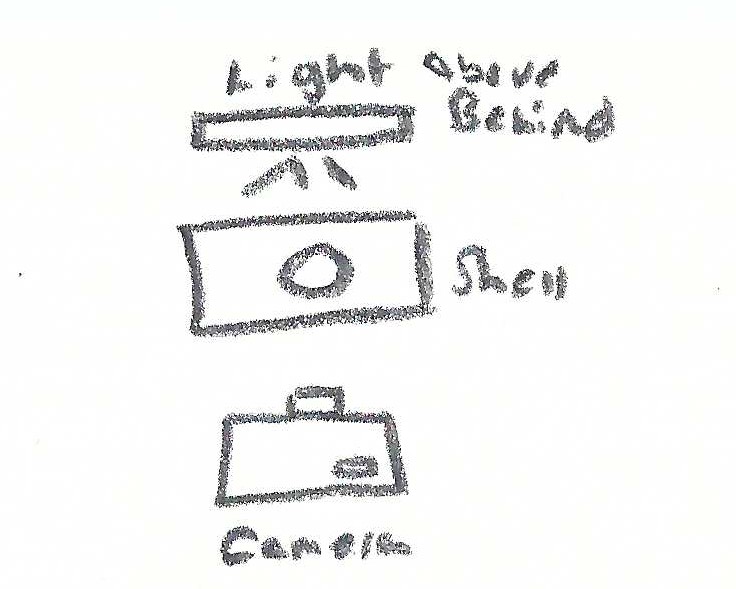
Figure. 14. Powell, L. (2021) 6 [image] In possession of: Lauren Powell: Eastleigh.
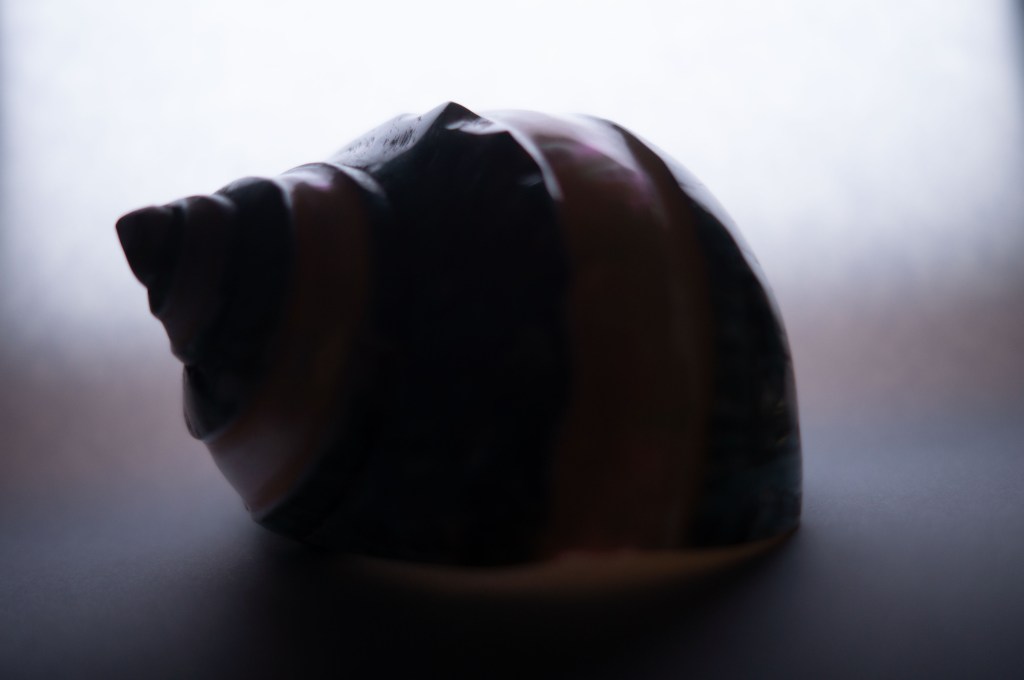
Figure. 15. Powell, L. (2021) Diagram 6 [scanned document] In possession of: Lauren Powell: Eastleigh.


Exercise 4.1 – Daylight

Online Research, Part 4, Practitioner Research, Reflection on coursework

Summary:

In this post I have

– Mentioned the brief for this exercise.
– Briefly explained my process for choosing Eugene Atget as my starting point for these images.
– Gave a short description about Atget’s work and what he was well known for, plus his approaches.
– Briefly covered where I was taking my images and why.
– Listed my camera settings and the reasoning behind these choices.
– Included contact sheets of all the images shot for this exercise and picked out 5 to analyse.
– Gave a short analysis for each chosen image, exploring the light and how it effected the compositions.
– Reflected on this exercise as a whole and what it taught me.

Taking the photography of Mann, Atget or Schmidt or a photographer of your own
choosing as your starting point, shoot a number of photographs exploring the quality of
natural light. The exercise should be done in manual mode and the important thing is to
observe the light, not just photograph it. In your learning log, and using the descriptions
above as your starting point, try to describe the quality of the light in your photographs in
own words
‘ (Bloomfield, 2018).

To avoid overthinking the practitioner in which I would gain inspiration, I searched each one via Google and scanned through a few images to see which one stood out most to me. By doing this, I was drawn towards Eugène Atget, as his work contains a variety of approaches as mentioned in the EYV coursebook; ‘He usually made such images – see, for example, Environs, Amiens – in the middle of the day, when shadows were minimal. Atget’s late photographs, however, are frequently marked by subjective light and deep shadows’ ([Artist description], n.d).

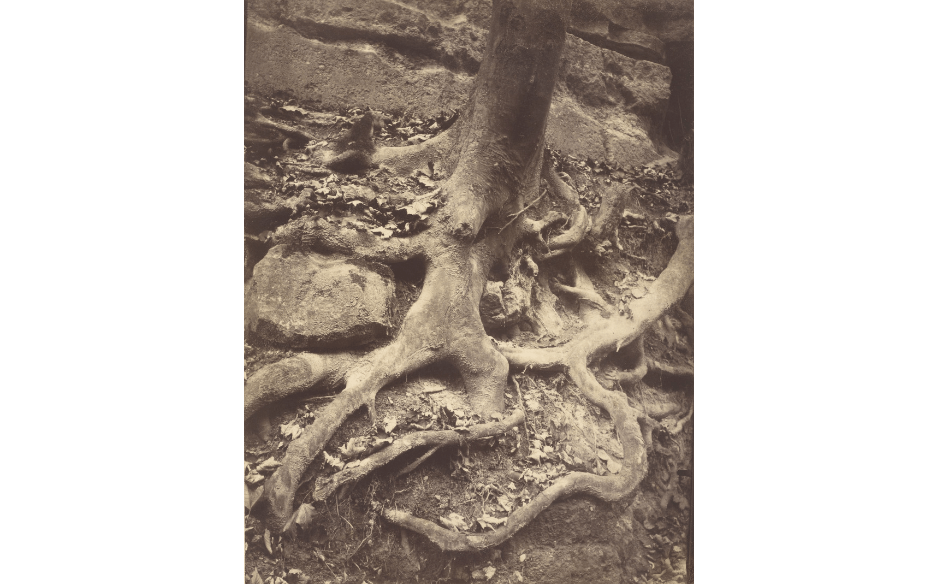
Atget was a French photographer who is well known for his imagery of the architecture and streets within Paris. Keeping the idea of outdoor photography in mind, I took the opportunity to complete the exercise while out on a walk around the woods. Quite a few of his works included nature, trees especially (see Fig. 1) so my images were still taking influence even without architecture or street imagery.

Fig. 1. Saint-Cloud, Tree Roots, Saint Cloud Park (Atget, 1906)

While most of his works featured diffused light, in turn capturing a clear and detailed composition, there were also the occasional shots that included heavy shadows or highlights to provide depth and show silhouettes of the surroundings or subjects. The dynamic approach is what I took on board while exploring my surroundings, allowing me to capture a range of images that fell into both of these categories.

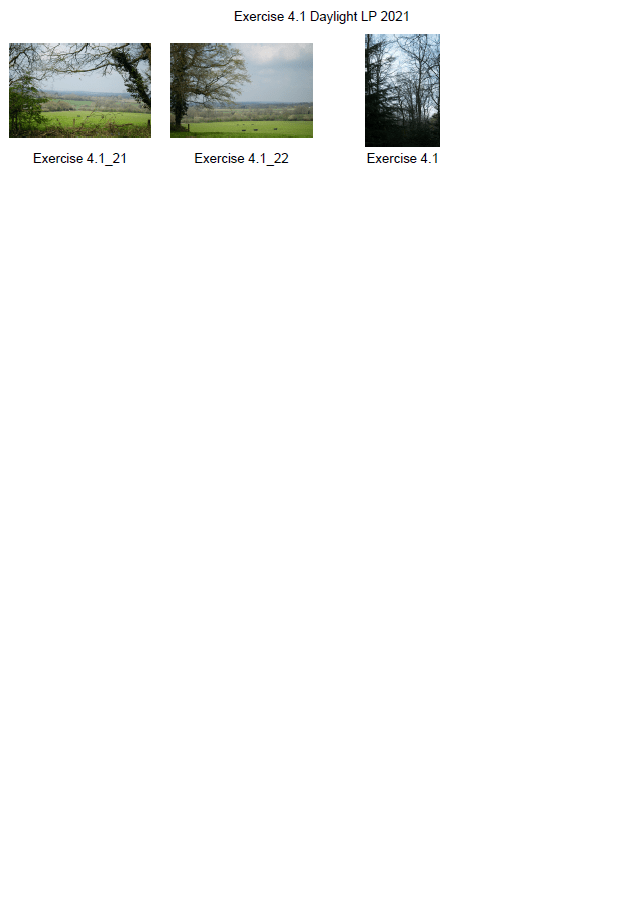
Contact Sheets:

Before shooting images, I set the white balance to auto mode to avoid any artificial temperature changes within the camera. The aperture was set to F1.8 for no other reason than personal preference and set the camera mode back to manual following a mini light meter exercise. My 75mm lens was also set to manual mode, allowing me to take time to observe the light and actively be aware of the depth of field for each area I shot.

Images for analysis:

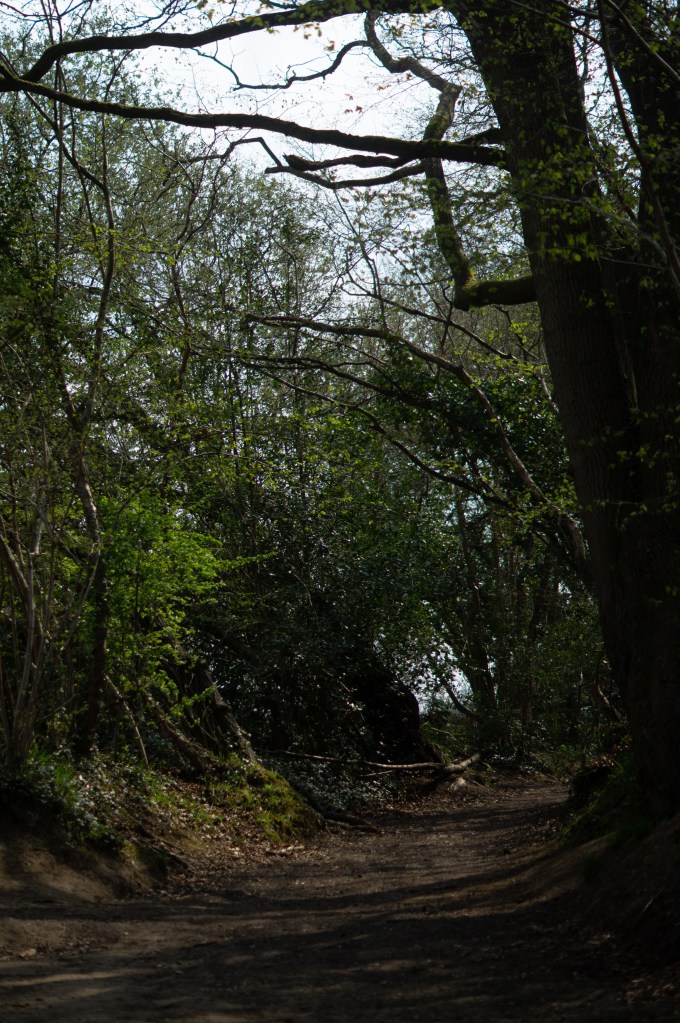
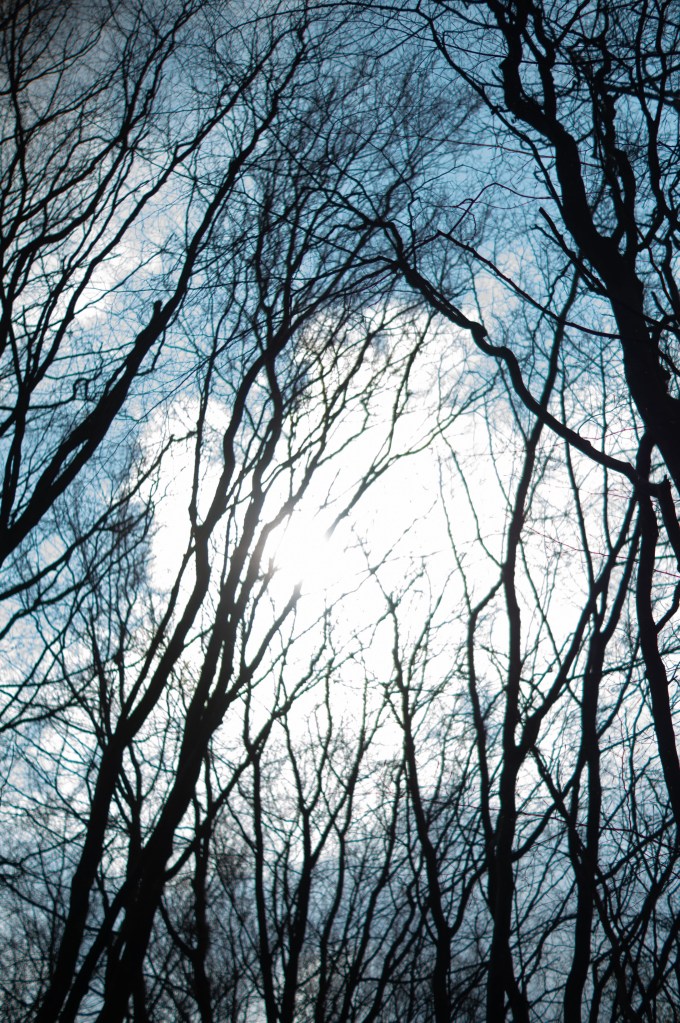
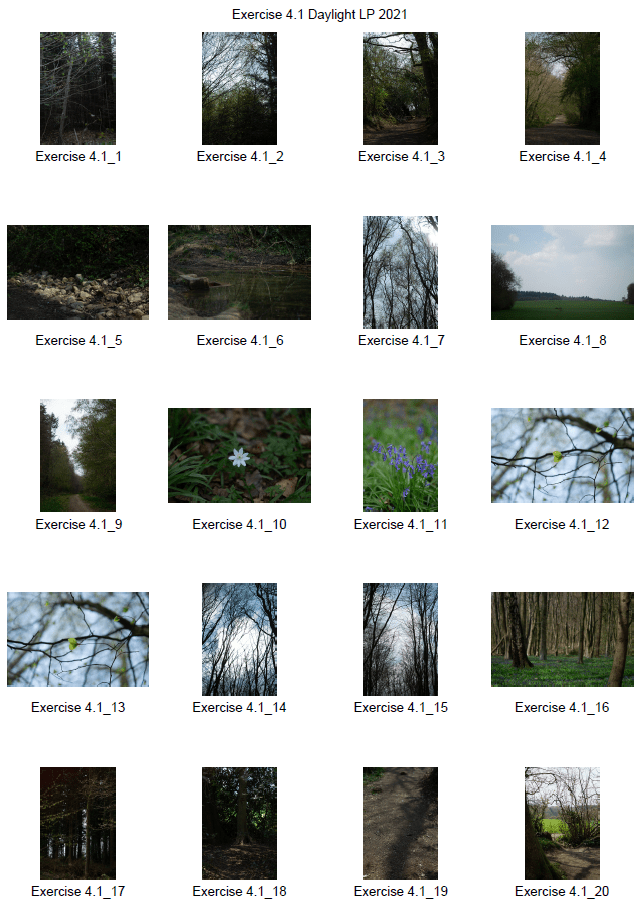
1 – The light shining through the trees from the east caused shadows to fall on the sunrays below. The sky is bright but not so much that it has blown out the composition. The leaves on the left show warmth from the sun, juxtaposing the cool and shadier shadows. Shooting this image as a portrait has allowed the tall trees to frame the top, providing context to what is blocking the light and how closed in this location is.

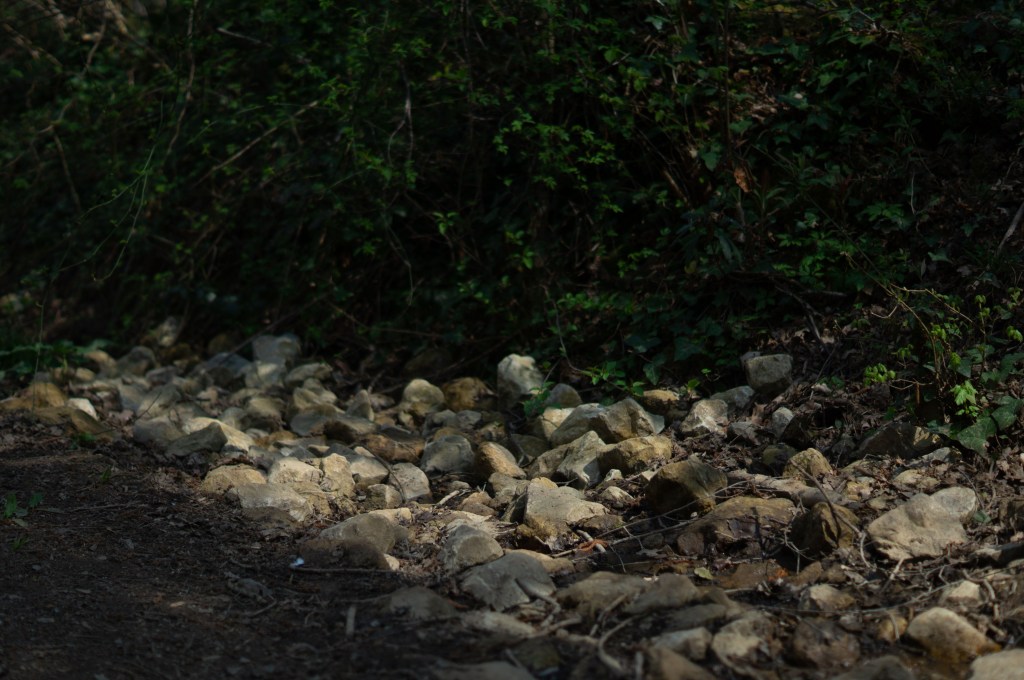
2 – The small patches of light that shone through the gaps within the leaves of bushes and trees create a focal point for this photograph by enhancing the darker areas within the frame. The size and textures of the rocks are enhanced by the contrast of highlights and shadows, preventing them from looking flat and smooth. Light can be used as a spotlight for the subject, leading the viewer towards the significant elements within the composition.

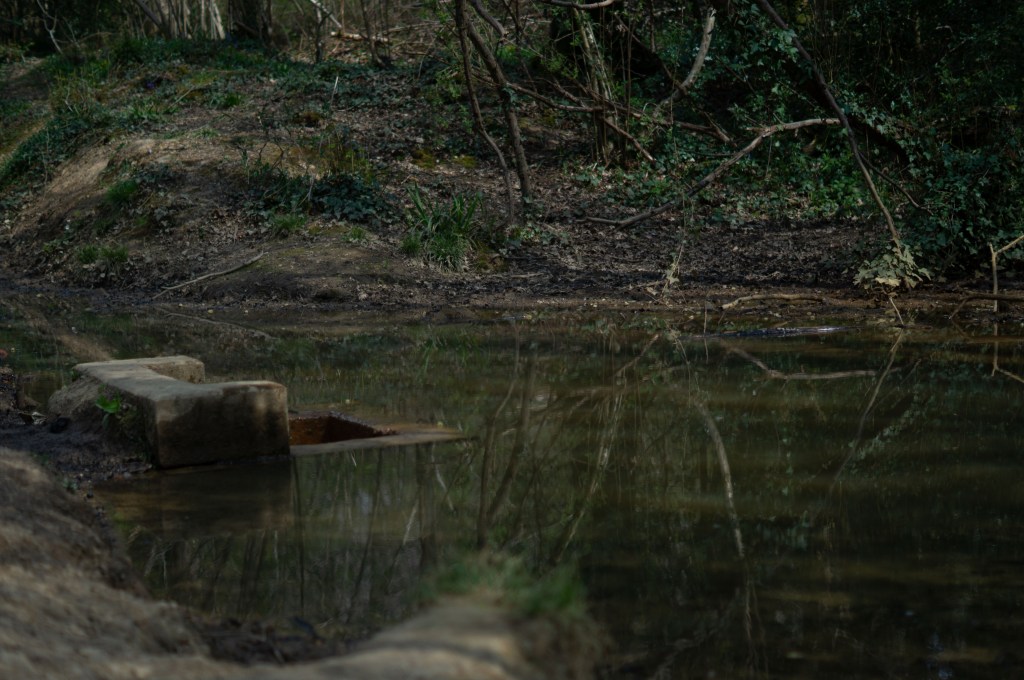
3 – Unlike the previous photographs, this one is more diffused and lacks much depth. Despite the lack of shadows and highlights, there are still reflections and shapes within the water that provides movement and texture to the composition. In my opinion, it feels less exciting as the colours are neutral. Nonetheless, exploring the importance of natural light and its effect on a subject is what this exercise is all about, whether we like the result or not.

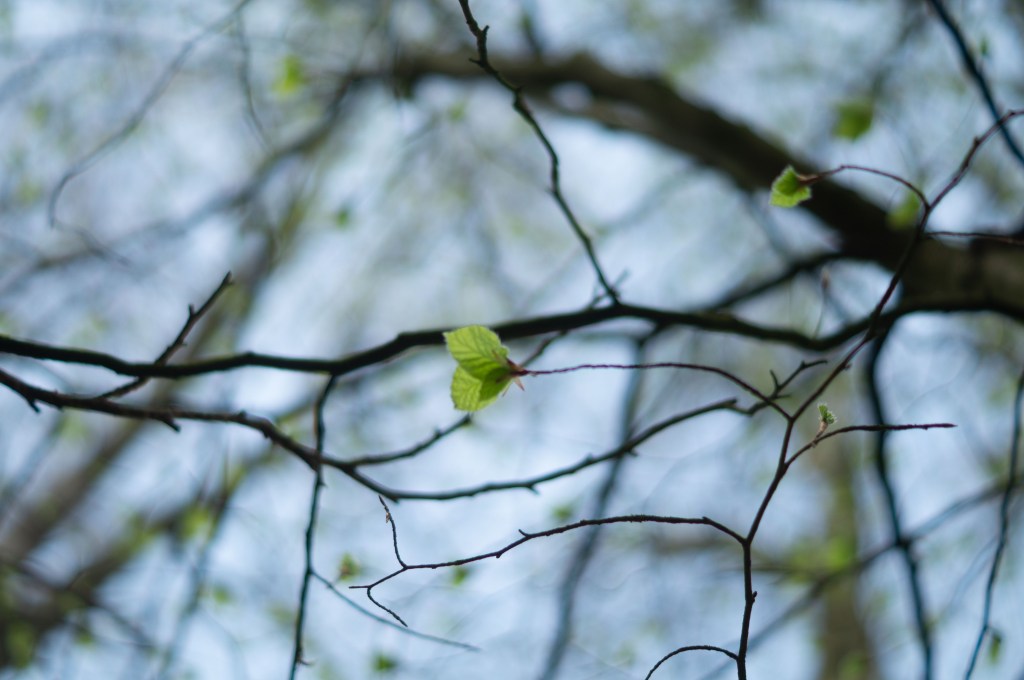
4 – The light came from behind the camera, as opposed to the sides or directly in front of the lens. As a result, instead of capturing the silhouette of the leaves and branches, we can see the light green and veins of the leaves. Other images in this collection lack a deep depth of field because of the enclosed areas, so to capture such a soft, diffused image that is also full of depth shows how light and location can affect the mood or overall result of a piece of work.

5 -Shooting directly at the sun has caused the camera to capture the skeleton silhouettes of the group of trees in the frame. There is no light from behind to shine on the branches to illuminate the textures of the wood, so they become spindly lines that are cutting through the sunrays. Due to a clear sky, we can see small patches of blue that bring a pop of colour to an eerie photograph. The sun glare in this shot creates a juxtaposition between images 2 and 4, where the light is bright but not enough to cause the lens to be overwhelmed.

Reflection:

This exercise helped me understand the power of light and the significance that it has within photography. Without it, capturing images would be impossible, but playing around with light and observing how it falls can be the difference between a good and bad image. I have learnt that I prefer using more dynamic and contrasting light rather than diffused when it comes to outdoor photography due to the enhanced shapes, textures and colours within the composition. My favourites from this image set are 2 and 5 (see Fig. 5., and Fig. 8), for that very reason. Diffused natural light feels better suited for indoor photography from a personal standpoint. Ultimately, however, it depends on the picture and what effect you want to create, as seen in image 4 (see Fig. 7).

References:

[Artist description]. (n.d) Photography 1 Expressing Your Vision Barnsley : OCA.

Bloomfield, R., 2018. Photography 1: Expressing your Vision. 4th ed. [pdf] Barnsley: OCA, p.84. Available at: https://www.oca-student.com/course/photography-1-expressing-your-vision [Accessed 22 April 2021].

List of images:

Figure. 1. Atget, E. (1906) Saint-Cloud, Tree Roots, Saint Cloud Park [Photograph] Available at: https://www.getty.edu/art/collection/objects/63460/eugene-atget-saint-cloud-tree-roots-saint-cloud-park-french-negative-1906-print-1920s/ (Accessed 22nd April 2021).

Figure. 2. Powell, L. (2021) Contact sheet 1 [pdf, screenshot] In possession of: Lauren Powell: Eastleigh.
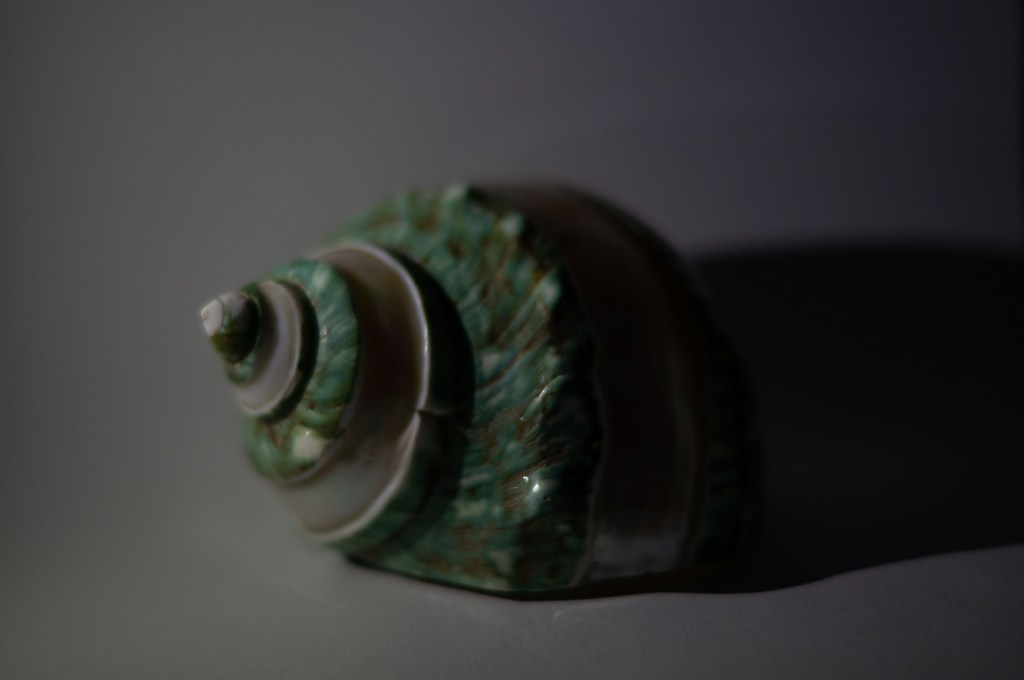
Figure. 3. Powell, L. (2021) Contact sheet 2 [pdf, screenshot] In possession of: Lauren Powell: Eastleigh.
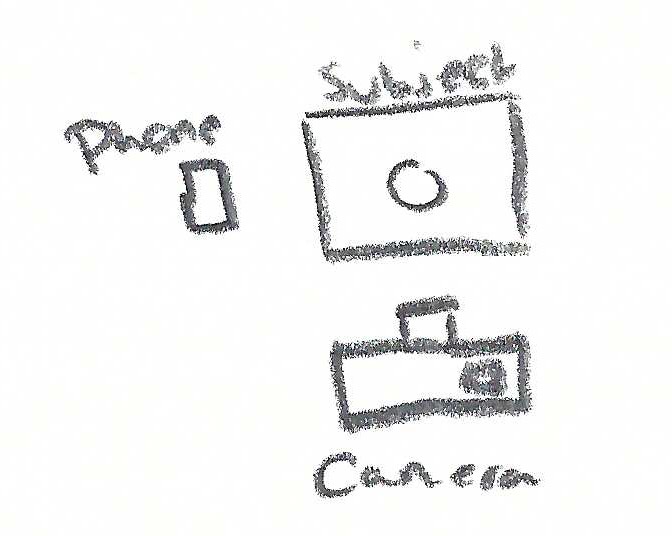
Figure. 4. Powell, L. (2021) 1 [image] In possession of: Lauren Powell: Eastleigh.
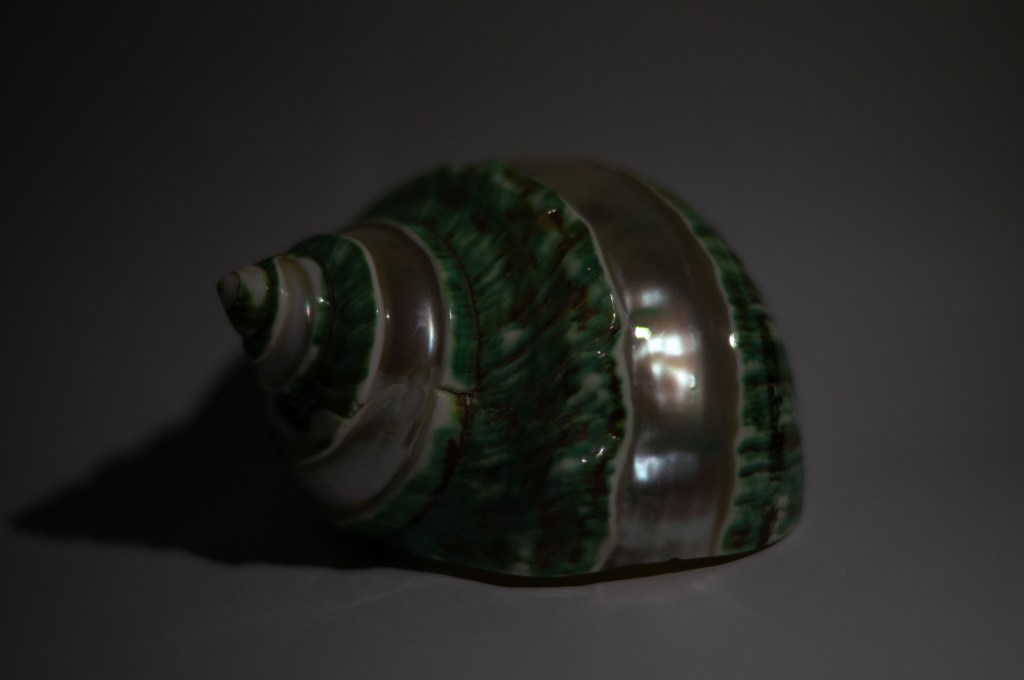
Figure. 5. Powell, L. (2021) 2 [image] In possession of: Lauren Powell: Eastleigh.
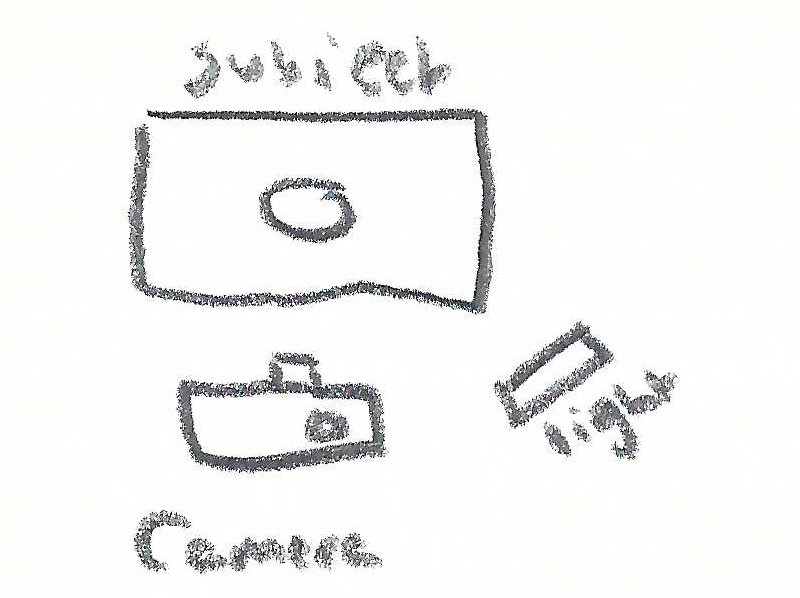
Figure. 6. Powell, L. (2021) 3 [image] In possession of: Lauren Powell: Eastleigh.
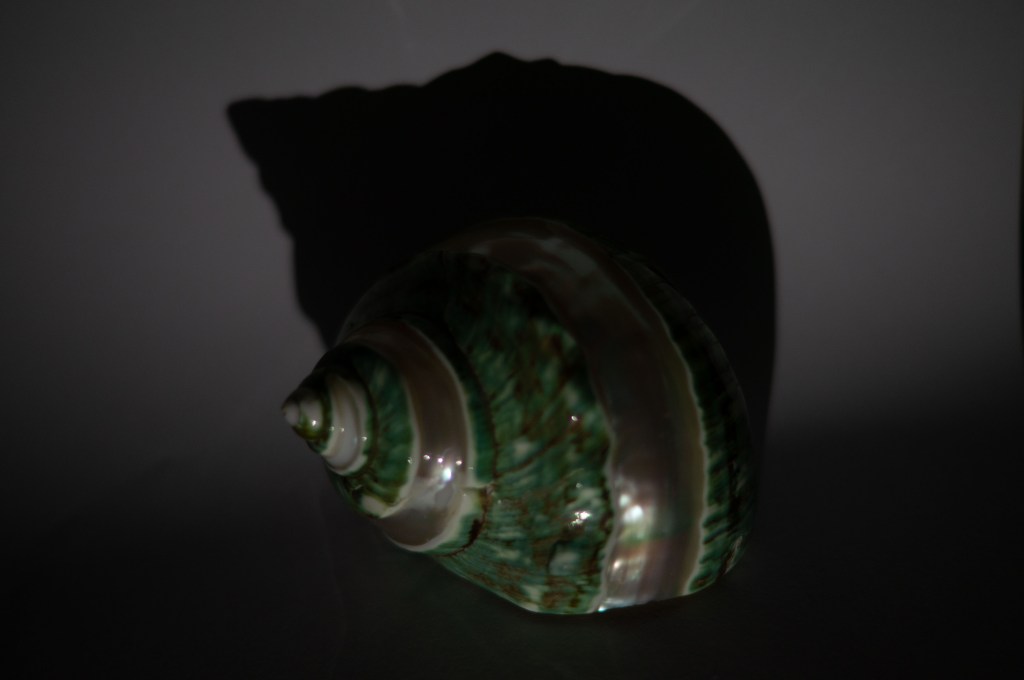
Figure. 7. Powell, L. (2021) 4 [image] In possession of: Lauren Powell: Eastleigh.
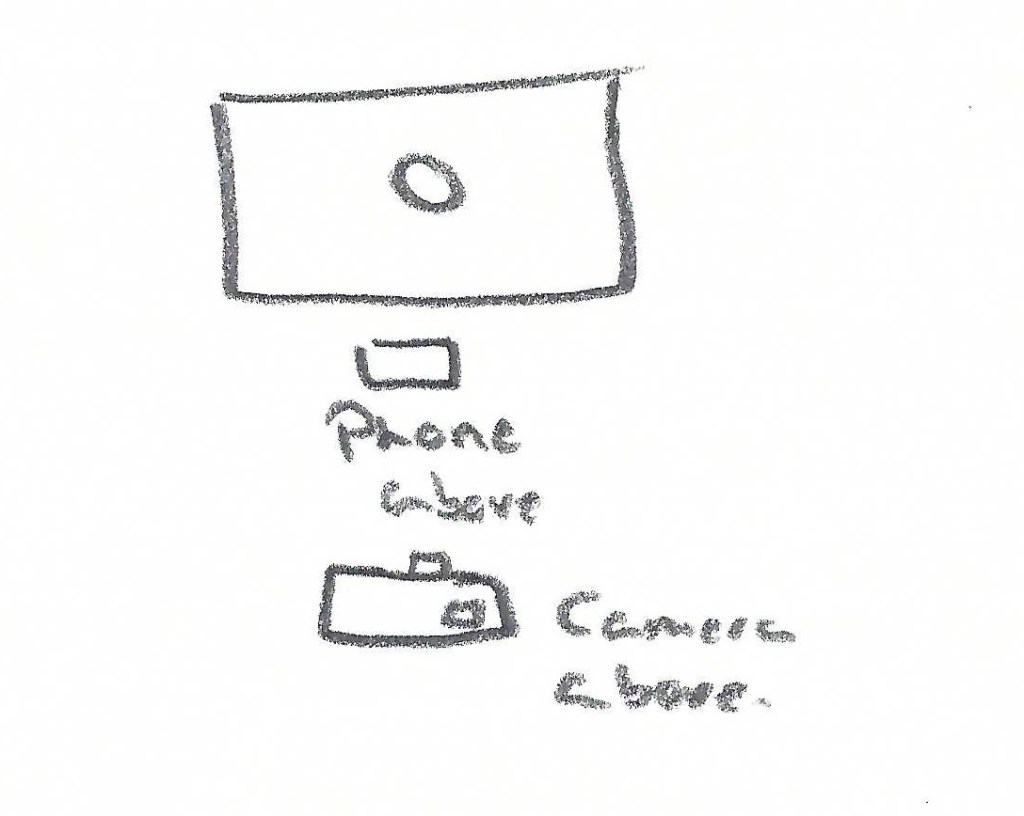
Figure. 8. Powell, L. (2021) 5 [image] In possession of: Lauren Powell: Eastleigh.


Contact sheet and final image selection

Assignment 3

Summary:

In this post I

– Included my annotated contact sheets for my final shoots, including the images I don’t want to use, what images are good and what needs editing if necessary.
– Briefly referred to my shoot plan and explained how I set up my shoot.
– Included camera settings and changes made throughout.
– Explained my timescale choices in more detail and discussed what I learnt about each shoot.
– Mentioned my weaker images and why.
– Discussed post-processing and how I came up with my final images.
– Briefly covered what these shoots have taught me.
– Included my final images, what I liked about them, the techniques I used, the artists who inspired me and what I liked about the (in)decisive moment.
– Wrote a brief reflection in bullet points about this process.

Before editing and analysing my final images, I made contact sheets, annotated and analysed them to find images strong enough to create multiple double exposures in the post-processing stage.

As stated in my shoot plan, I wanted to isolate a variety of perishable goods within the camera frame, across the space of a few minutes, hours, days or weeks. Setting the camera up in a domestic environment meant that I had to consider people walking around and moving items within the house during the photoshoots. With these thoughts in mind, I made sure to pick an area suitable for this project without the possibility of knocking the camera or subject between shooting. 

The items were also in an area that wouldn’t be affected by direct sunlight, another interference I wanted to avoid, in turn, preventing the chances of the final image blowing out from the light. 

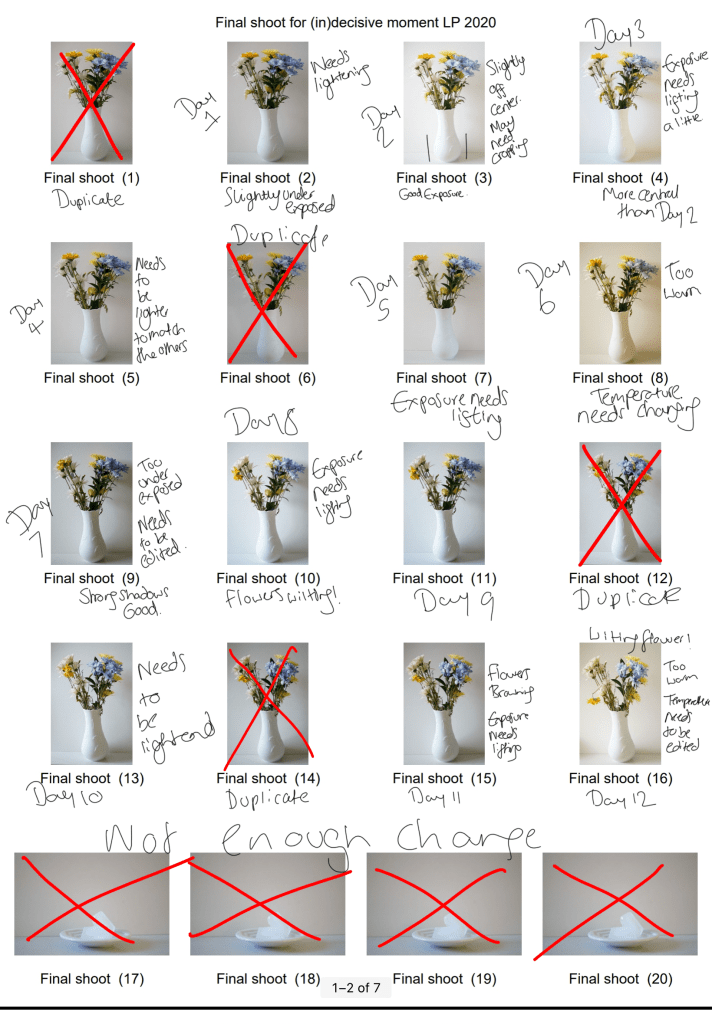
After shooting the images ‘Final shoot 97-104′ (see Fig. 5), I decided to put a white piece of cardboard behind the items, as the wall and fireplace took away from the beauty of the flowers in the shot, distracting the eyes and overall ruining the images. Thankfully I was able to crop the image down in photoshop to save the image. 

Due to the changes in light that would naturally occur throughout the day, the shutter speed was ever-changing; to avoid under or over-exposure. The distance between the subject and my Sony A57 stayed the same, as I didn’t touch either item besides the shutter button during the shooting process. Another consistency throughout these shoots was the aperture (F/1.8) and ISO (400). Using a shallow depth of field meant that the focus was entirely on the subject in the frame, while the background was soft and un-disturbing. 

The time scales for this project were determined by the perishable goods I chose and the amount of time that seemed suitable enough to show signs of decay. Fruit peels and fresh foods tend to perish quickly once the air gets to them, so I decided to capture a selection of 3 perishable foods across 4, 6 and 8 hours (see Fig. 10., Fig. 11., and Fig. 12). As seen in the contact sheets the foods began to curl, wilt and show signs of oxidisation within the first hour, the exact changes I wanted to document. Overlapping these pictures in photoshop allowed me to show the process items went through across their chosen timeframes, something we don’t usually see all at once. To the naked eye, we see signs of decay very slowly, not necessarily seeing all the tiny changes as they’re happening, so being able to capture the ‘invisible’ and see all of the changes, big or small is fascinating. Double exposures are ghostly in appearance, as can be seen in my research on Martin Dietrich. Despite my images not being taken within the camera, I wanted to achieve the same ghostly paths of time that Dietrich managed to produce without removing the colour to keep a sense of life within the photograph. 

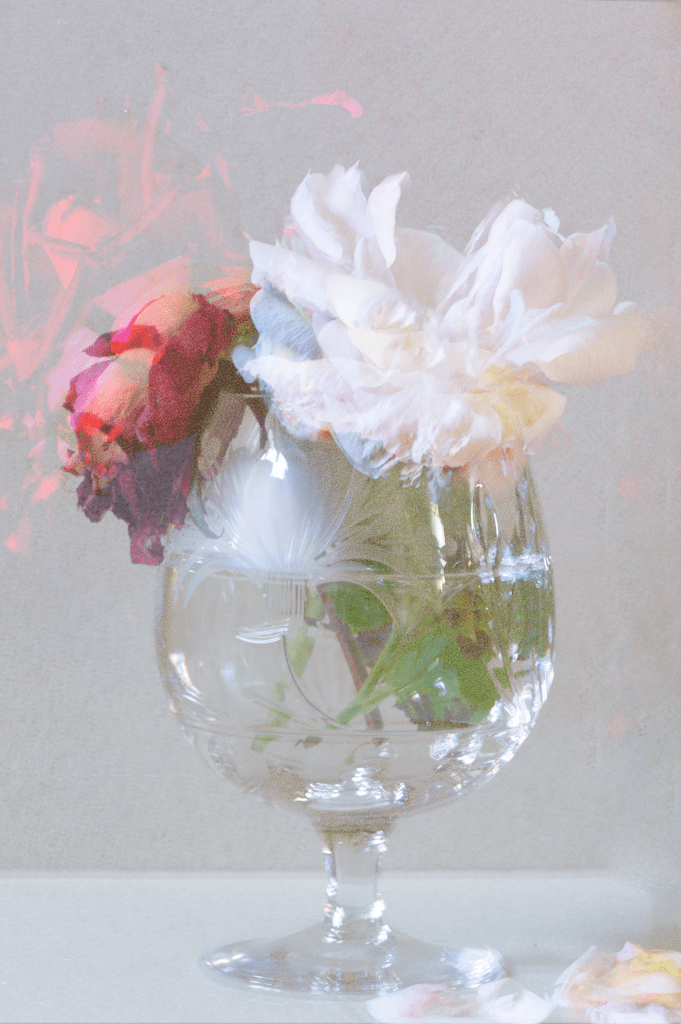
Flowers take a fair amount of time to wilt, depending on when they were picked and preserved, allowing me extra time to document the changes within them. The timescale for the flower images were 4, 8 and 12 days. Increasing the number of flowers showed the differences between each variety and their life expectancies. 12 (see Fig. 9) was taken across the space of 4 days, with no water to keep them fed, so the time it took to wilt was almost immediate compared to the other flower images, both of which had more foliage and water to prolong their life. 

After adjusting the exposure levels and temperatures, I used various blending modes to create my desired imagery. ‘Lighten’ allowed the images to become slightly transparent and ghost-like, lifting the exposure slightly, doubled up with ‘multiply’ brought back the shadows and textures within the overlapped images. Alternating blends and opacity levels allowed each image to be seen throughout the image while documenting various textures, shapes, colours and life paths.

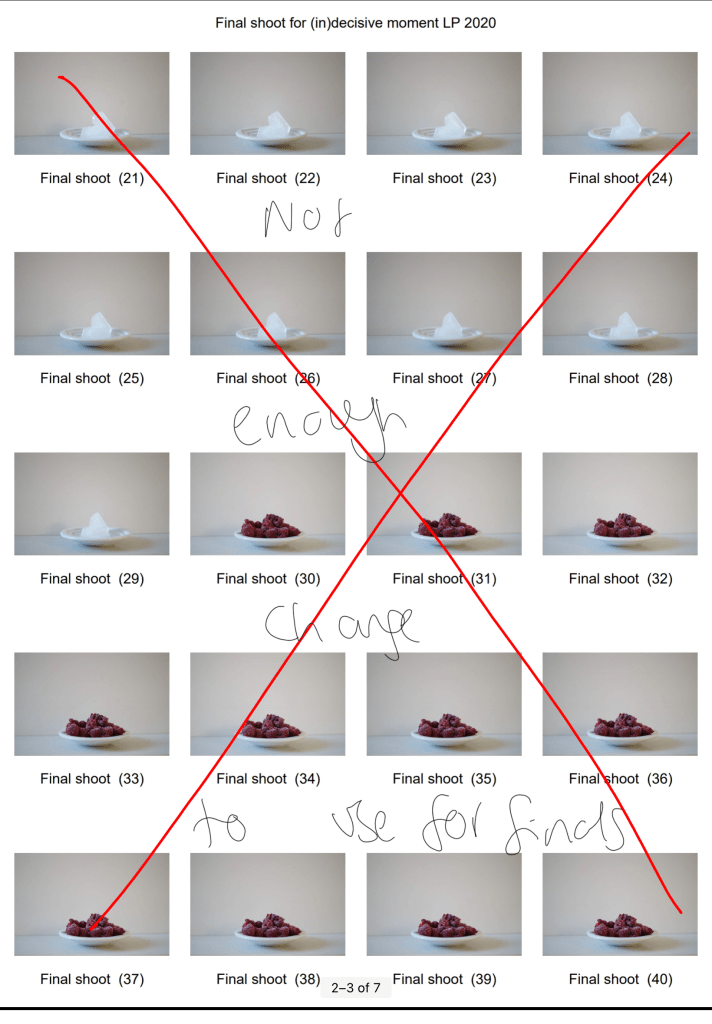
As seen in the contact sheets, I also attempted to take pictures of frozen foods melting across a few minutes, however, it was unsuccessful. There wasn’t enough time between the shots, to show any changes and present the desired outcome in post-processing.

Capturing the ordinary and overlooked items we see around us every day, whether that be the food that feeds us or the flowers that make our homes looks pretty, makes you realise how beautiful they are too. Taking influence from Nigel Shafran, who shot a lot of his work in a domestic environment and took the imagery of mundane subjects we have learnt to ignore, has allowed me to respect the life and death of the things around us. Not everything lasts forever; items eventually break down and become nothing, which is why the mundane is special and no less important than the most extraordinary subjects. Each life cycle is unique, neither two are the same; this alone makes the project indecisive, numerous images and moments are involved.

Final Images

Reflecting on my initial thoughts surrounding the (in)decisive moment, I feel as if I have successfully explored what it means to me. Removing context; like many artists have done when capturing their own (in)decisive moments, allow the viewer to come up with their theories, what one person may think about this set of images may be different to somebody else. The decisive moment felt black and white and straightforward to me, almost telling the story to those viewing it. (In)decisive moments, however, show a multitude of paths and moments, all of which are unique and wonderful. The varying opacities throughout this set show movement and colour changes. Highlights and shadows capture the transitions from each minute, hour or day and the changes in light, textures in the shot, fallen petals or gatherings of dust. Centralising the subject, removing the background and fixing the frame isolates the focal point, with very little to distract the eye from it. There is so much happening mid-frame that you do not need the hustle and bustle of a busy street to document a unique and extraordinary image. The grain and pops of colour within the images create a vintage and film-like finish, much like Nick Waplington’s works of art, saturated in some areas and desaturated in others.

Reflection:

– I’m proud of the images I have ended up with and the process I took to get them.

– The research I did, has helped me understand both the decisive and (in)decisive moments in a much clearer way and the differences between the two, albeit small.

– These shoots have made me more appreciative of the mundane, as well as the life and death cycles of nature.

– It’s inspired me to explore double exposures in further detail and perhaps take some of my own in-camera sometime in the future.

– I’ve become more aware of the importance of composition and the set-up of a shoot, removing items in the background e.t.c.

List of images:

Figure. 1. Powell, L. (2020) Contact sheet 1 [pdf, screenshot] In possession of: Lauren Powell: Eastleigh.

Figure. 2. Powell, L. (2020) Contact sheet 2 [pdf, screenshot] In possession of: Lauren Powell: Eastleigh.

Figure. 3. Powell, L. (2020) Contact sheet 3 [pdf, screenshot] In possession of: Lauren Powell: Eastleigh.

Figure. 4. Powell, L. (2020) Contact sheet 4 [pdf, screenshot] In possession of: Lauren Powell: Eastleigh.

Figure. 5. Powell, L. (2020) Contact sheet 5 [pdf, screenshot] In possession of: Lauren Powell: Eastleigh.

Figure. 6. Powell, L. (2020) Contact sheet 6 [pdf, screenshot] In possession of: Lauren Powell: Eastleigh.

Figure. 7. Powell, L. (2020) 4 [image] In possession of: Lauren Powell: Eastleigh.
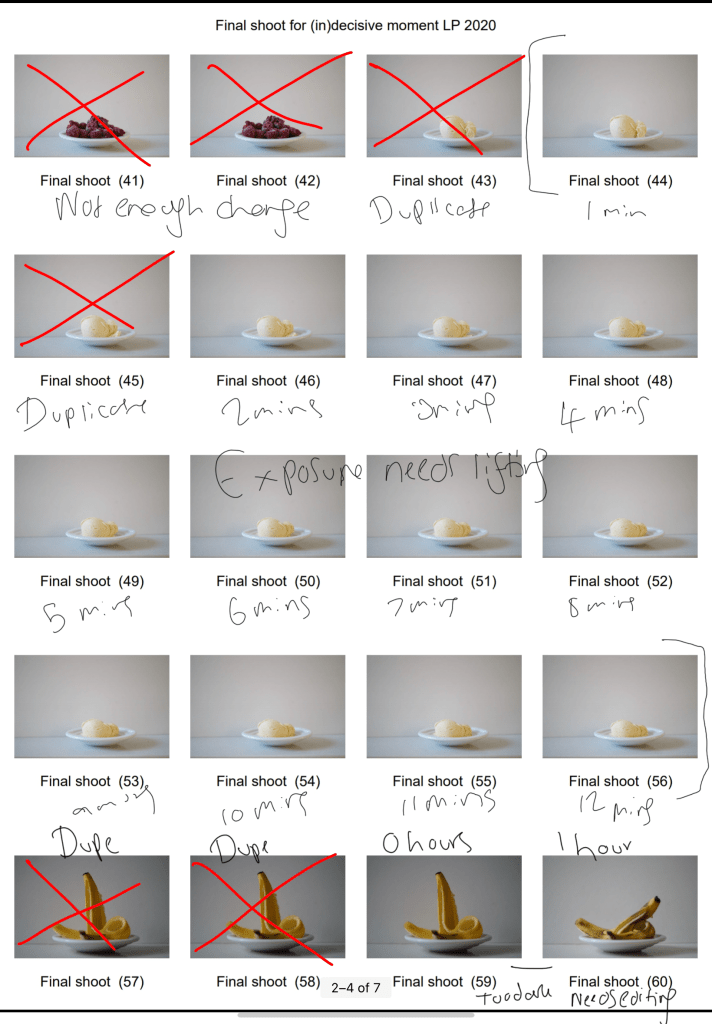
Figure. 8. Powell, L. (2020) 8 [image] In possession of: Lauren Powell: Eastleigh.
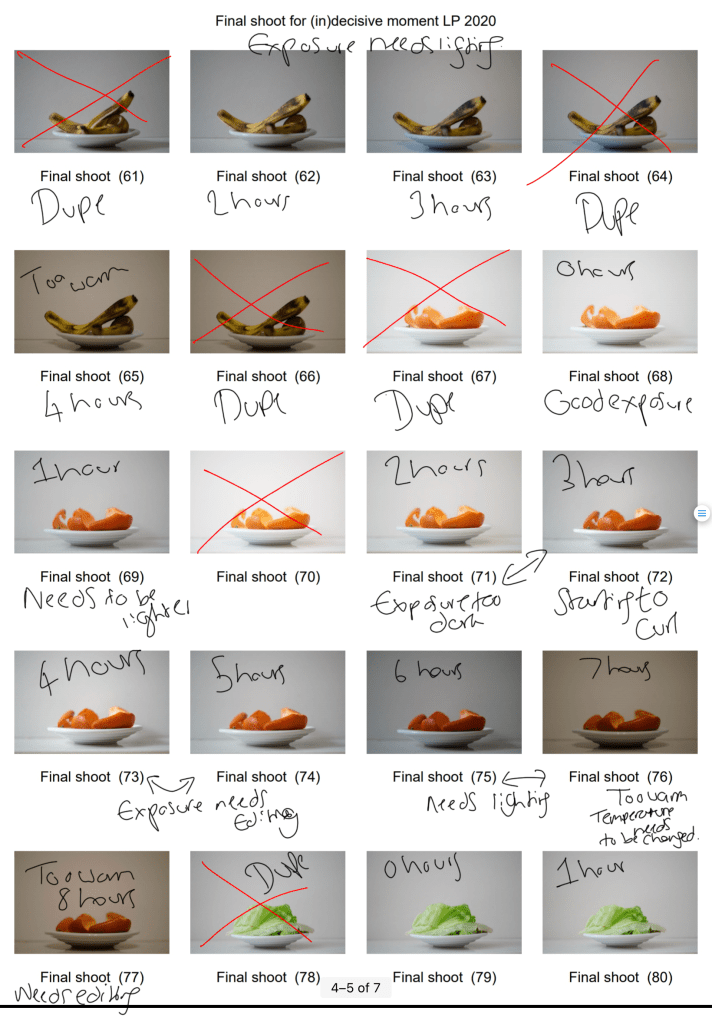
Figure. 9. Powell, L. (2020) 12 [image] In possession of: Lauren Powell: Eastleigh.
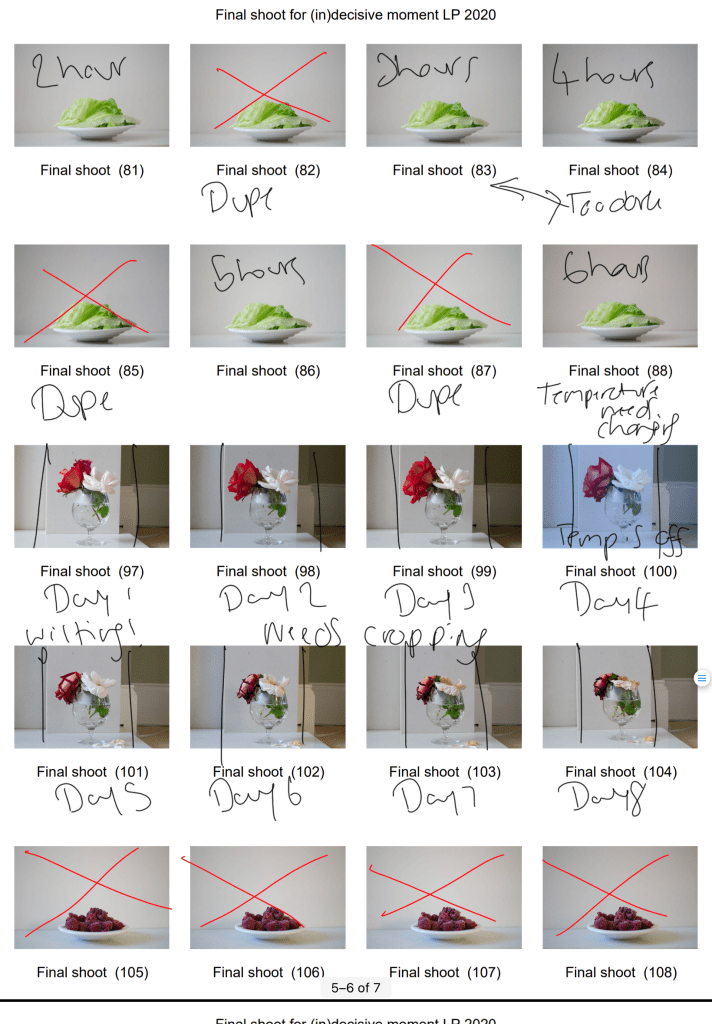
Figure. 10. Powell, L. (2020) Four [image] In possession of: Lauren Powell: Eastleigh.
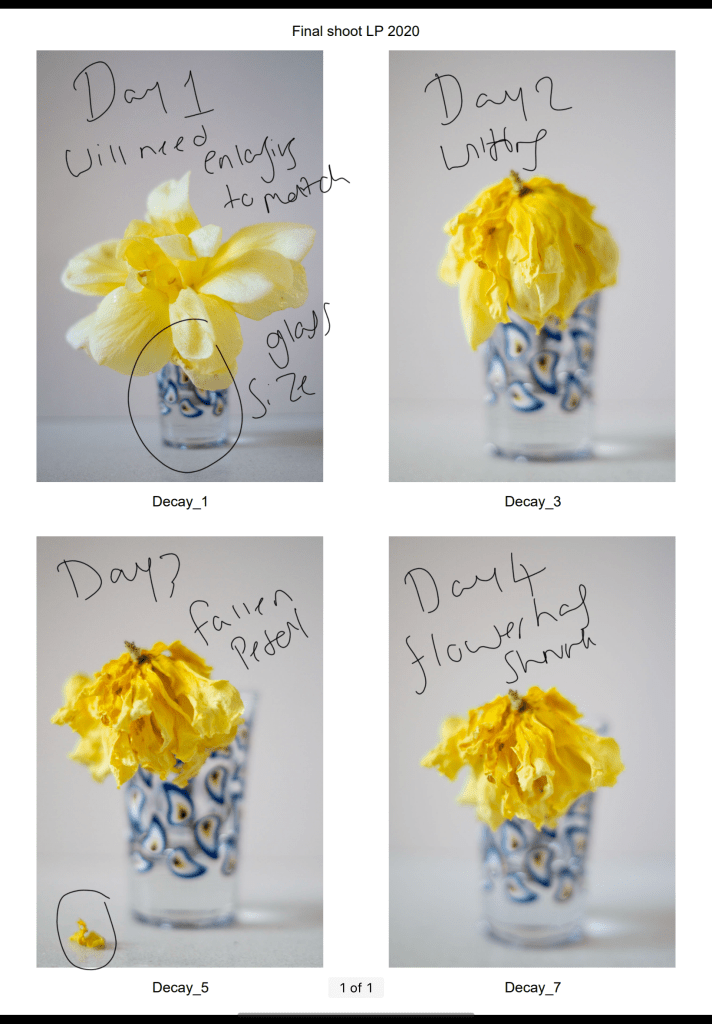
Figure. 11. Powell, L. (2020) Six [image] In possession of: Lauren Powell: Eastleigh.
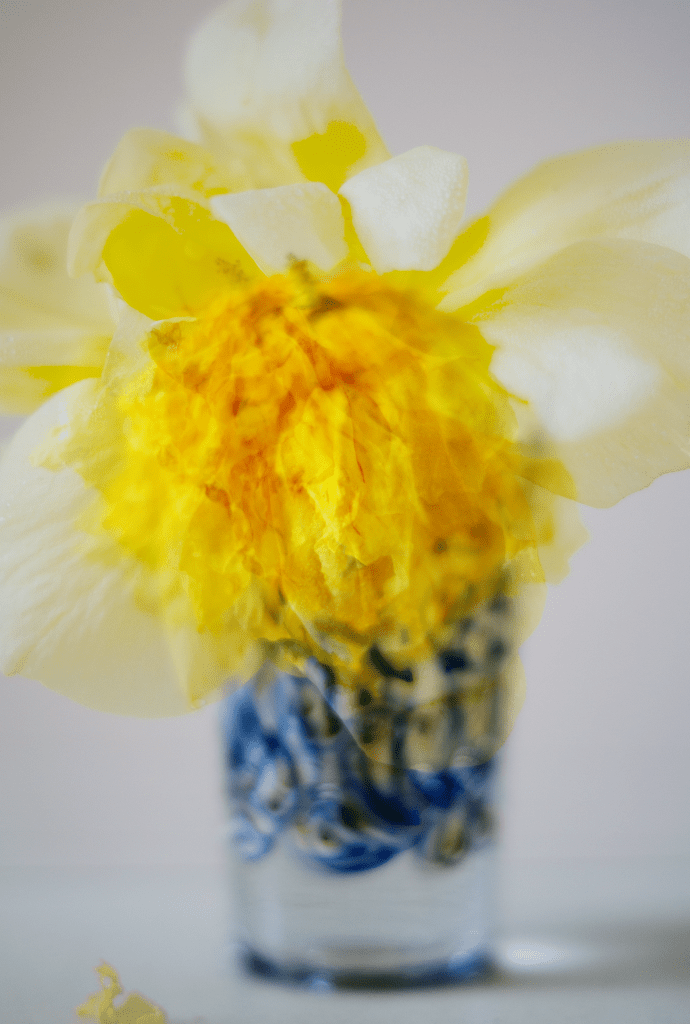
Figure. 12. Powell, L. (2020) Eight [image] In possession of: Lauren Powell: Eastleigh.
Contact Sheet and Final Image Selection

Assignment 2, Notes, Thoughts & Ideas

Summary:

For my final selection I;

– Provided annotated contact sheets of my final shoot to show the images I preferred or eliminated, along with any changes I’d like to make like cropping.
– Explained how I executed this shoot, including camera type and settings, before exploring how the various techniques helped or hindered my imagery.
– Drawn on the influence I gathered from Barry Rosenthal and Sam Oster, explaining why.
– Stated how my selection process went, what programmes I used, and the minor changes made to improve the quality of the work,
– Before explaining the reasoning of my grid work and the groups made what messages they may imply for the viewer.
– Briefly reflected on what I felt worked well during the shoot and selection process, as well as my thoughts on the final selection.

Before selecting my final images the contact sheets were printed off, annotated and analysed to figure out which shots were strongest visually, technically and conceptually when placed together as a group.

While shooting, I made sure to refer to the techniques listed on my shoot plan to make sure I shot my images as intended and the camera settings were suitable for the lighting.

Setting my Sony A57 to manual focus allowed me to make sure everything was as crisp and accurate as possible. At the same time, a narrow aperture of F/14 prevented unwanted blur and provided enough light. I did use an ISO of 400 to boost the light levels slightly, enabling me to use the slowest shutter speed of 1/4 to get a well-lit shot, avoiding bulb mode or a wider aperture.

Placing my camera on a tripod meant the framing was consistent and stable throughout, while everything was in the frame when using a focal length of 35mm. Backlighting my images was a wise decision, as it enhanced the 3D form, however, due to uncontrollable natural light coming from behind, the images were lacking in shadows or became too dark, exampled in Collection LP 2020 (2) and Collection LP 2020 (36) (see Fig. 1. and Fig. 3).

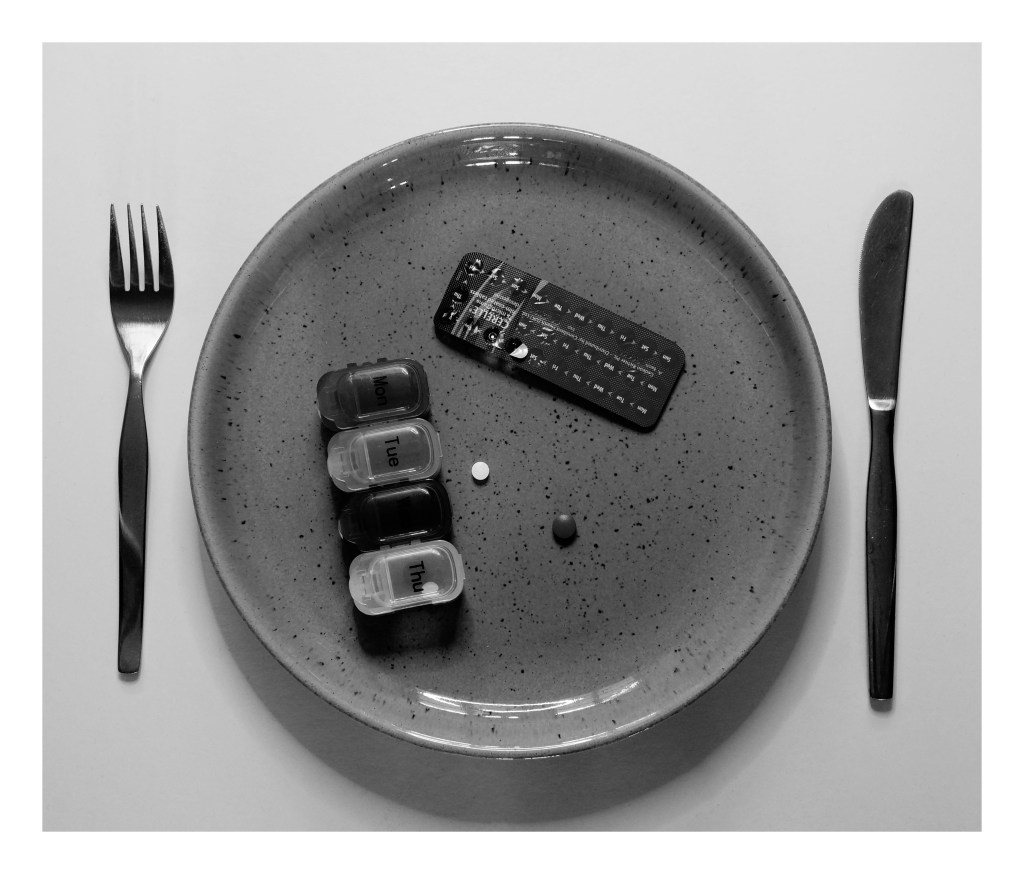
Using the High Contrast B&W setting in camera provided the definition and contrast I wanted to achieve, some subjects, however, were difficult to decipher and can be seen with Collection LP 2020 (2), Collection LP 2020 (5) and Collection LP 2020 (18) (see Fig. 1. and Fig. 2). This camouflaging was due to the plate colour, so experimenting and shooting the items on both plates was vital to give me a chance to capture each subject successfully.

Taking inspiration from Barry Rosenthal and collecting various items allowed me to experiment with different textures such as smooth, soft, wet, rough and hard, which juxtapose one another. However, as a whole, the subjects contextually link together when it comes to theme and functionality, such as electrical, health and hygiene. It also gave a more extensive range of products to choose from when selecting my final images and didn’t restrict in any way that concerned me as I wanted the set to be cohesive yet unique.

Making sure the plate was in the same place throughout and placing the subjects as close to the centre as possible, decreasing the chance of the set flow being distracted by a sudden change in composition. It also created a controlled and cold mood that compliments the crisp black and whites, making the images look profound.

After analysing the contact sheets and selecting the best images, I went into Photoshop to crop and tidy up some blemishes the could be seen on the white background when enlarged on the screen. Cropped photos provided a suitable amount of negative space to frame the subject while emphasising the importance of the items in the shot. Enlarging the canvas and adding a solid 1-inch frame around the image reflect Sam Oster’s use of white boxes in her typologies which appealed to me.

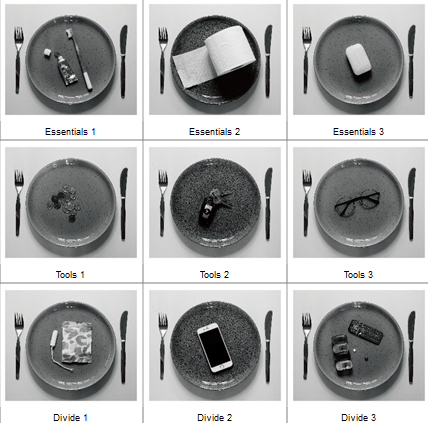
Adobe Bridge enabled me to create a grid and rearrange my edited images to form a cohesive set of images, split into three groups juxtaposing in type and functionality. On the other hand, they complement one another in terms of concept, contrast and composition, forming a solid link between the collection.

Fig. 5. Typology (2020)

Inspiration from Sam Oster and Barry Rosenthal lead me to experiment with a narrow aperture to achieve a sharp focus. B&W photography enhanced the details and shooting overhead instead of straight on. These techniques pushed me beyond my comfort zone and tested my ability to be selective when creating a typology.

Visually this set is powerful due to the variety of tones providing depth to the composition, contrasting highlights and shadows emphasise the subjects 3D form, allowing them to be more prominent. Keeping the product placement consistent creates repetition but stays fresh due to the change in object and colour of the plates. Balance is maintained by using an even amount of background to frame the items and being evenly cropped. Artificial lighting creates harsh shadows that define the details within the plate and products; a cooler colour temperature intensifies the white background preventing the image from being flat with grey tones. Providing a focal point enables the viewer’s eyes to be drawn to the middle of the frame, focusing on the chosen objects that form a narrative when connected, varying between each individual.

The use of black and white restricts the viewer from being distracted by any colours that may confuse their overall understanding of the set, created a conflict between calm and danger, warm and cold, sadness and happiness. Enhancing the forms, textures, details allows the viewer to focus on and explore the purpose of the object rather than how it makes them feel.

Looking at the groups that have emerged, there is a set of three hygiene products, three tangible metal items and three objects that are all completely different in functionality (see Fig. 5). They are all “things” that people use which is what connects them as a set, however, are they all a necessity? Are there some items that you feel are a luxury? Do you use all of these items, and if so what do they mean to you if anything? Do you see this set as everyday, ordinary items or do they represent a particular message for you?

I feel positive about my final selection and have enjoyed exploring the different collections that we can find around us, even if it isn’t as apparent at first glance. The one issue I did have with this shoot was the influence the natural light had on my imagery, meaning I had less to choose from, however did not ruin the whole selection.

List of images:

Figure. 1. Powell, L. (2020) Contact sheet 1 [scanned document] In possession of: Lauren Powell: Eastleigh.

Figure. 2. Powell, L. (2020) Contact sheet 2 [scanned document] In possession of: Lauren Powell: Eastleigh.

Figure. 3. Powell, L. (2020) Contact sheet 3 [scanned document] In possession of: Lauren Powell: Eastleigh.

Figure. 4. Powell, L. (2020) Contact sheet 4 [scanned document] In possession of: Lauren Powell: Eastleigh.

Figure. 5. Powell, L. (2020) Typology [pdf, screenshot] In possession of: Lauren Powell: Eastleigh.

Figure. 6. Powell, L. (2020) Divide 1 [image] In possession of: Lauren Powell: Eastleigh.
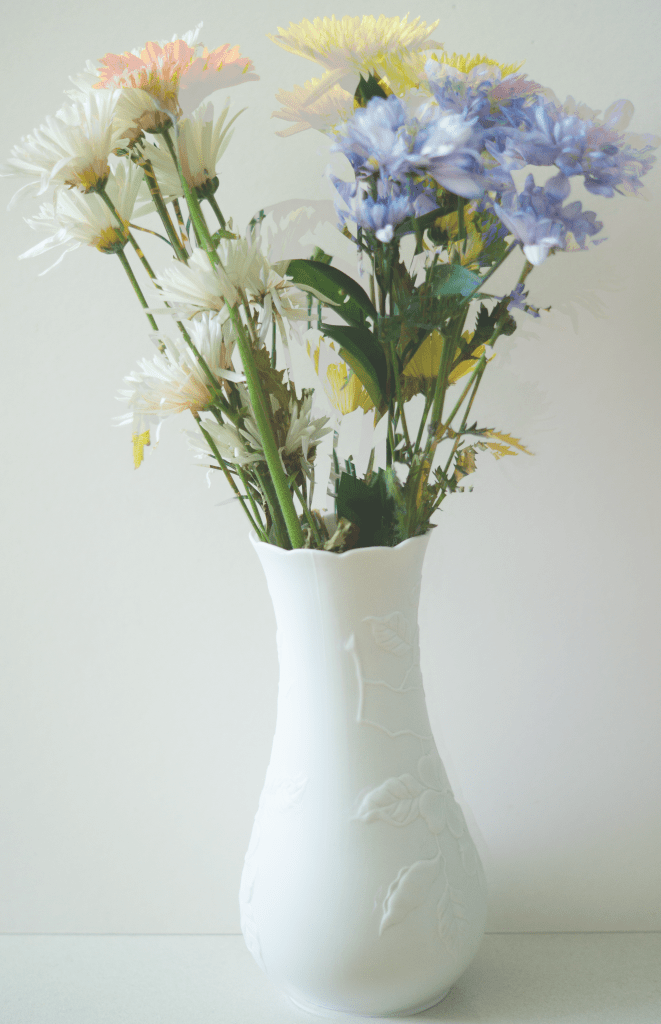
Figure. 7. Powell, L. (2020) Divide 2 [image] In possession of: Lauren Powell: Eastleigh.
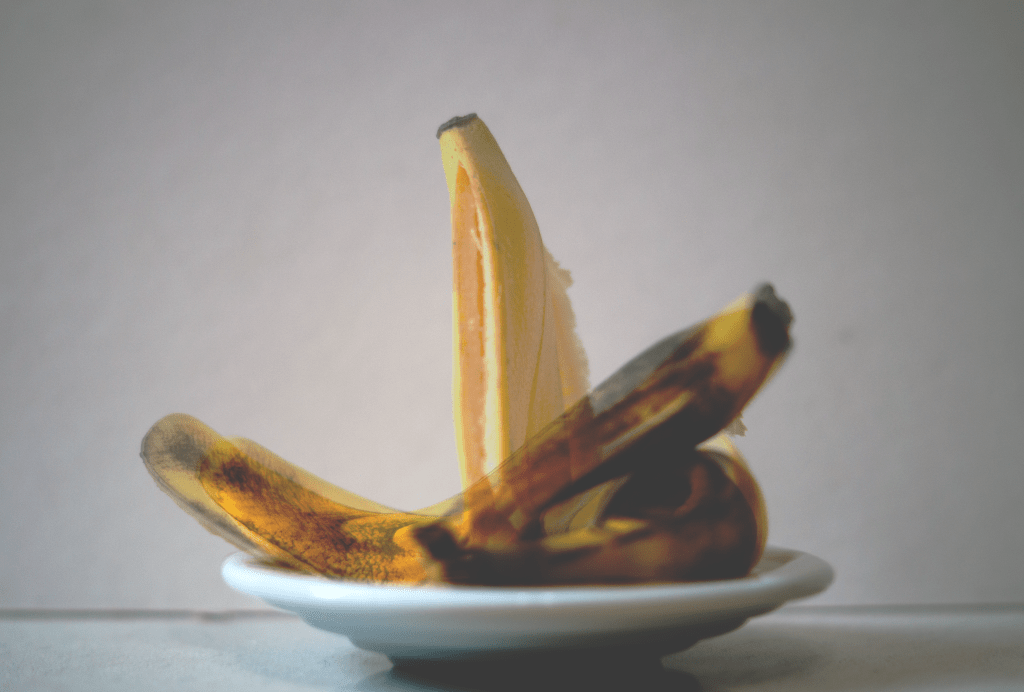
Figure. 8. Powell, L. (2020) Divide 3 [image] In possession of: Lauren Powell: Eastleigh.
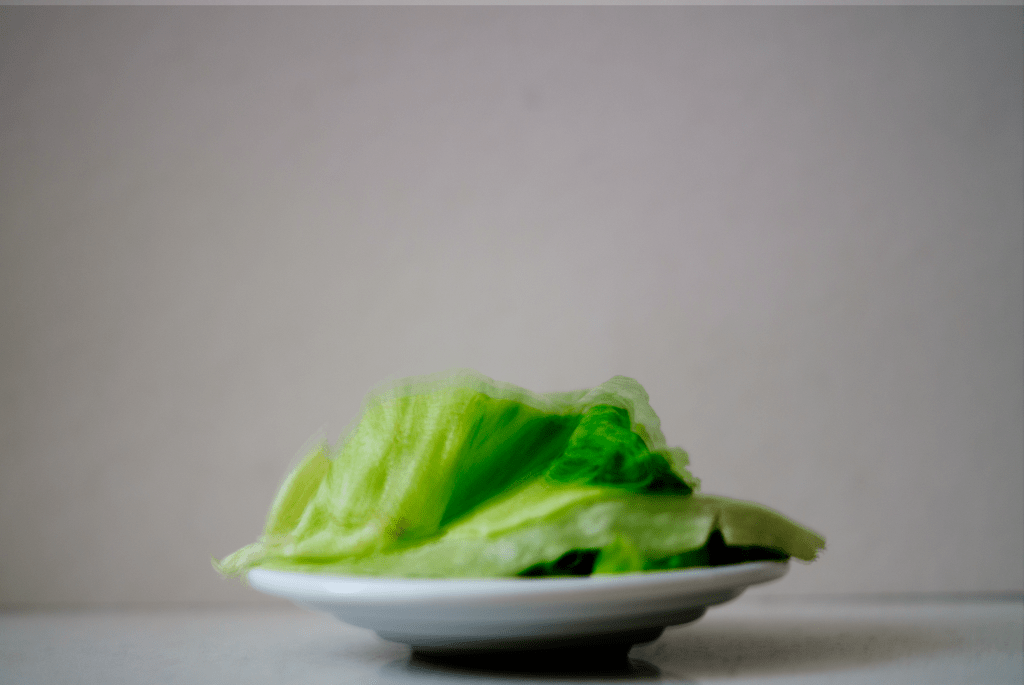
Figure. 9. Powell, L. (2020) Essentials 1 [image] In possession of: Lauren Powell: Eastleigh.
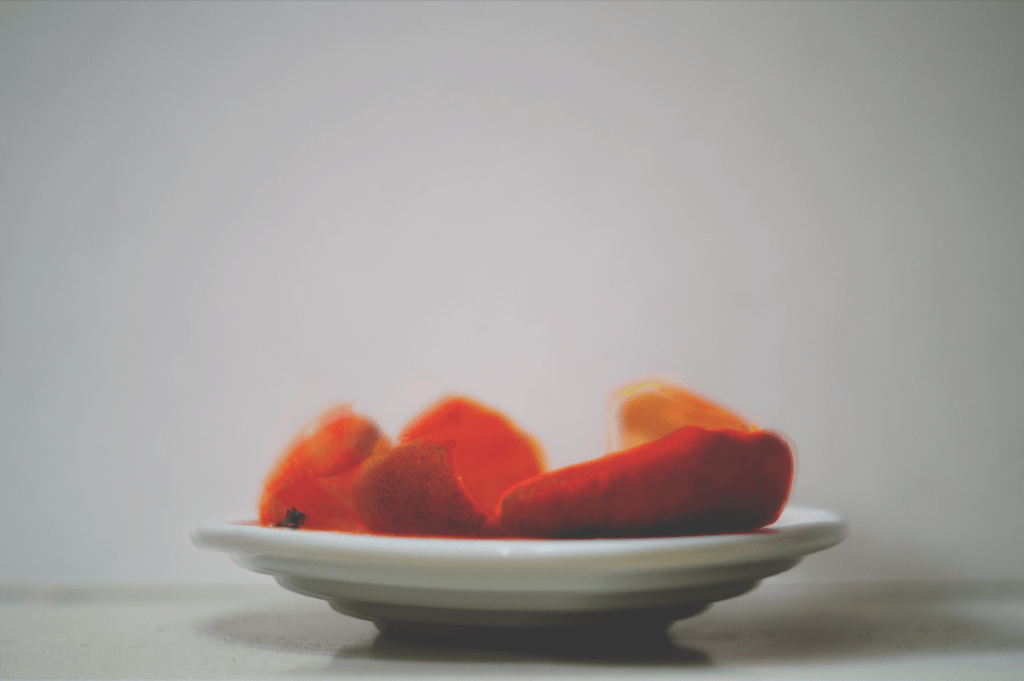
Figure. 10. Powell, L. (2020) Essentials 2 [image] In possession of: Lauren Powell: Eastleigh.
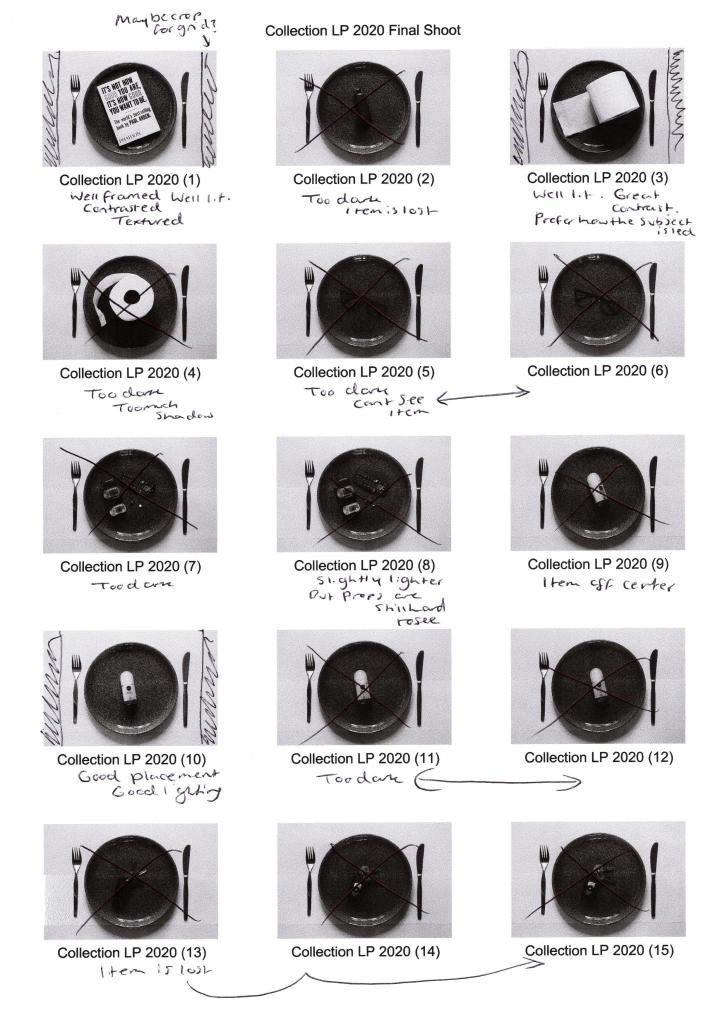
Figure. 11. Powell, L. (2020) Essentials 3 [image] In possession of: Lauren Powell: Eastleigh.
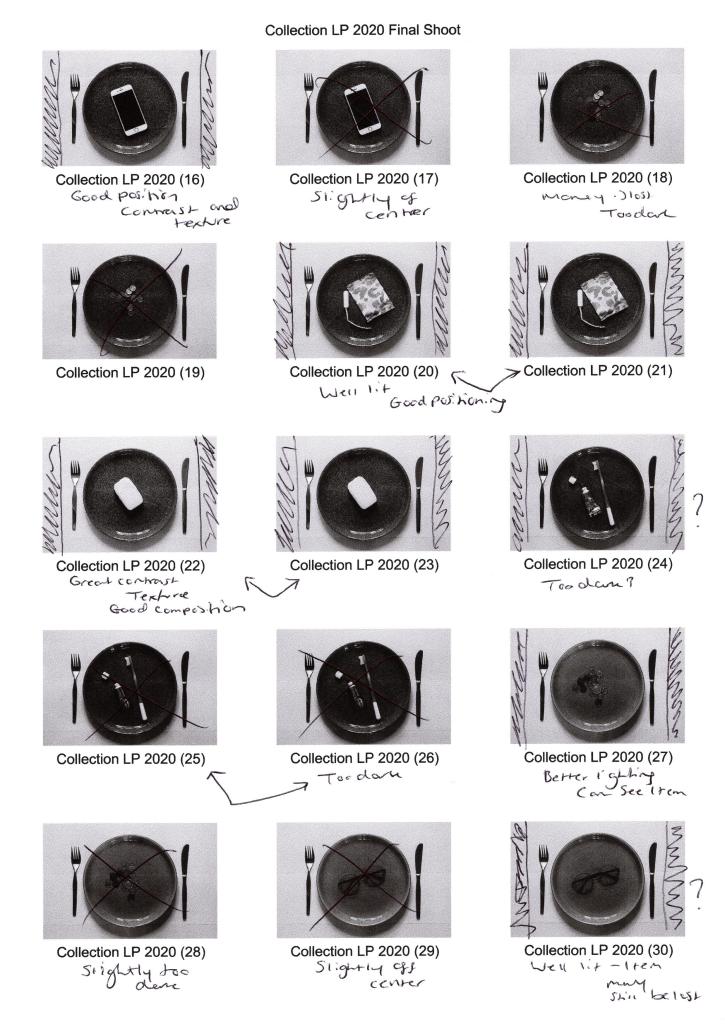
Figure. 12. Powell, L. (2020) Tools 1 [image] In possession of: Lauren Powell: Eastleigh.
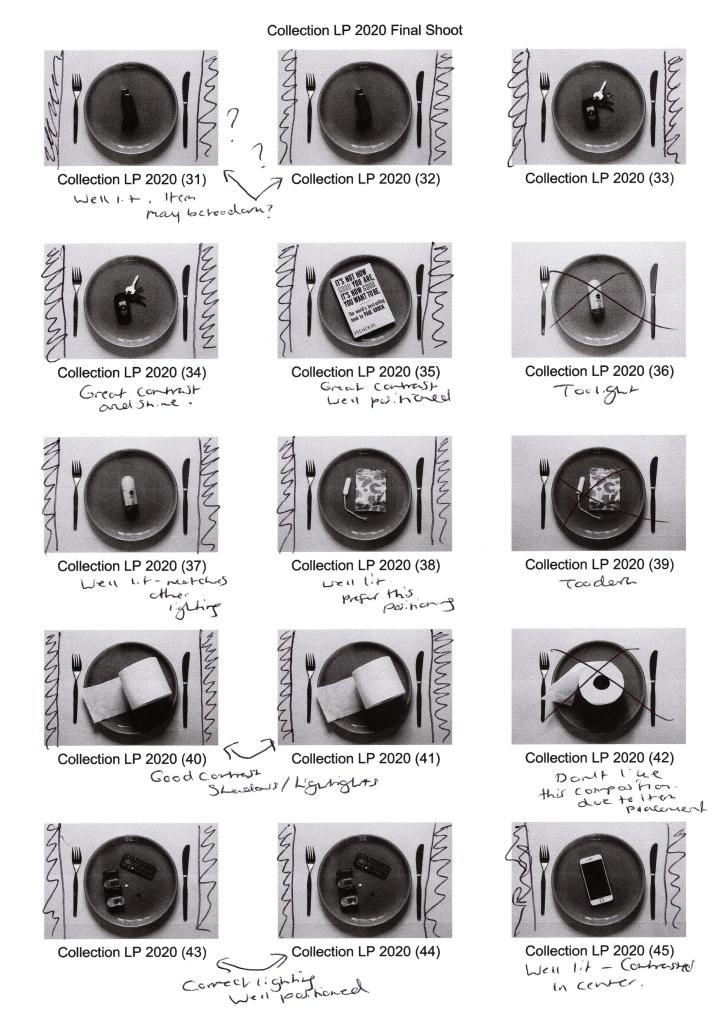
Figure. 13. Powell, L. (2020) Tools 2 [image] In possession of: Lauren Powell: Eastleigh.
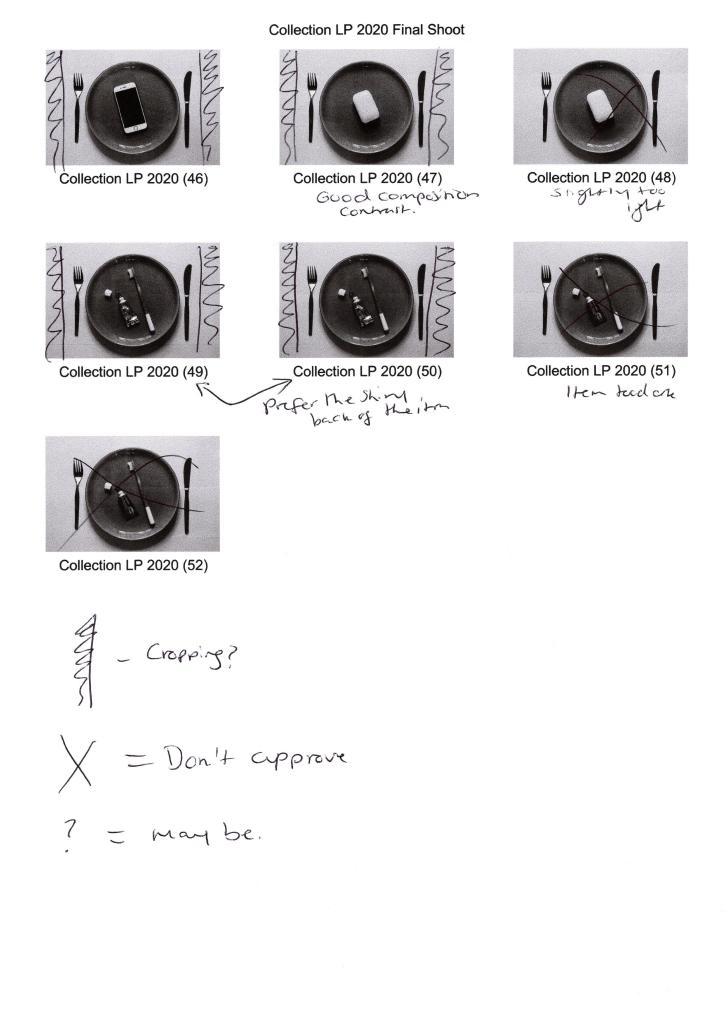
Figure. 14. Powell, L. (2020) Tools 3 [image] In possession of: Lauren Powell: Eastleigh.


Test Shoot Contact Sheets for Collection Assignment

Assignment 2, Notes

For this post I;

– Stated why I decided to do a test shoot before my final shoot for this assignment and what I tested during this process.
– Included the camera and lens used for this photoshoot.
– Provided annotated contact sheets to show the different tests taken, as well as the strengths and weaknesses found throughout.
– Reflected on how I achieved the shots, the image editing and the reasons for the choices made.
– Provided a summary for my final shoot plan, following the analysis of the contact sheets, stating the most beneficial techniques found.

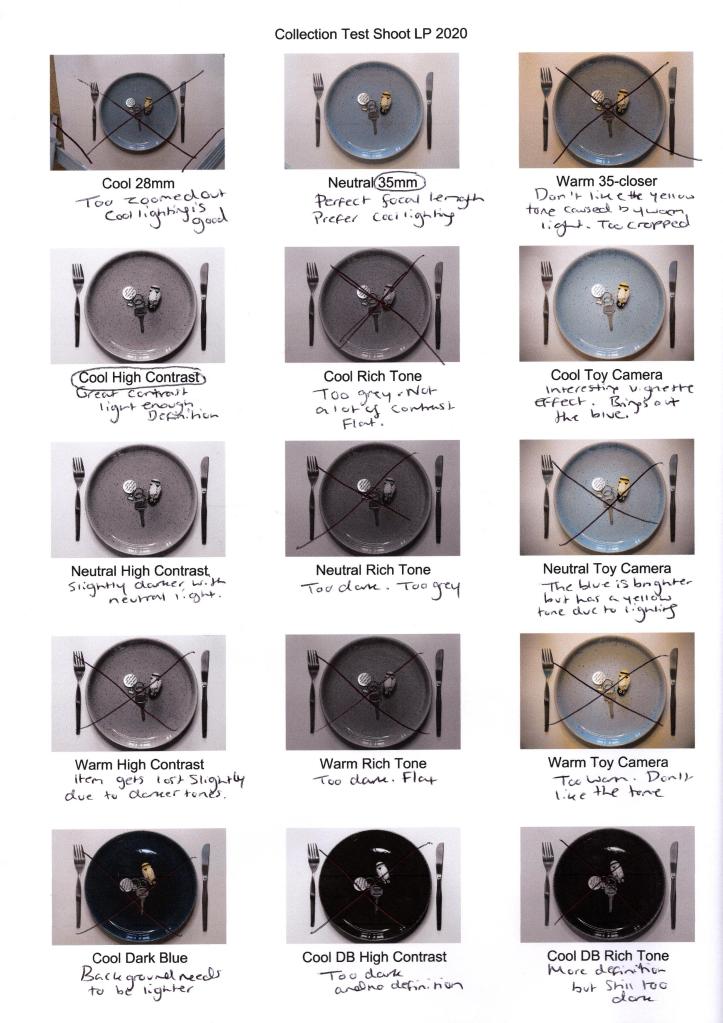
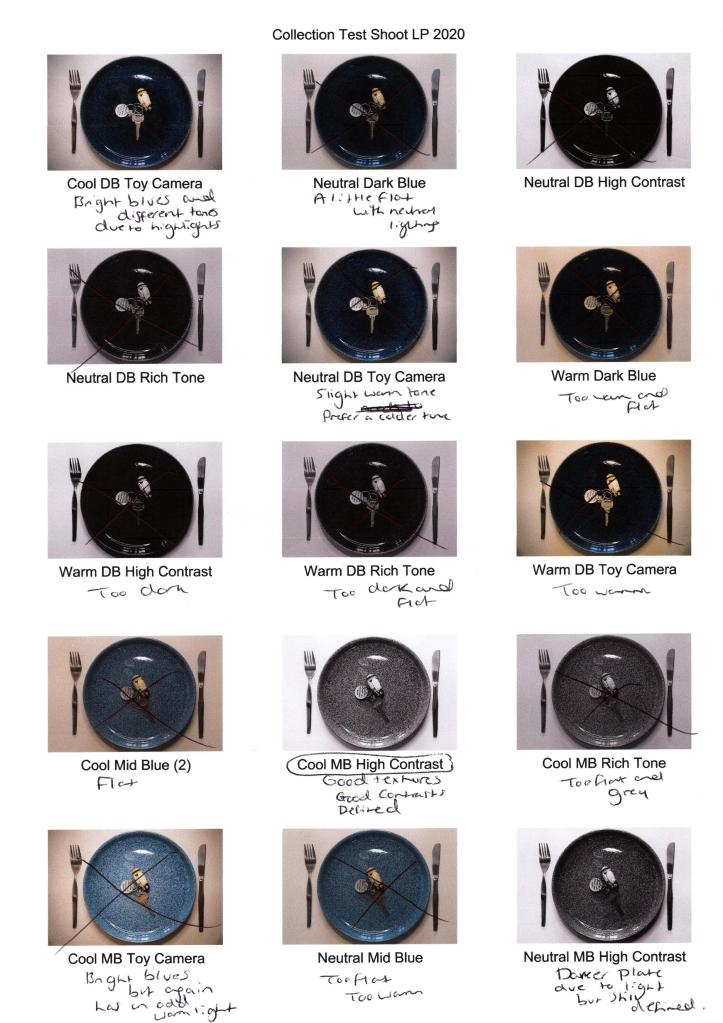
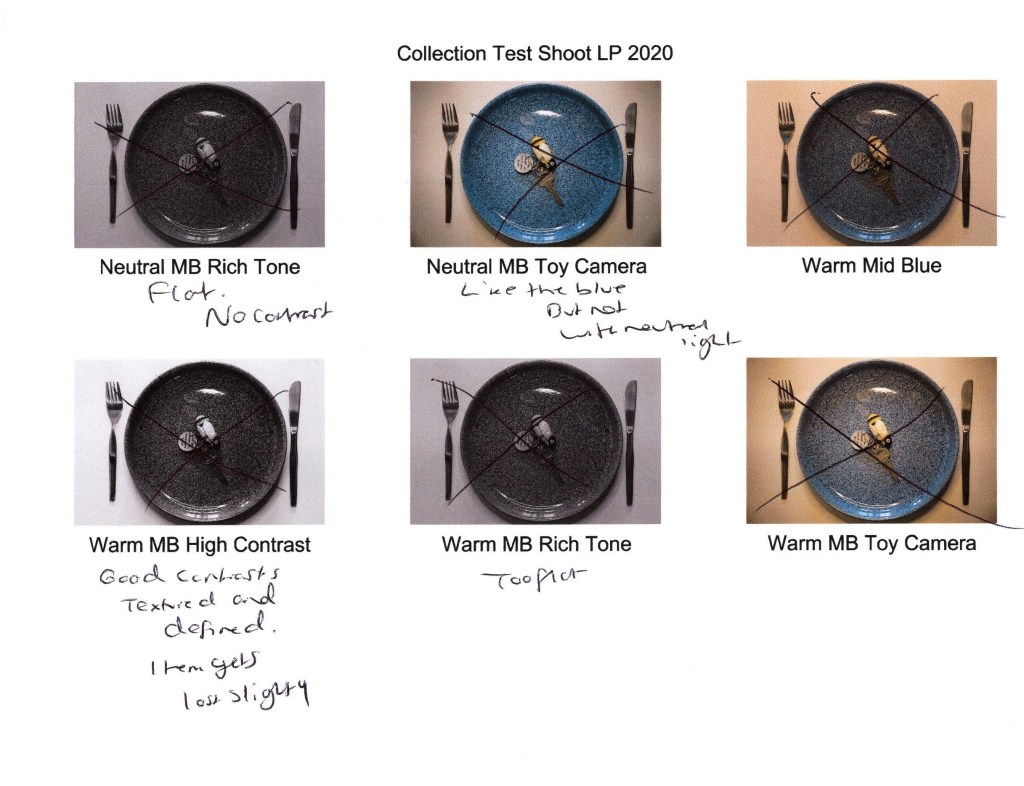
Before shooting my final images, I wanted to test different camera settings and prop choices to decide what visual and technical styles I preferred.
Tested settings consisted of changing focal length, changing the artificial light colour, changing aperture, experimenting with camera effects such as Black and White and plate colours. Using a tripod allowed the framing to be consistent throughout and prevented motion blur from an unsteady camera if handheld.

Below are the annotated contact sheets.

Equipment used – Sony A57 and SONY 18-55 3.5-5.6 SAM lens.

Reflection:

Cool 28mm, Neutral 35mm and Warm 35-Closer (see Fig. 1.) tested both focal length and artificial light temperature, which was the most straightforward test shoot to decide what elements I preferred. A focal length of 28mm was too short as the tripod legs and carpet were in the frame, as well as, making it difficult to see the subject as a whole. On the other hand, the cropped version of 35mm was too long, causing the plate to sit far too tight in the frame. 35mm allows for the tripod to be out of the shot, a decent focal length for the subject to be clear and crisp while providing some negative space to open the image up slightly and feel less suffocated. 

Backlighting the plate with a 10.5″ ring light formed some soft shadows, preventing the image from being 2D and lacking in contrast. While cool and neutral light is very similar in tone, choosing a cooler bulb setting made the whites brighter and defines. The warmer bulb temperature made the shadows stronger but flattened the image with an unappealing muddy pink-yellow tone. A crisp whiter background is more fitting for the props used, so a cooler light is most appropriate for these shots.

The images following the previous three discussed tested the different camera effects available on my Sony A57, such as High Contrast B&WRich-Tone B&W and Toy Camera, comparing the differences the lighting would have on these settings. Using High Contrast B&W with cool and neutral light, were the most successful combinations as the contrasts were sharp and added plenty of definition, as opposed to using Rich Tone B&W that flattened the subject with the greys due to the lack of tonal variations. Cool Toy Camera (see Fig. 2) has an added vignette effect, forming a halo around the plate which highlights and directs the eyes inwards while intensifying the various blues within the plate design that aren’t in the other shots. 

Finally, I tested all of the plates to figure out which colour worked best with the settings. The dark blue plate was too dark and became a solid block of black with the B&W filter, no matter the light temperature. Although Cool DB Toy Camera (see Fig. 2) had various blue tones that added depth, it wasn’t impactful enough to use in the final shoot.

The design of the mid-blue plate adds an extra layer of texture to the image and enhances the contrast due to the dark flecks of paint. Cool MB High ContrastNeutral MB High Contrast and Neutral MB Toy Camera (see Fig. 2. and Fig. 3) have the most depth out of all of the images due to the intense highlights, shadows and tonal differences in the blue, making the mid-blue plate bolder than the others. However, darker items may get lost in the composition due to the busy plate texture, so I will consider this when shooting my final images.

Final shoot plan:

– Collect as many items listed on the survey results and personal list to have varying shots.
– Use 35mm Focal Length.
– Use a tripod to steady the camera and keep framing consistent.
– Keep the plate position identical throughout to create a fluid transition between each final image.
– Use the lighter plate and mid-blue plate to avoid a dark block of colour.
– Use cool lighting to brighten the whites and darken the blacks.
– Use High Contrast B&W camera effect for depth.
– Backlight the subject.

List of images:

Figure. 1. Powell, L. (2020) Contact sheet 1 [scanned document] In possession of: Lauren Powell: Eastleigh.
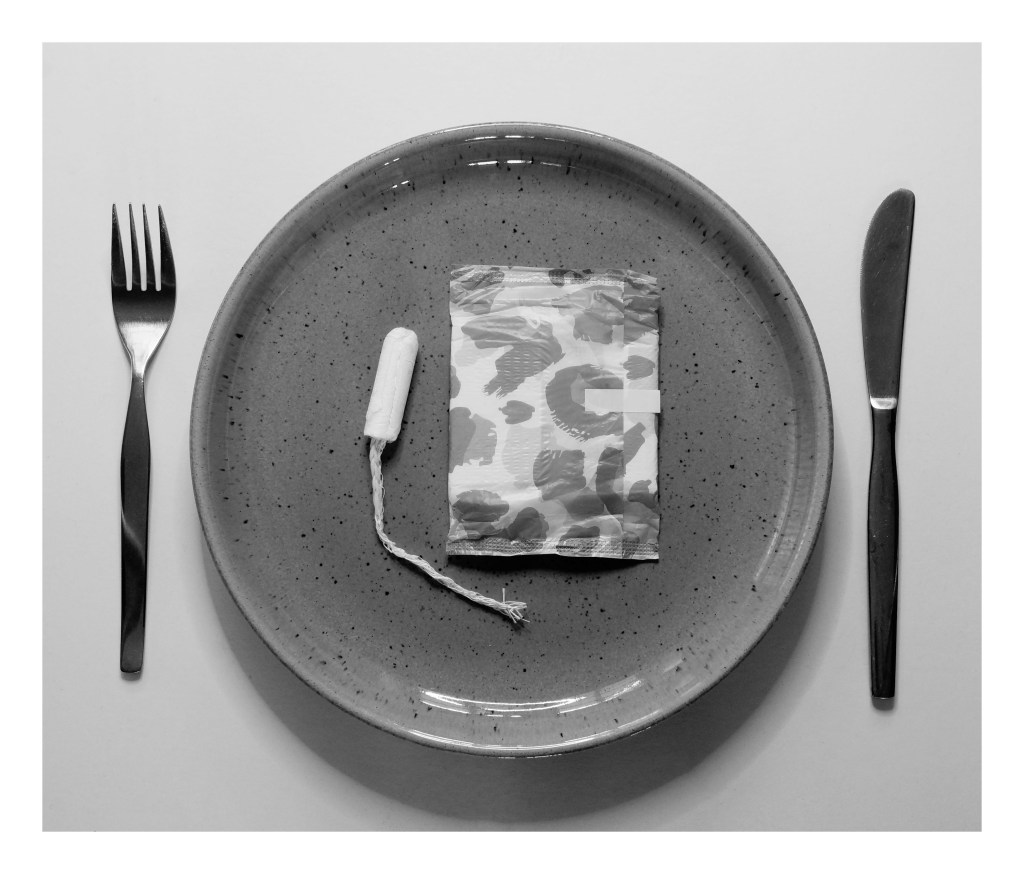
Figure. 2. Powell, L. (2020) Contact sheet 2 [scanned document] In possession of: Lauren Powell: Eastleigh.
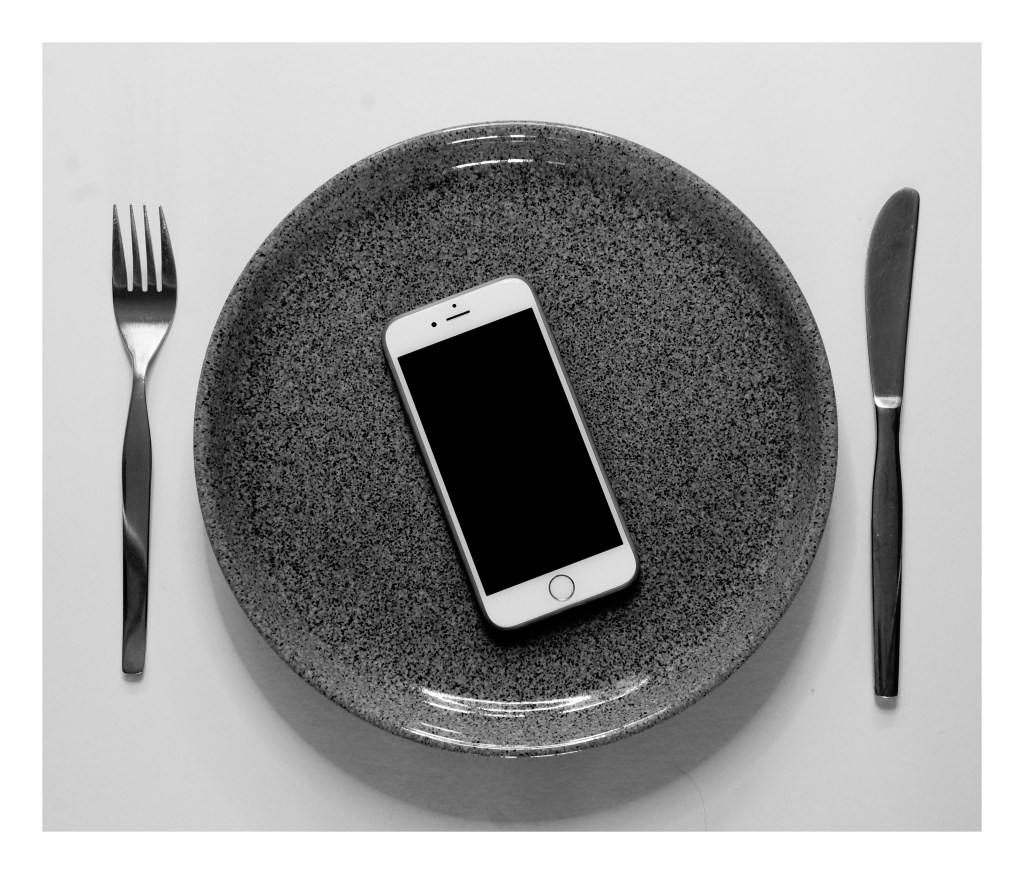
Figure. 3. Powell, L. (2020) Contact sheet 3 [scanned document] In possession of: Lauren Powell: Eastleigh.
Contact Sheets for ‘The Square Mile’ + reflection.

Assignment 1, Notes, Reflection on assignments, Thoughts & Ideas

Summary:

In this post I have;

– Provided annotated contact sheets of my shoot around Winchester, noting the strengths and weaknesses of a variety of shots
– As well as a PDF version for a clearer view of the sheets.
– Noted what images worked well and drew on the techniques used, such as consistent framing, natural lighting and such.
– Covered what went well during the shoot, for instance my ability to think about my surroundings to gather a cohesive series much like Keith Arnatt, reflecting on his influence.
– Explored how the shoot went despite an unexpected burst of bad weather, enabling me to achieve the ’empty’ town shots I was looking for and supplying an added interesting atmosphere, as well as
– Stating what could be improved in the future, for example being aware of the angles images are shot at and reducing the amount of duplicate images I capture, in turn being more selective.

Contact sheets:

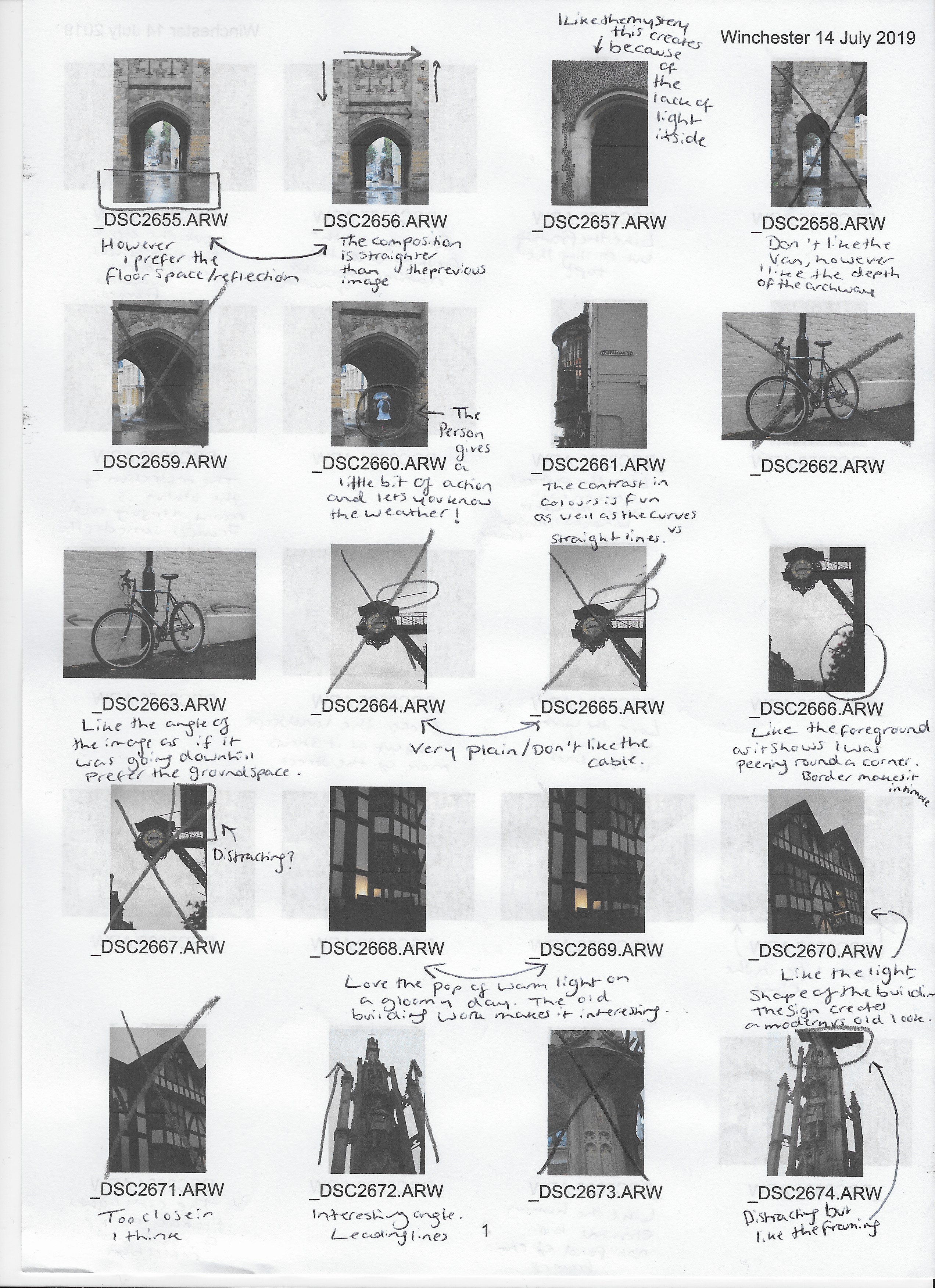
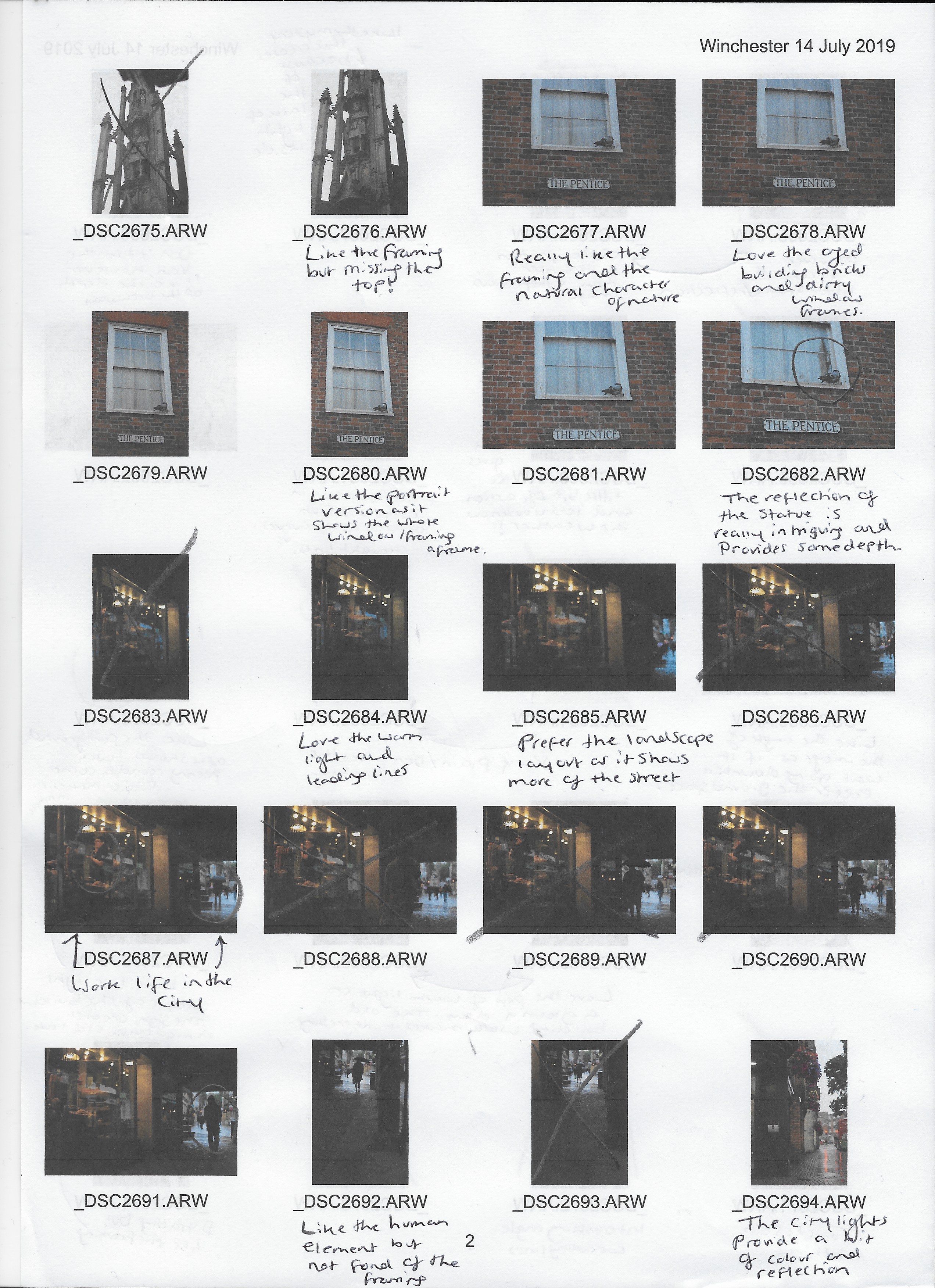
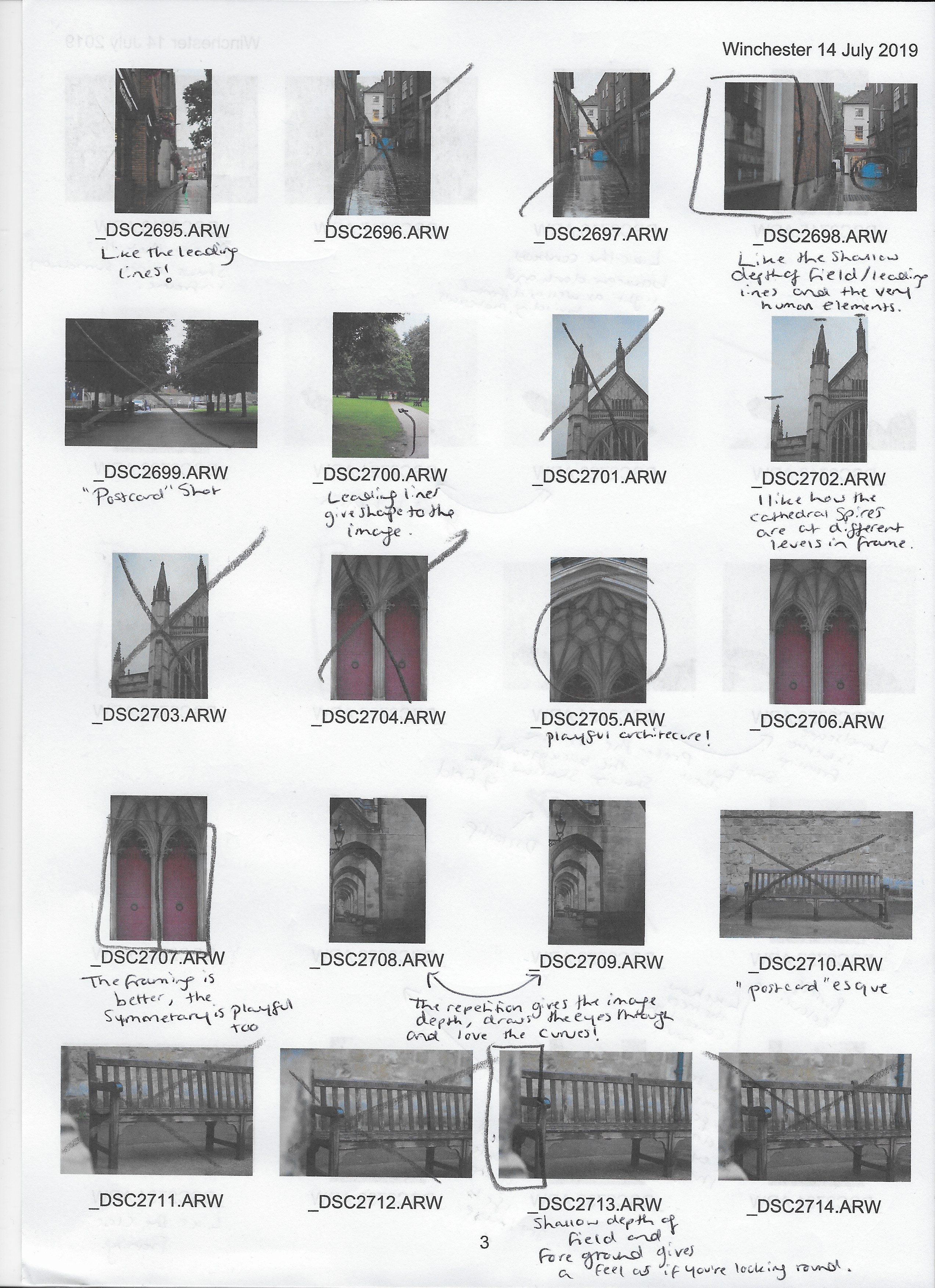
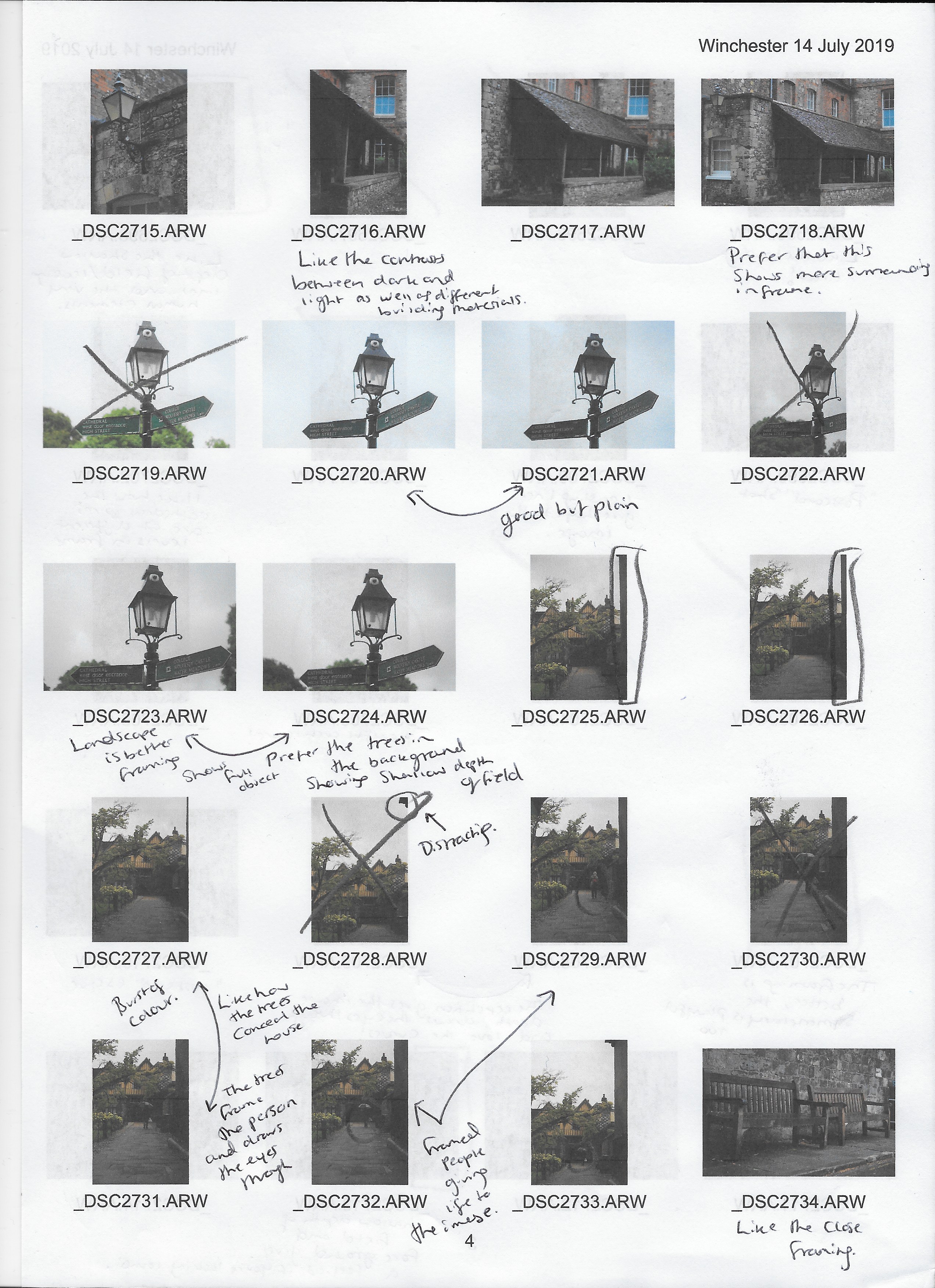
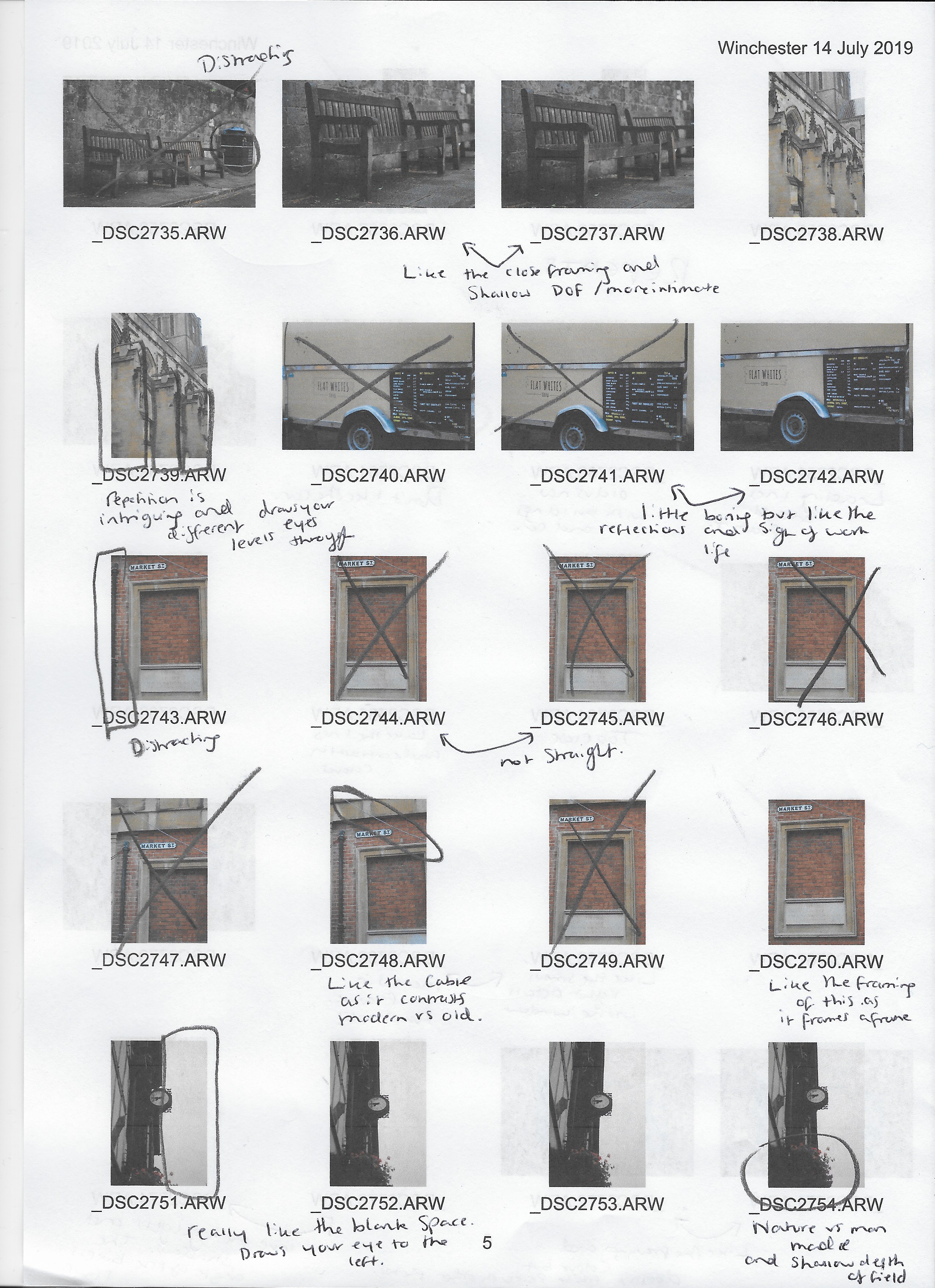
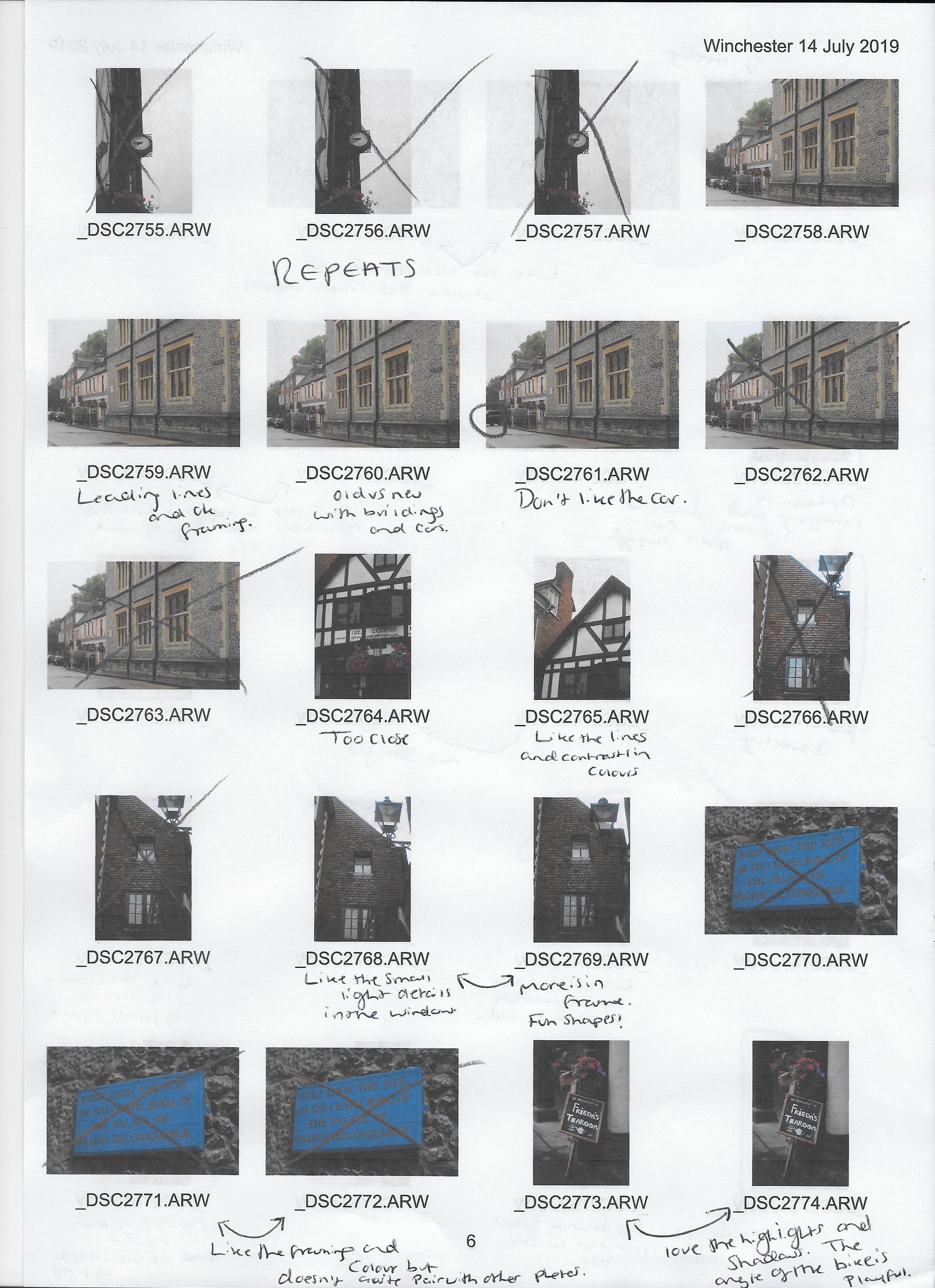
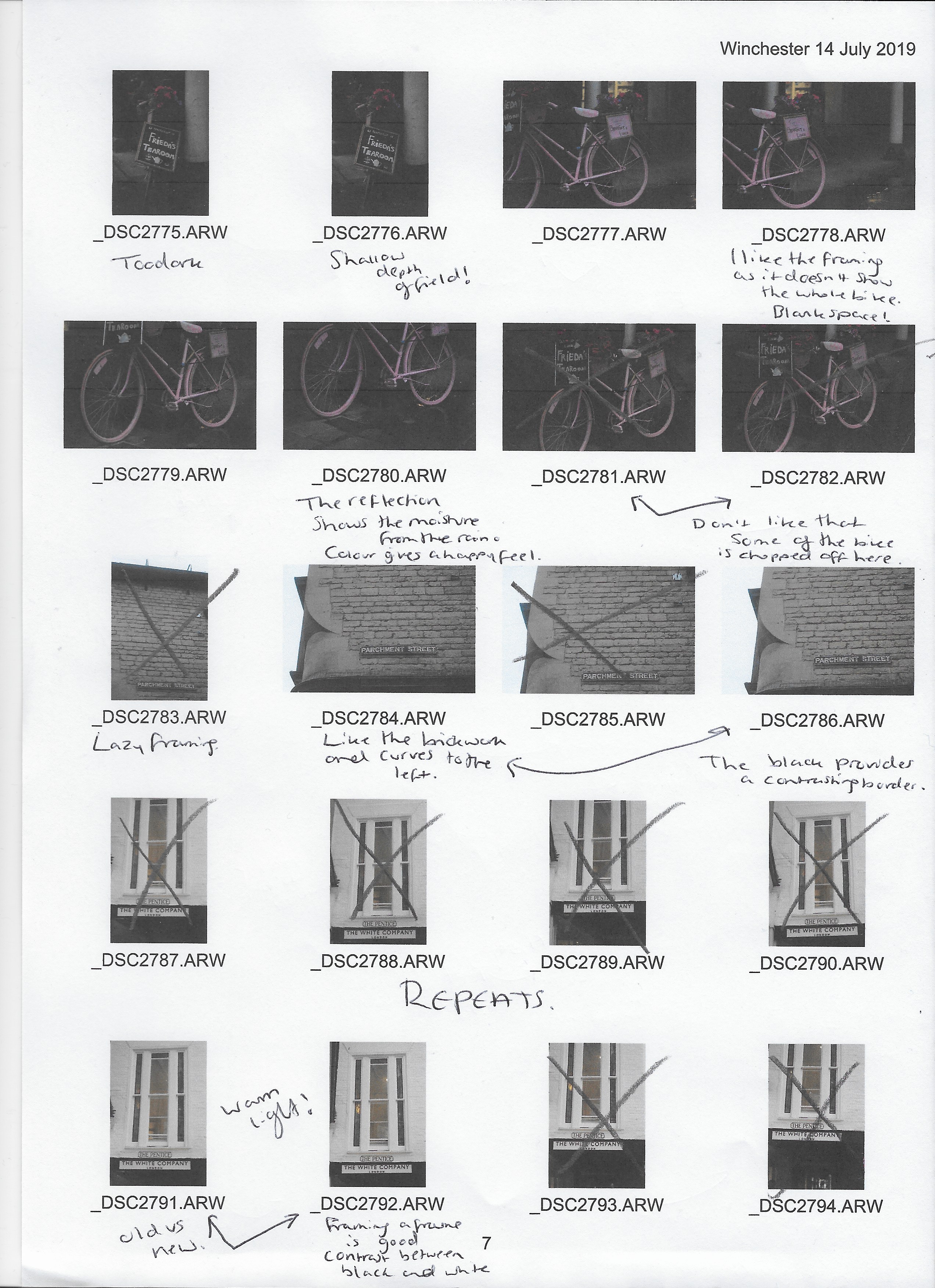
The following contact sheets include all of the images shot during the ‘Square Mile’ photo-shoot in Winchester, Hampshire. They’ve been annotated and scanned onto my computer, providing suggestions of how the images could’ve been stronger and/or the various elements I enjoyed.

All images were shot in RAW on my Sony A57, so I could then make the basic corrections in post-production without losing too much detail.

Notes :

What do I think of my images?

I’m pleased with how my images turned out, considering that street photography isn’t my usual area of focus and isn’t something I have explored very much. I tried my best to consider similar framing techniques and be aware of the light in my surroundings, to take inspiration from Keith Arnatt who has been part of my practitioner research. Summaries of Arnatt’s work suggest that he ‘may have planned his approach, due to the way he composed the series and stayed consistent with his choice of natural lighting and fixed camera distance’ (Powell, 2019).

What are some of my favourite images?

One of my favourite technical elements from the images shot in the high street (see Fig. 2.) is the contrast between cool, natural light from the gloomy, rainy weather and warm artificial light from the shops and cafes.
Another shot that stands out is the pigeon resting on the window ledge (see Fig. 2.), with the reflection in the glass, very subtly adding tension to the image as you don’t know at first glance what that silhouette may be.

What went well?

The variation of subjects I shot and being able to form a cohesive series purely from my surroundings, successfully achieving my aim to be flexible with what I captured in-camera while keeping the final selection process in mind so I’m not going to be left with a group of random ‘snapshots’ that don’t compliment each other.

What could be improved?

I need to work on my framing and angles a little bit more when shooting. Sometimes my photographs are intentionally taken at an unusual angle, but I also understand that some subjects are better suited with a straight horizon line, which creates more work in post-production if I don’t think about it or can’t get it right the first time round in camera.
Also, I have a habit of taking multiple images which aren’t necessarily an issue, but a few duplicates would be better than half a dozen especially when it comes to producing contact sheets. This is something I will discuss with my tutor to get their opinion on whether I need to work on this or not.

How did the shoot go?

When the shoot was planned, I stated that ‘I would like to go early in the morning so that it isn’t too crowded. This way it’ll allow me to focus on what is around me, what is happening and how I feel about it as a whole’ (Powell, 2019). However, one element not considered was unexpected weather conditions. Thankfully the rain worked in my favour as it was even quieter than expected while creating a moody, dark atmosphere which challenged me to work in conditions that I wouldn’t usually choose to shoot in, due to the inconsistency of light levels, much like direct sunlight at midday.
It was interesting to see how I worked with what I had and how the quality of the images wasn’t necessarily hindered by the weather.

What am I going to do with these images now?

After going through my images as a whole on my computer, I am going to select a few of my best images and apply very basic corrections to them, such as highlight/shadows alterations e.t.c. They will then be cut down again and paired together for the final series of photographs needed for the assignment.

References :

Powell, L. (2019) Keith Arnatt Research. [online] Available at: https://laurenpowelloca.photo.blog/2019/08/13/keith-arnatt-research/ [Accessed 20 July 2019].

Powell, L. (2019) Plan for ‘The Square Mile’. [online] Available at: https://laurenpowelloca.photo.blog/2019/08/20/plan-for-the-square-mile/ [Accessed on 20 July 2019].

List of images:

Powell, L. (2019) Page 1 (Scanned document) In possession of: Lauren Powell: Eastleigh.
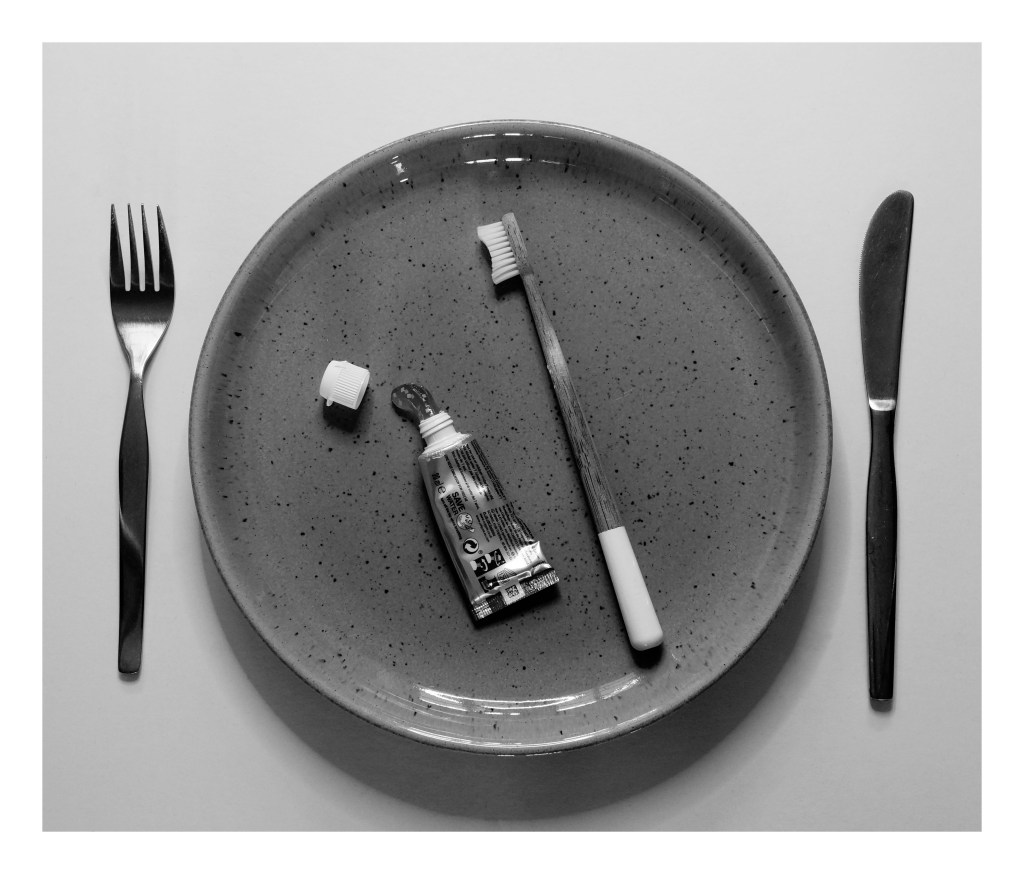
Powell, L. (2019) Page 2 (Scanned document) In possession of: Lauren Powell: Eastleigh.
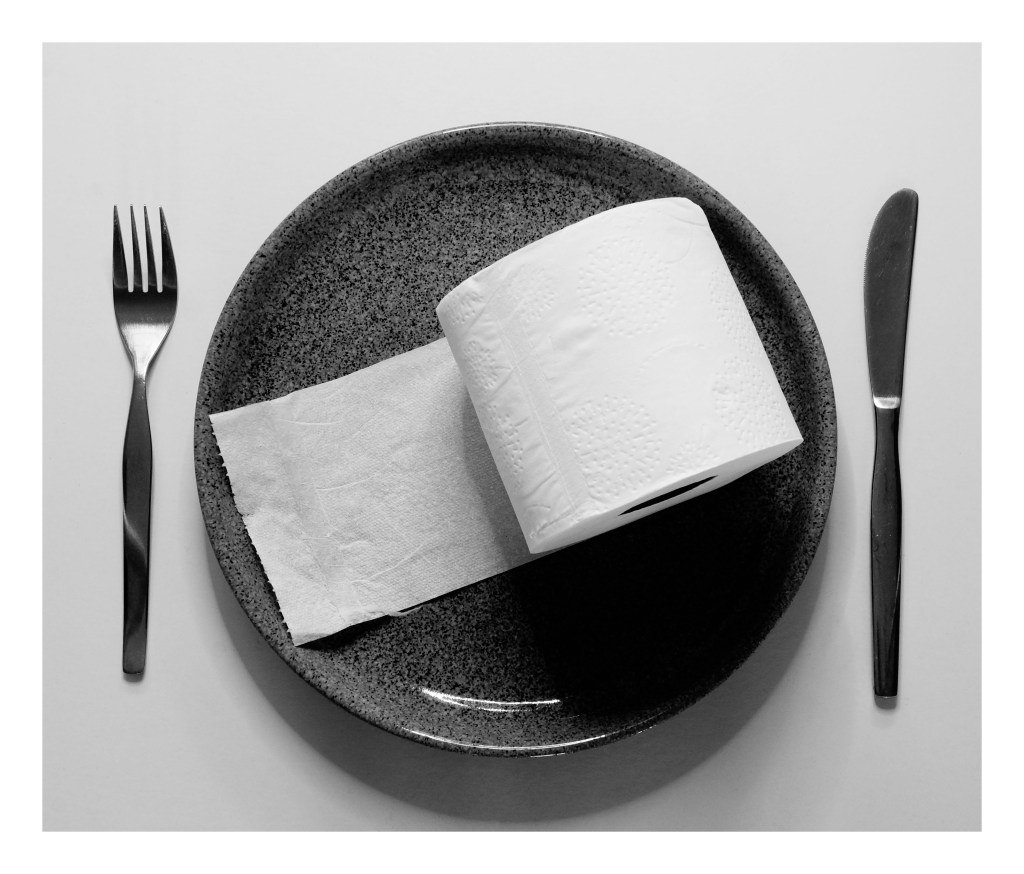
Powell, L. (2019) Page 3 (Scanned document) In possession of: Lauren Powell: Eastleigh.
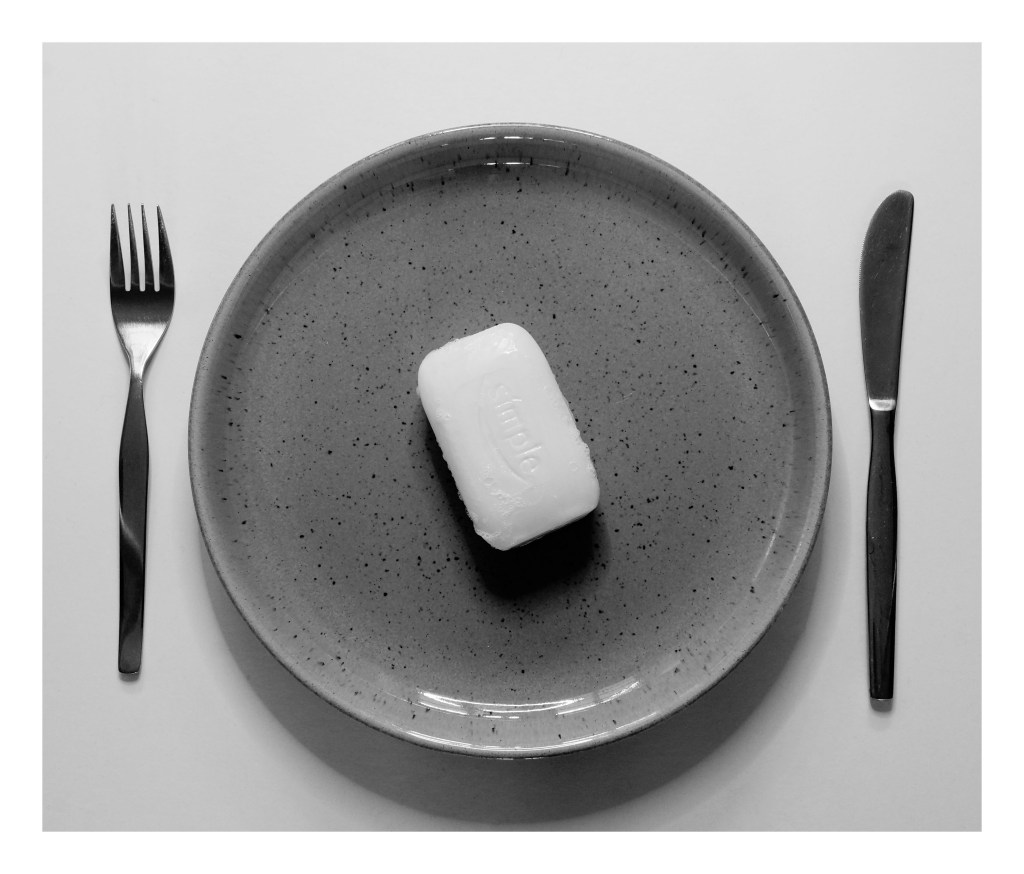
Powell, L. (2019) Page 4 (Scanned document) In possession of: Lauren Powell: Eastleigh.
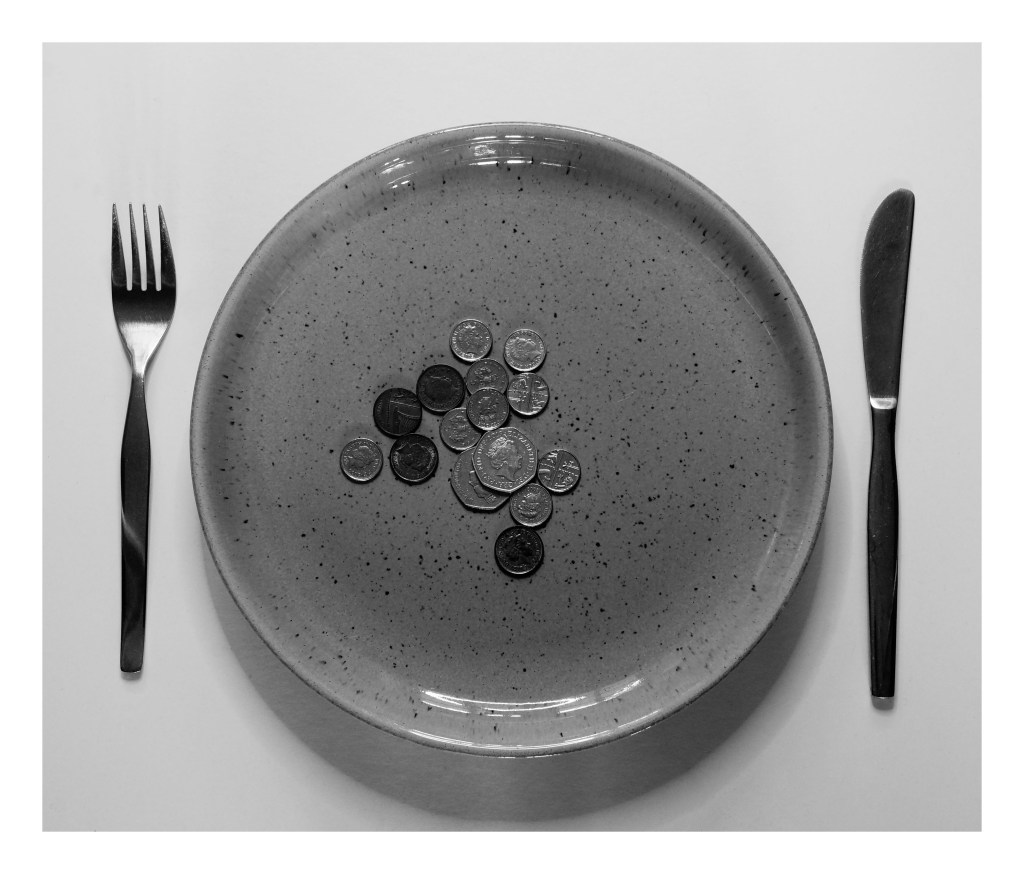
Powell, L. (2019) Page 5 (Scanned document) In possession of: Lauren Powell: Eastleigh.
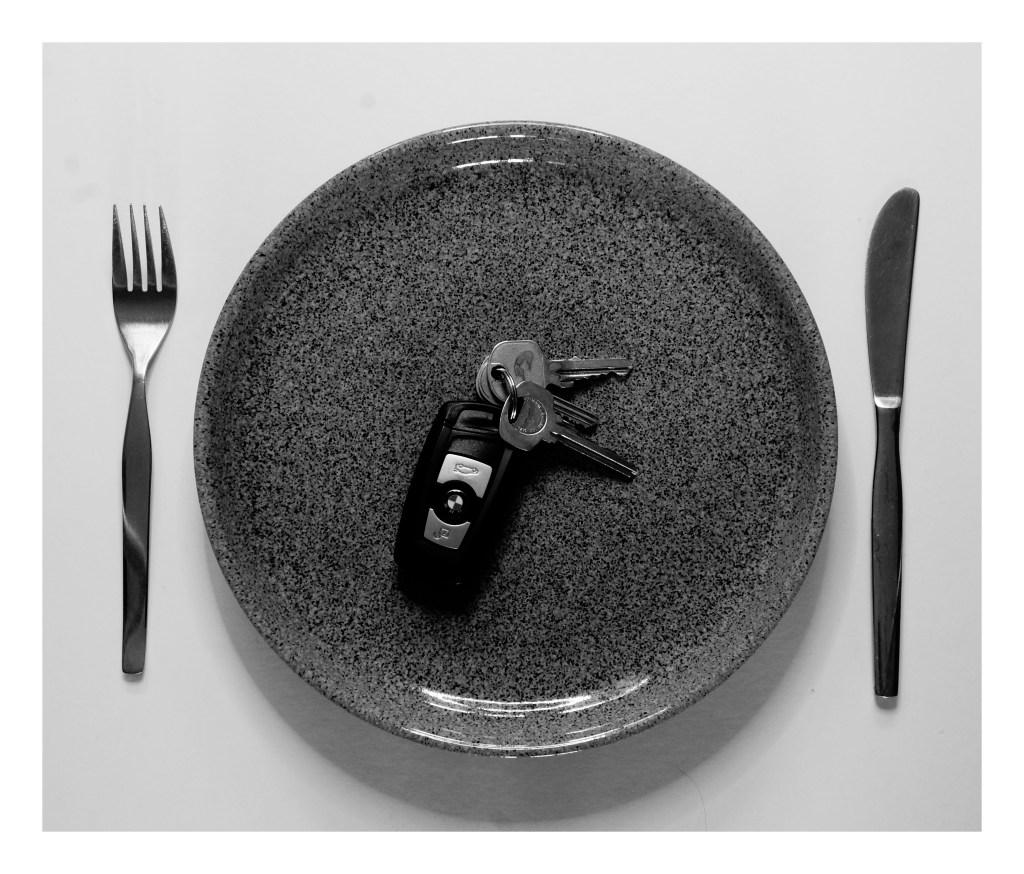
Powell, L. (2019) Page 6 (Scanned document) In possession of: Lauren Powell: Eastleigh.
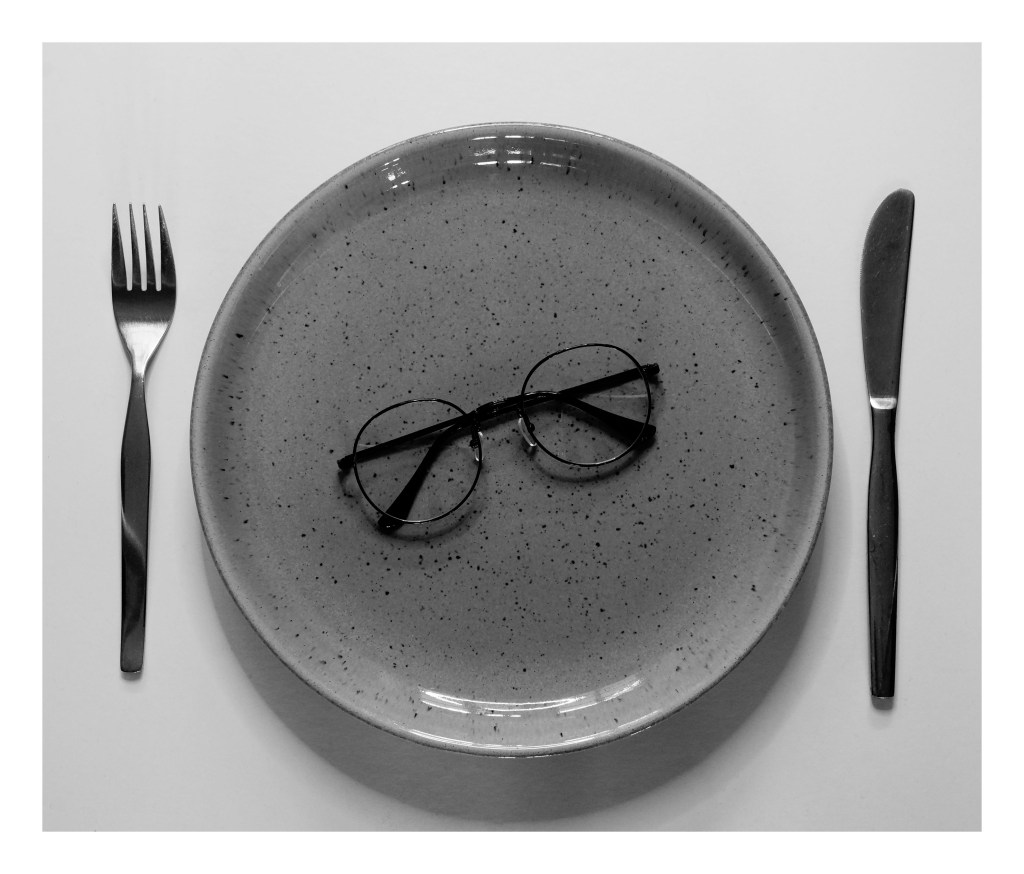
Powell, L. (2019) Page 7 (Scanned document) In possession of: Lauren Powell: Eastleigh.